These Android Launcher / Home Screen Replacement Apps will style and freshen up your phone.
Android aficionados love the ability to change up their home screens on a whim. Users can install factory widgets out of the box to let them know the time and weather or change the mood with fresh wallpaper. If you want more customization features, then check out the best android theme Apps. The best screen replacement apps options are vast and grow when you tap that magical Play Store icon for the first time.
While there are dozens of ways to change the look of your UI, launchers, widgets, and launcher apps are an excellent way to go. The best app organizer apps have several features in common, but each tries to include a few tricks like themes, gestures, or some unique features to differentiate them.
What is the best launcher for android?
Launcher app and screen replacement apps are plentiful, but we have made things simple by compiling a list of the best android launcher you should try. In most cases, you will get a decent result just from the free version of the launchers.
Desert Island
We put Desert Island at the top of the list because it’s the kind of android launcher that puts your health first. The digital well-being experiment asks users to focus on their most important task, pick a list of the apps, and challenge themselves 24 hours. The launcher will allow access to only those apps after the period will give you a detailed report.
Lessphone
Lessphone also shares a similar idea. Generally speaking, we now spend a lot of unnecessary time on mobile phones by simply picking the phone everywhere and browse here and there, constantly checking social media updates, especially before sleeping, which negatively affects our health. Study shows, starring your phone for a long time is seriously harmful to eyes and sleep patterns. Lessphone aims to bring a distraction-free smartphone using experience by limiting the addictive apps and use the essential apps only.
Action Launcher
Action Launcher managed to say on top for a long time with its vanilla look and feel by adding a few unique features. For instance, Quicktheme lets you pick a color from the current wallpaper and change the UI accordingly. The Quickpage enables you to access hidden home screens from several interfaces. Furthermore, Shutters lets you check out an app’s widget without actually setting one on the home screen. Users can also import and apply custom icon pack quickly, then change shapes or resize them as they need and do more stuff.
Total Launcher
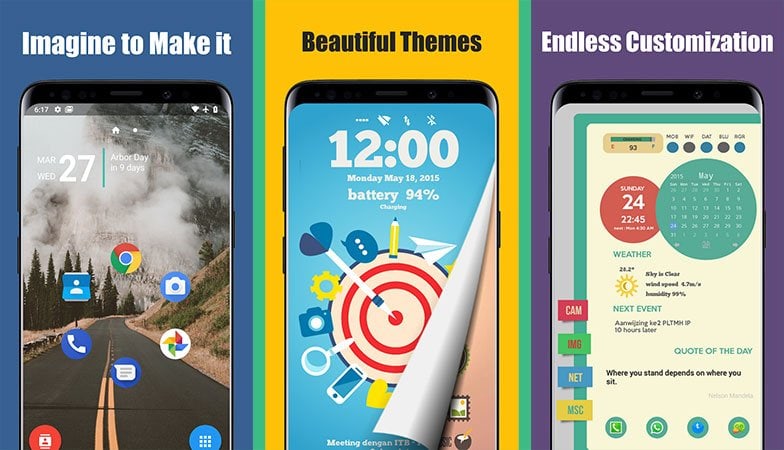
Total is one of the best customizable launchers that shines in several key areas. The app lets you design and tweak every little aspect of your UI and TL with unlimited amount themes, rich widgets, wallpapers, and plenty more elements. It also introduces some impressive ideas, such as using and swiping an app icon in different directions to launch another app, or transforming each icon individually is fantastic. Overall, for those who love to play with the UI elements, Total launcher has infinite options.
Zone Launcher
Zone Launcher puts a lot of effort into making it distinctive from others as it works on top of your current launcher by adding a layer of swipe edge apps drawer. So you can still keep your favorite setting with more posibilites inside a hidden launcher that makes switching between apps is very swift. Swipe inwards from the edge of the screen without lifting your finger, and the hidden app drawer will pop up, now you can slide over to the app that you’d like to switch. It also shows the alphabets along with the edge so you can hover over a letter to open apps starting that letter.
It also allows users to set up multiple zones with custom apps. For example, you can agave a zone to include all essential apps, one for socials apps, and one for games or based on your needs.
Nova Launcher
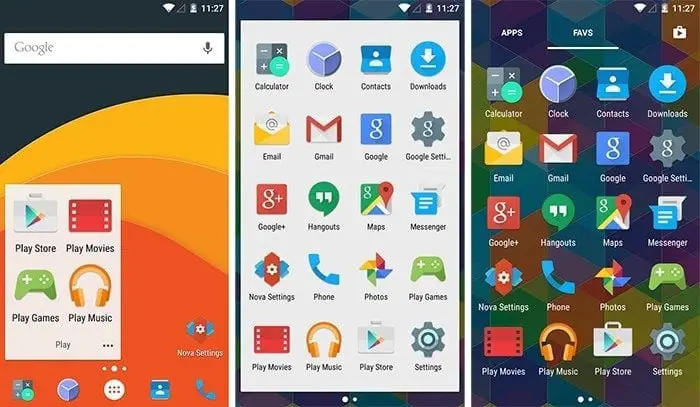
Nova Launcher is one of the best launcher apps and probably the most popular launcher for android. It’s a full home screen replacement for a complete makeover from the home screen and transitions all the way down to the icons. All of the best screen replacement apps work in the same fashion, but some have better tricks than others. For Nova, some of the standouts include color controls for your folders, tabs, and backdrops, along with a widget dock. It is snappy and has a clean layout that is sans any bloat or unwanted flair. You will also get something called subgrid positioning, which allows you to “snap” an icon or widget in the middle of a grid cell.
Those are all features you will receive in the free version of Nova, but the prime brings a few new things to the table. Gestures controls, icon swipes, and custom drawer groups are all mentioned along with unread count badges through a plug-in.
Apex Launcher
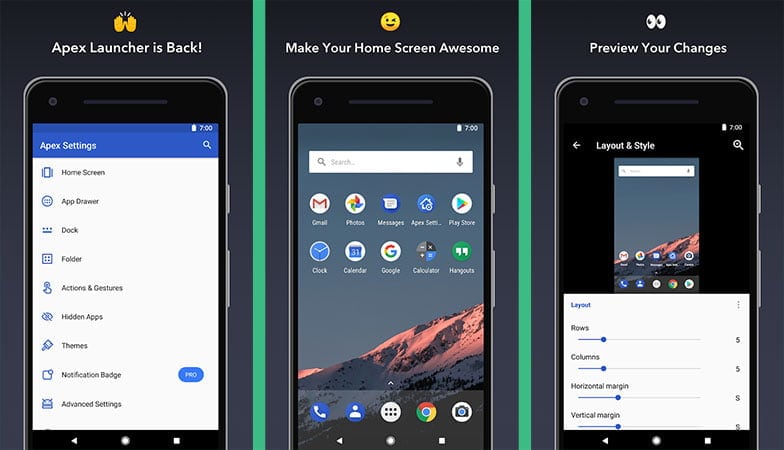
Apex has been a fan favorite android launcher for a long time and consistently finds itself on many “best of” lists each year. It’s full of features to tailor the home screen to suit your needs. Apex launcher gives a scrollable dock with up to 7 icons per page as well. Also, you can choose from several different dock styles, including opaque. Users can customize icons, hide apps, add notification badges, change pages transitions, alter the search bar or notification bar, and more. It also behaves as a great android theming app for effortless transformation.
If you aim for more of a stock android look, then those one is the right choice. Apex Launcher Pro allows for more customization and even lets you import themes from other launchers.
Evie Launcher
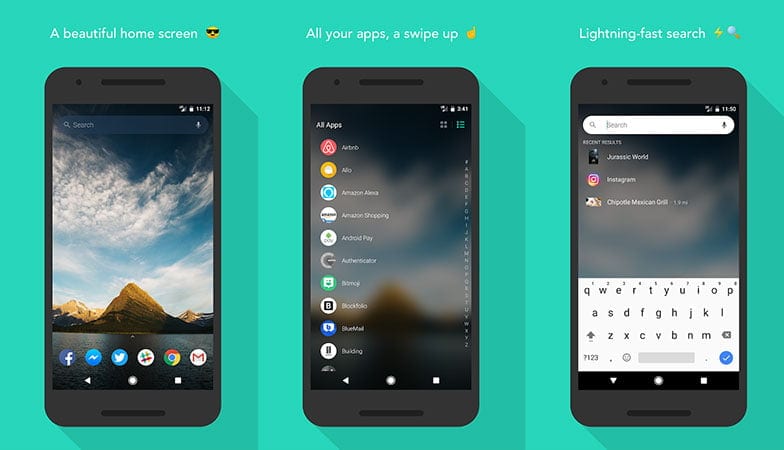
Evie is another long-run launcher and one of the easier to deal with when it comes to settings. Some launchers can overwork your brain with an endless amount of tweaks, which means finding the right toggle can be difficult at times. That is not the case with Evie, as you will quickly see when you first fire up the app. It has a universal search function with lets you search within your apps, contacts, and more. While searching, you can create a shortcut with a long-press to place an icon on the home screen.
Customization is an obvious perk, and it lets you backup and restores your screen, change up icons on a whim, and alter the structure of your home screens as you like. Overall, it’s a clean launcher app for regular users.
Microsoft Launcher
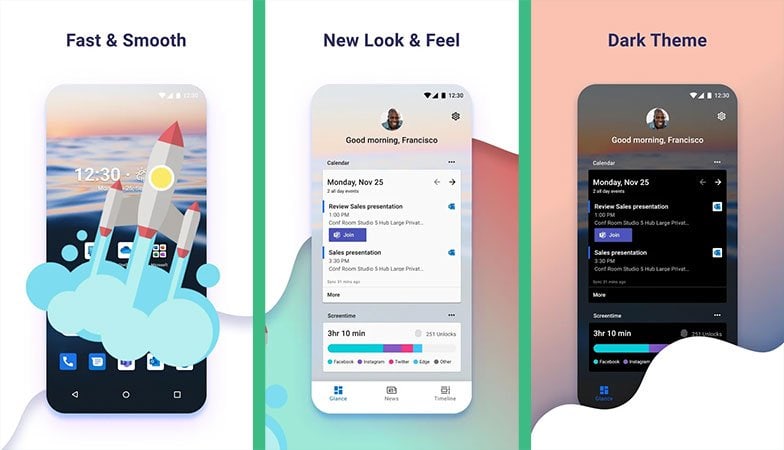
The rebranded Arrow launcher by Microsoft keeps things simple but remains effective. This one hails from their “Garage” project and is built to be light, fast, and take up fewer system resources than other launchers in its class. It also brings the stylings of a Windows-based handset to your droid. It is deeply tied with many Microsoft services, including their calendar, email, to-do list app, including built-in Bing search, calendar, email, to-do list app, and integration with PCs. You will also get new wallpapers daily.
Other features include customization features and gesture controls, backup settings, and a utility page that lets you pin important cards for ease of access.
hyperion launcher
Hyperion launcher is a good alternative launcher that incorporates some useful features. One of the new things is the ability to change fonts manually by using a TTF file. Besides, you have more color control to change the background colors of the app drawer, dock, folders, search bar, scroll indicator, and more. It also works as an app lock with the ability to secure individual apps using your fingerprint. Additionally, it has third party icon support with shape-changer, the ability to apply different icons in different sections, various theming elements, and more stuff to do. You can also enable Google Feed by installing an extra app.
Niagara Launcher
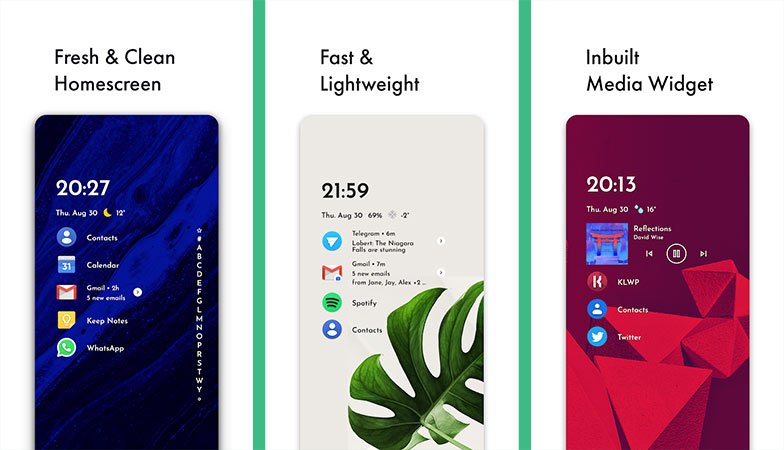
Niagara is one of the newer android launcher apps that keeps the home screen clean by showing just eight apps and hides the rest of the apps in a rather stylish scrolling side menu. You can also tweak the setup with cool widgets and design options. The free version is somewhat limited to options but still offers a decent look in a minimalistic way.
GO Launcher
Go launcher is a theme centric homescreen app with a lot of customization options. It’s famous for its simple-to-use interface, plus the highly customizable themes like that will blow your mind. This app is probably overrated, but there has to be something for all this massive number of people installing and using the app. This app may be just what people want, such as thousands of free mobile themes, 3D parallax effects, etc. from the best android launcher and home screen replacement app.
Smart Launcher 5
This is surely a smart choice when choosing a launcher app for your mid-range smartphone because it goes easy on the system resources and runs efficiently. Even if your device is brand new and working fast enough, it will become slow sooner or later. This is particularly true with the continued installation of low-quality applications that require too many system resources to do so many unwanted things in the background. This app keeps your phone running at optimum speed while providing you the same high-quality functionality of any other app on this list. You can still take the benefits of modern UI, ambient theming features, adaptive icons, and more.
Split Screen Launcher
Petty sure you haven’t think something like Split Screen Launcher before reading this article. It lets you create app shortcuts on your home screen to launch two apps directly into split-screen mode instantly. Just open the app, set up target apps for both the top and bottom parts, and add the shortcut to the main screen. Now every time you tap on a shortcut, it will launch the configured apps immediately.
Lightning Launcher
This is a simple app built to replace your default launcher effectively without strain on the system resources. Sure, you could say it is a bit featureless but it super responsive, runs like the wind, and some features like an unlimited number of home screens and multiple sets of home screens for multiple occasions such as for private, work, party, kids, etc. are pretty authoritative. If you still have that archaic smartphone, then this is the app that is guaranteed to run on low memory and CPU speed.
Perhaps the most interesting feature is JavaScript support that lets you import settings from others or share yours. Users will also get additional plugins, language packs, floating desktop, Tasker integration, and more content.
The above launcher app and the best screen replacement apps are beautiful, functional, and each one has its own unique advantages to freshen up your home screen in no time. Moreover, you can do more stuff with live wallpapers, widgets, and custom lock screens.