Streamline Your Workflow with Visual Task Boards

Kanban methodology has revolutionized how teams and individuals manage their workload, offering a visual, intuitive approach to tracking tasks from start to finish. The best Kanban Android apps combine flexibility with powerful features, helping you organize projects, collaborate with teams, and boost productivity wherever you work. Whether you’re managing personal goals, coordinating team projects, or juggling multiple responsibilities, these apps transform overwhelming to-do lists into manageable visual workflows.
We’ve evaluated dozens of options based on user ratings, feature richness, ease of use, cross-platform compatibility, and privacy standards to bring you the top 10 Kanban Android apps that genuinely enhance task management.
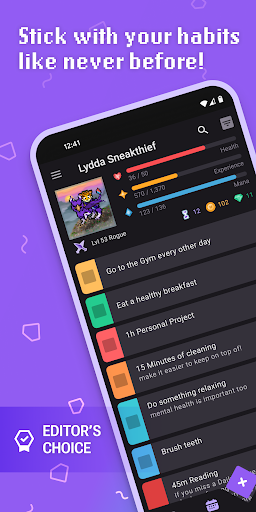
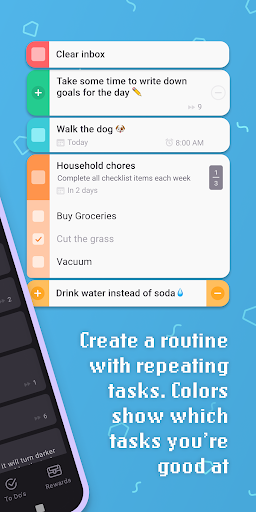
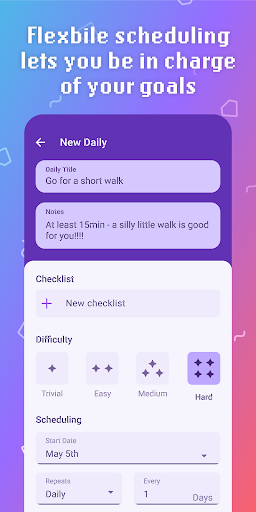
Habitica takes a unique approach to task management by transforming your to-do list into an engaging retro RPG game. This free productivity app turns mundane chores and goals into exciting quests where completing real-life tasks earns you gold, experience points, and collectible items for your custom avatar.
Pros
- Gamification makes mundane tasks engaging and fun
- Strong community features for accountability
- Highly customizable with regular content updates
- Inclusive avatar options and accessibility features
Cons
- RPG elements may not appeal to everyone
- Can feel overwhelming for users seeking simplicity
The app offers comprehensive task organization through automatically repeating tasks for daily, weekly, or monthly routines, a flexible habit tracker for varying frequencies, and traditional to-do lists for one-time tasks. Color-coded tasks and streak counters provide instant visual feedback on your progress, while the leveling system helps you visualize long-term achievements.
Habitica shines with its social features. You can join parties with friends for accountability and battle monsters together by completing tasks, participate in challenges with shared task lists, and customize your avatar with inclusive options including wheelchairs, diverse hairstyles, and skin tones. The app syncs across devices and includes a Wear OS companion app for on-the-go task management.
Unlike traditional Kanban apps, Habitica excels at personal habit building and motivation through gamification. It’s ideal for individuals struggling with ADHD, those seeking creative motivation for self-care routines, or anyone who finds traditional task management boring. If you thrive on achievement systems and enjoy gaming elements in your productivity tools, Habitica is absolutely worth downloading.
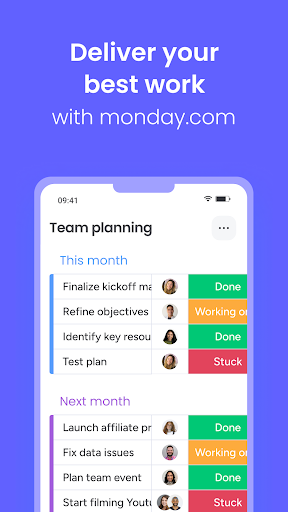
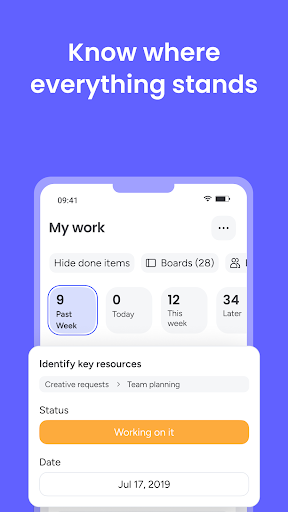
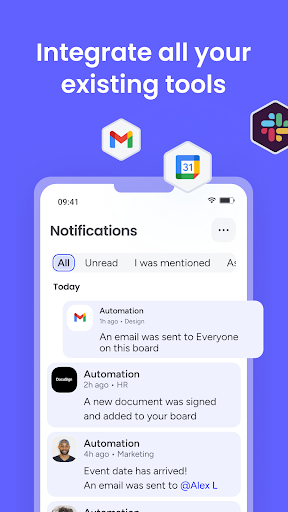
monday.com delivers a comprehensive work management solution that earned recognition as the No. 1 Productivity App at the 2019 Webby Awards. This visual workspace serves over 120,000 teams worldwide, offering an intuitive interface that makes complex project management accessible to everyone.
Pros
- Highly visual and customizable interface
- Excellent automation capabilities reduce manual work
- Extensive template library for quick setup
- Strong integration ecosystem
Cons
- Can be expensive for small teams
- Learning curve for advanced features
The platform excels at visual organization with customizable boards, spreadsheets, and multiple chart types including Ganban boards, Gantt charts, and pie graphs. Real-time updates keep everyone synchronized, while the task tracker provides instant status visibility. You can easily assign task owners, filter information to display only what matters, and use various views to analyze data from different perspectives.
monday.com stands out for its workflow optimization features. Automation eliminates repetitive tasks, custom notifications help prioritize work, and the work time tracker reveals how long team members spend on each task. With over 200 pre-made templates spanning various industries and use cases, you can launch projects quickly without starting from scratch. The app integrates seamlessly with your favorite tools and synchronizes data in real-time across all devices.
Compared to simpler Kanban tools, monday.com offers enterprise-level capabilities with a user-friendly approach. It’s perfect for growing teams that need robust project management without complexity, businesses requiring detailed time tracking, and organizations seeking a unified platform for all work management. The app justifies its investment for teams serious about streamlining their workflows.

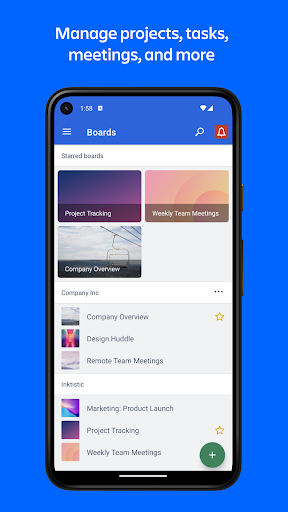
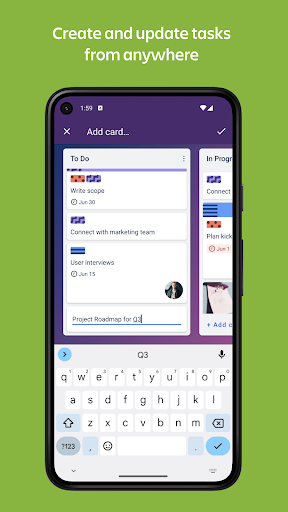
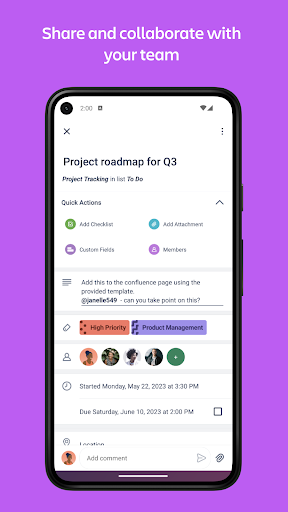
Trello pioneered the digital Kanban approach and remains the gold standard for flexible work management. With over 1,000,000 teams worldwide using the platform, Trello’s boards, lists, and cards system offers infinitely customizable project organization that adapts to any workflow.
Pros
- Intuitive drag-and-drop interface anyone can master
- Free tier is genuinely useful for small teams
- Works offline with automatic sync
- Excellent mobile experience with widgets
Cons
- Advanced features require paid subscription
- Can become cluttered with large projects
The app provides multiple visualization options including Calendar view for deadline management, Timeline view for project status tracking, and Map view for location-based tasks. Creating and updating tasks takes seconds with quick card creation, while checklists, labels, and due dates keep everything organized. You can upload images and documents directly to cards, contextualizing work without switching apps.
Trello excels at collaboration with seamless task assignment, comment threads with emoji reactions, and file attachments that keep resources connected to relevant tasks. The satisfying checklist feature with visual progress bars makes completing complex tasks rewarding. Push notifications keep you updated on assignments and changes, while offline functionality ensures you can work anywhere. Widgets provide home screen access for quick task creation and board viewing.
Trello’s simplicity is both its strength and limitation. It’s phenomenal for straightforward Kanban workflows, visual thinkers, and teams wanting immediate productivity without extensive training. While more complex projects might outgrow Trello’s capabilities, its ease of use and free tier make it an excellent starting point for anyone new to Kanban methodology.

ProofHub offers an all-in-one project management solution with flat pricing and unlimited users, making it an economical choice for growing teams. Recognized as a top-rated collaboration app by GetApp and one of the best project management software companies of 2020, ProofHub brings plans, tasks, projects, files, and communication into one shared workspace.
Pros
- Flat pricing with unlimited users is budget-friendly
- Comprehensive feature set eliminates need for multiple tools
- Centralized file management keeps documents organized
- Priority support included with subscription
Cons
- Interface may feel less modern than competitors
- Steeper learning curve due to extensive features
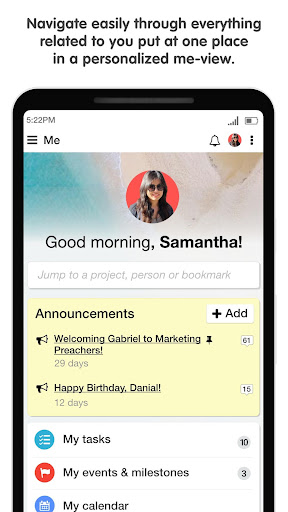
The app features a personalized dashboard showing your daily priorities, upcoming tasks, and important saved links for quick access. Effortless onboarding gets teams productive quickly, while real-time notifications keep everyone updated. The interface emphasizes clarity with commenting on tasks, instant search functionality, information sorting with filters, and project timeline tracking to ensure deadlines are met.
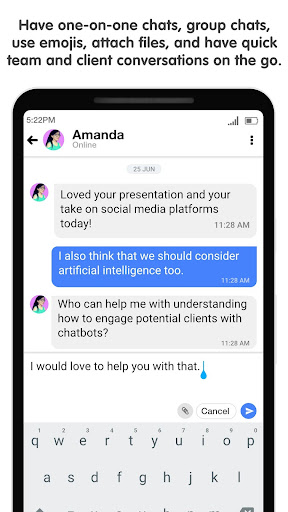
ProofHub’s file management centralizes all documents under one roof, allowing you to keep information private or share it with specific team members. Automatic syncing between web and mobile apps ensures your data stays current across devices. The app supports both in-house and remote team collaboration with on-the-go discussions and team-wide updates. Priority support ensures help is available when needed.
ProofHub positions itself between simple Kanban tools and enterprise solutions, offering robust capabilities without overwhelming users. It’s ideal for mid-sized teams needing comprehensive project management, organizations wanting to consolidate multiple tools, and remote teams requiring strong collaboration features. The unlimited user pricing makes it particularly attractive for rapidly growing companies.


Zoho Sprints specializes in agile project management, delivering powerful scrum tools specifically designed for teams following agile methodologies. The app helps teams plan sprints, track work items, manage workspace users, and deliver projects efficiently through dedicated scrum boards and backlog management.
Pros
- Purpose-built for agile and scrum methodologies
- Excellent sprint planning and tracking tools
- Comprehensive performance insights with multiple chart types
- Clean, professional interface focused on efficiency
Cons
- May be overkill for simple Kanban needs
- Best suited for teams familiar with agile concepts
The user story and backlog management features let you break down epics into manageable chunks and plan sprints from anywhere. A spreadsheet-inspired list view displays all relevant work item details in a clean, organized format, while scrum boards enable drag-and-drop status updates across your Kanban workflow. Filtering and search capabilities help you quickly locate specific work items.
Epic and sprint insights provide completion percentages based on item count and estimation points, letting you track progress at a glance. Performance tracking includes time logging, velocity charts, and burn-up and burn-down graphs that identify workflow bottlenecks. Work item management supports sub-items, attachments, followers, and both manual log hours and automatic timers. The global feed keeps everyone informed with real-time updates across all projects.
While general Kanban apps serve broad audiences, Zoho Sprints targets development teams and organizations committed to agile practices. If your team runs sprints, tracks velocity, and needs detailed performance metrics, Zoho Sprints delivers specialized tools that generic project managers cannot match. It’s worth downloading for any team serious about agile project delivery.
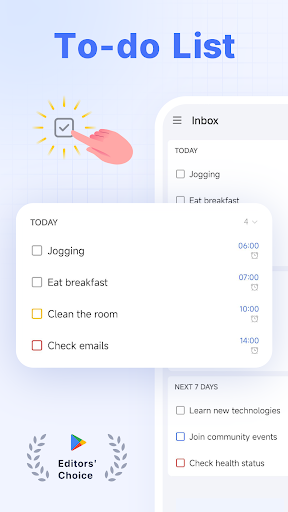
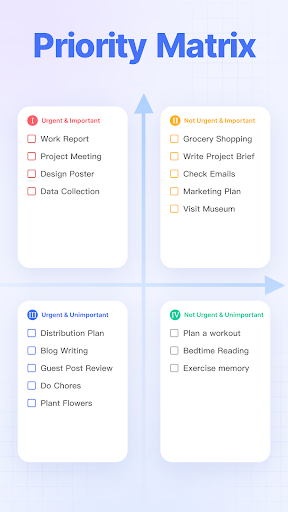
TickTick has earned recognition from The Verge, MakeUseOf, and Wirecutter as one of the best to-do list apps available, even gaining praise from tech reviewer MKBHD. This personal productivity powerhouse combines task management, calendar functionality, and habit tracking in one intuitive space.
Pros
- Smart date parsing saves significant time
- Built-in Pomodoro Timer and habit tracking add value
- Excellent cross-platform synchronization
- Beautiful themes and customization options
Cons
- Advanced features require premium subscription
- Some users may find it feature-heavy
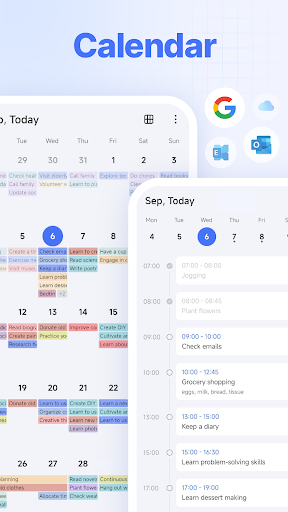
The app’s smart date parsing automatically sets due dates and alarms from your natural language input, maximizing efficiency. Multiple alerts ensure you never miss important deadlines, while recurring task scheduling handles daily, weekly, or monthly routines with flexible customization. The sleek calendar provides clean visualization of your schedule with third-party integration for Google Calendar and Outlook.
TickTick distinguishes itself with the Pomodoro Timer for focused work sessions, complete with white noise features and distraction logging. The habit tracker helps build positive routines through goal-setting and scientific progress monitoring. Widgets provide home screen access to tasks and notes, while the app syncs seamlessly across web, Android, Wear OS, iOS, Mac, and PC platforms. The grid calendar format and customizable themes enhance the visual experience.
TickTick bridges personal task management and team collaboration more effectively than pure Kanban tools. It’s perfect for individuals juggling multiple life areas, professionals wanting integrated calendar and task views, and anyone seeking to build better habits alongside productivity. The free tier offers genuine value, making it an easy recommendation for personal use.


Forbes calls Notion “AI’s everything app,” and this productivity platform has become the go-to workspace for millions of users worldwide, from students to established enterprises. Notion combines notes, docs, tasks, and project management in one infinitely customizable environment enhanced by powerful AI capabilities.
Pros
- Incredibly flexible and customizable workspace
- AI features genuinely enhance productivity
- Free for personal use and students
- Thousands of community-created templates
Cons
- Steep learning curve for new users
- Can be overwhelming to set up initially
The app’s flexible building blocks let you create documents with beautiful templates, images, to-dos, and over 50 content types. Communication flows efficiently through meeting notes, project documentation, design systems, and pitch decks. The search function with powerful filters helps you find exactly what you need across your entire workspace. Task and project management features include custom priority labels, status tags, and automations for tracking workflow details.
Notion AI elevates productivity by helping you write better content, answering questions about your workspace instantly, and automatically turning overwhelming data into clear, actionable information through table autofill. The platform is free for personal use with unlimited notes and docs, free for students with templates created by peers, and scales to meet team needs with collaboration tools and integrations for Figma, Slack, and GitHub.
Notion transcends traditional Kanban tools by offering an all-in-one workspace that adapts to any workflow. It’s ideal for knowledge workers who need integrated documentation and task management, students organizing class notes and assignments, and teams wanting a single source of truth. While the setup requires investment, Notion’s versatility rewards those who master its capabilities.

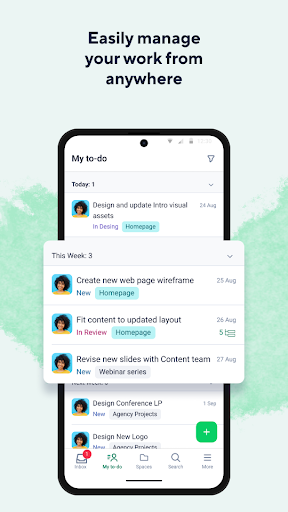
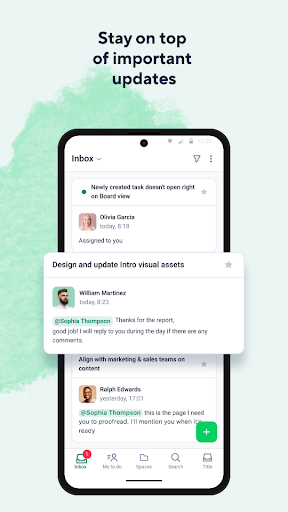
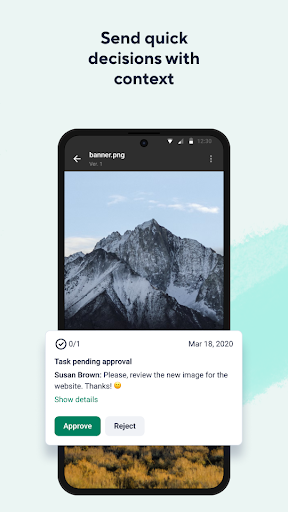
Wrike brings enterprise-grade project management to teams of all sizes, trusted by over 15,000 organizations, including Fortune 500 companies. Named one of Deloitte’s Technology Fast 500 for three consecutive years, Wrike combines powerful automation with intuitive visual workflows.
Pros
- Work Intelligence automation saves significant time
- Enterprise-grade features with professional support
- Excellent reporting and dashboard capabilities
- Multiple view options for different work styles
Cons
- Premium features require paid subscriptions
- May be too complex for small teams or simple projects
The Work Intelligence software automatically predicts project risk and automates repetitive tasks, freeing teams to focus on strategic work. Multiple view options including List, Board, Gantt Chart, and Workload views let you visualize projects in the format that makes most sense. The automated time tracker logs hours spent on tasks without manual input, while customized request forms streamline intake processes.
Wrike’s comprehensive reporting capabilities transform data into tables and graphical charts that you can share with teams, executives, or clients. Personal and shared dashboards provide at-a-glance project status, while the Activity Stream keeps you updated with inbox notifications and mentions. The app accommodates various subscription tiers from free accounts to enterprise plans, with advanced features like Gantt Charts and Workload views available in professional tiers.
Wrike positions itself as a comprehensive solution for organizations needing robust project management with predictive intelligence. It’s best suited for established businesses with complex workflows, teams requiring detailed reporting for stakeholders, and organizations ready to invest in premium project management tools. Small teams might find simpler alternatives more appropriate.


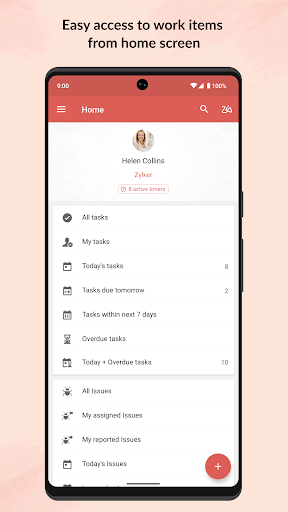
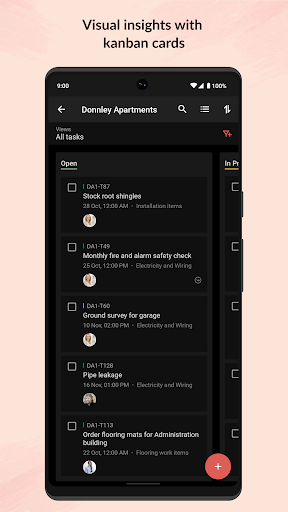
Zoho Projects offers modern, flexible project management preferred by over a million users worldwide. The Android app complements the web version, enabling quick action and updates from anywhere. New users can sign up directly from mobile, making onboarding effortless.
Pros
- Strong mobile capabilities for on-the-go management
- Comprehensive timesheet tracking with multiple views
- Excellent document management features
- Integrates well with Zoho ecosystem
Cons
- Mobile app has fewer features than web version
- Best value for existing Zoho customers
The Feeds feature provides a quick overview of ongoing discussions, tasks, and comment threads, keeping you connected to project activity. You can create new tasks and milestones, post status updates, participate in forums, upload files from your mobile, and submit bug reports without switching to desktop. The timesheet module tracks work hours with daily, weekly, and monthly views for both individual and team time logging.
Document management puts all project-related files at your fingertips with list or thumbnail display options. You can upload new documents or update existing file versions directly from mobile. The tablet experience benefits from split-screen design for enhanced viewing and multitasking. Integration with other Zoho products creates a cohesive ecosystem for businesses already using Zoho services.
Zoho Projects serves teams needing reliable project management with strong mobile functionality and time tracking. It’s particularly valuable for organizations already using Zoho products, consulting firms requiring detailed time logs, and teams that manage significant work remotely. While it may lack the visual polish of some competitors, it delivers solid functionality at competitive pricing.

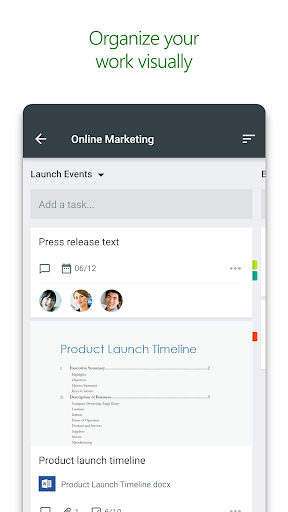
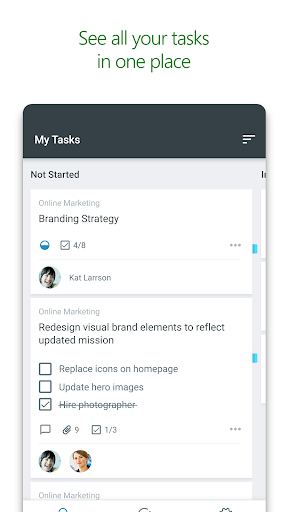
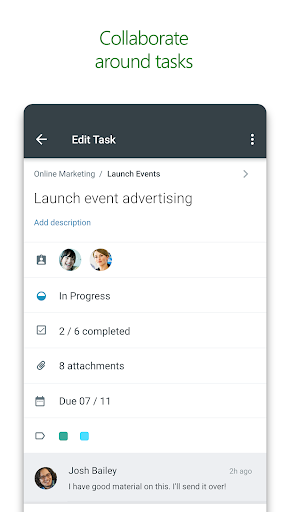
Microsoft Planner integrates seamlessly into the Office 365 ecosystem, providing visual team organization for work and school subscribers. This straightforward tool makes it easy to create plans, organize tasks, assign work, share files, and track progress without complexity.
Pros
- Seamless integration with Office 365 suite
- Simple, uncluttered interface is easy to learn
- Included with existing Office 365 subscriptions
- Excellent for teams already using Microsoft tools
Cons
- Requires Office 365 work or school subscription
- Limited features compared to standalone tools
Each plan features its own board where you organize tasks into buckets based on status or assignee. Updating work is as simple as dragging and dropping tasks between columns. The My Tasks view consolidates all your tasks across plans, providing comprehensive status visibility. Team transparency ensures everyone knows who is working on what at all times.
Built specifically for Office 365, Planner lets you work together on tasks, attach photos directly from your device, and conduct conversations around tasks without switching apps. All team discussions and deliverables stay with the plan instead of getting scattered across multiple applications. The app works across all your devices, ensuring everyone stays synchronized whether working from mobile or desktop.
Microsoft Planner excels as a straightforward Kanban solution for organizations committed to the Microsoft ecosystem. If your team already uses Office 365, Planner provides valuable project management without additional cost or learning curve. However, teams seeking advanced features or those not using Microsoft services should consider more feature-rich alternatives. It’s worth using if you already have access through your subscription.
The best Kanban Android app for you depends on your specific needs and work style. For gamification enthusiasts seeking motivation, Habitica transforms tasks into an engaging RPG experience. Teams requiring comprehensive project management with automation should consider monday.com or Wrike, while those wanting simplicity and visual organization will love Trello’s intuitive boards. Agile development teams benefit from Zoho Sprints’ specialized scrum features, and individuals juggling multiple life areas thrive with TickTick’s integrated calendar and habit tracking.
Students and knowledge workers find Notion’s all-in-one workspace invaluable, while growing teams appreciate ProofHub’s unlimited user pricing. Organizations already using specific ecosystems gain advantages from Zoho Projects or Microsoft Planner’s seamless integration. Each app brings unique strengths to Kanban methodology, from basic visual boards to AI-enhanced workflows and predictive project management.
Which Kanban app has transformed your productivity? Do you prefer simple visual boards or feature-rich project management platforms? Share your experiences and favorite Kanban tools in the comments below. Your insights help fellow readers find the perfect app for their workflow needs!