Customize the home screen with these best free widgets for android smartphones
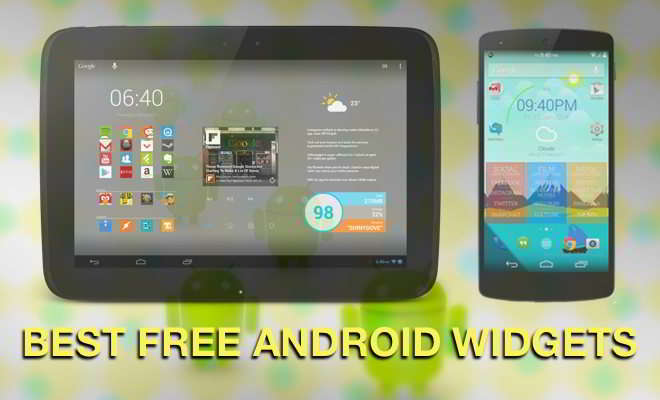
One of the perks of owning an android smartphone or tablet is adding widgets to the home screen. A widget is the mini version of an app that runs on the home screen and is designed to give quick access to useful information. Widgets come in all forms on many different subjects, whether you want the latest weather, music player controls, an alarm clock, access to notes, to-do lists, reminders, and much more. Widgets can be customized and resized, and they are interactive. They can also be cool additions to the beautiful wallpapers on your home screen.
What are the Best Free Widgets app for android homescreen?
It’s important to know that some eat up a lot of RAM memory, so it’s best to pick ones that are clean and speedy. Take a look through this selection and try some out, especially as these are all free!
KWGT
Kustom Widget Maker is a do-it-yourself app to build your own widgets and match wallpaper, icons, and the style you are going for. This powerful and flexible personalization Widget creator app has plenty to offer and enables your imagination to run riot to produce your own designs with whatever data you require. It uses a WYSIWYG (what you see is what you get) editor, and multiple widgets can be created to cover various topics. These include live maps, weather, clocks, battery meters, music players, and astronomy widgets, to name just a few.
Customization options include various text fonts, colors and sizes, different shapes, gradients and shadows, color filters, and layers with overlay effects. It supports PNG/JPG/WEBp Image, and SVG with a built-in picture scaler, Google Fitness support, dynamic content download via HTTP, music utilities, Tasker support, and a massive amount of display data.
UCCW
UCCW – Ultimate Custom Widget is a free widget that lets you customize andorid home screen with custom-built widgets. It works similarly to KWGT. There are a large number of skins available. After selecting the one you like the best, you can add custom weather info, battery meters, clocks, and other skin features to personalize your device truly.
UCCW is one of the best free widgets for android customization with many skins and various combinations you can make, adding battery meters and clocks. Users can also add use custom texts, display information such as unread emails in your Gmail account, text messages, and missed calls. The app lets the user download and import other people’s widget designs plus export their designs as an APK file that can upload to the Google Play store.
DashClock Widget
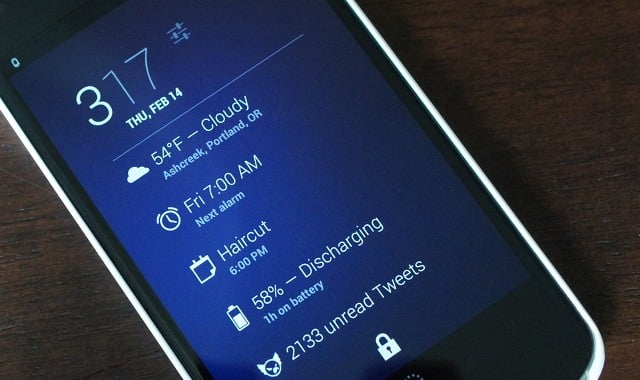
DashClock Widget is probably the most simple looking yet very powerful widget app. Along with clock and weather info, users can choose to get the most necessary data right on the lock screen or home screen. There is a handful list of extensions that import the needed data from various installed apps and shows them on your screen through DashClock Widget.
Those who don’t like an occupied screen with various widgets should get this all-in-one solution for a clutter-free screen with the most needed info.
Zooper WIdget
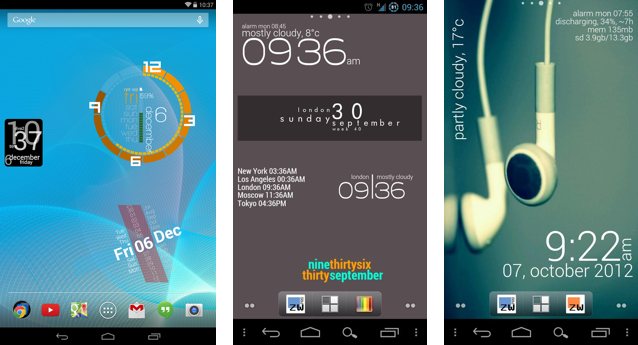
Zooper is also a “Do It Yourself” widget app that can be used for an endless amount of personalization possibilities and is designed not to eat up too much of your battery life or use too much memory. Get system info, battery information, sunrise and sunset, traffic data, date calculations, the world clock, weather, sample templates, custom fonts, easy template creation, date and time, and the ability to customize test, shapes, colors, and a whole lot more.
Zooper has been removed from the play store, but you can still grab a copy from apkmirror.
Month: Calendar Widget
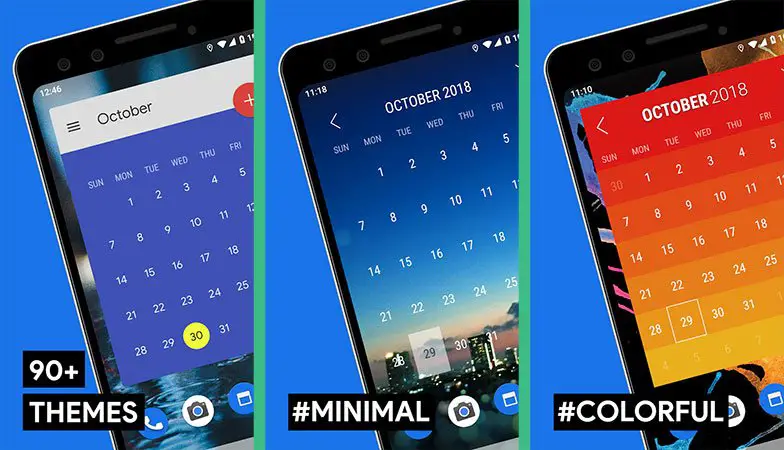
Month: Calendar Widget lets you choose from stylish Calendar widgets. It has an intuitive UI based on Material Design. There are over 80 handcrafted themes, and it makes it easy to access important calendar information you need. It supports the lunar calendar and can be synced with Google Calendar. Users can browse their to-do lists or agendas, display events and friend’s birthdays, so there are no more excuses for forgetting!
Calendar Widget
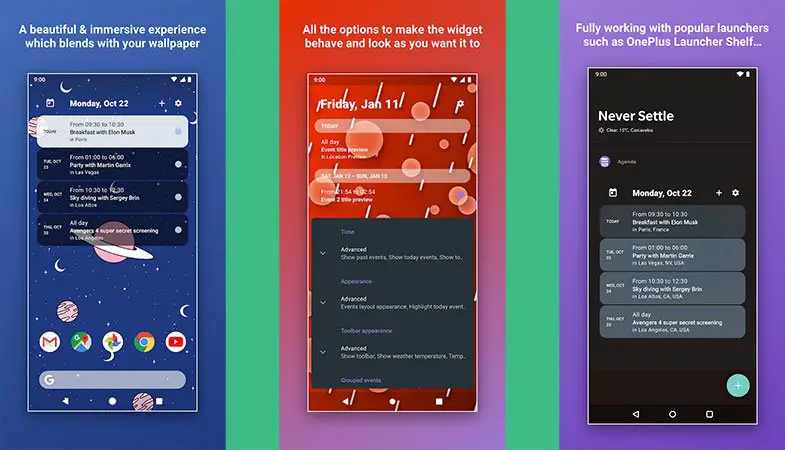
Calendar Widget by Home Agenda is another useful calendar app widget that has the ability to apply various themes. Users can download and install themes, add weather function, hide particular events or declined events, and add colors to calendar labels. The clean interface makes it look modern and suits all kinds of android wallpaper, plus there’s a dark mode as well.
Amber Weather
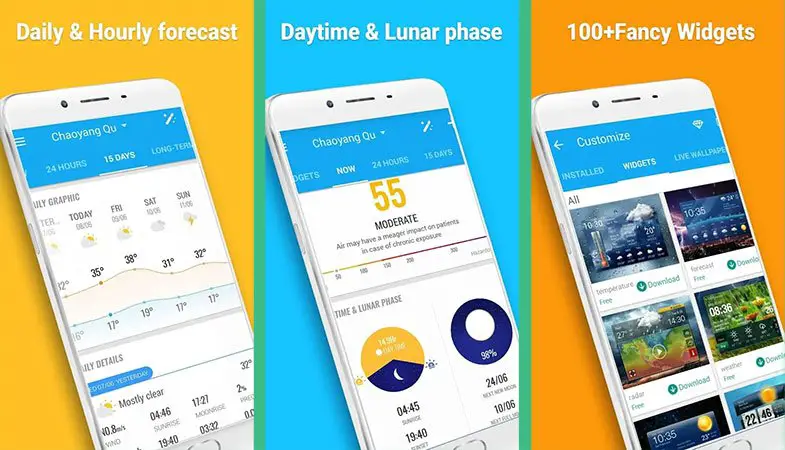
If you’re a stickler for checking out the weather before leaving the house, Amber is one of the best weather widgets for android. It offers more than 90 home screen widgets with various themes. The app is also optimized for tablets, and the user interface is based on material design to give a very nice clean appearance.
Access the weather for where you are or anywhere else in the world, with daily or hourly weather forecasts and current temperature, humidity, wind speed, atmospheric pressure, air quality, and more information. The app offers support for more than 30 languages and features severe weather alerts, outdoor sports tips, and daytime and moon phase graphics.
Google Keep
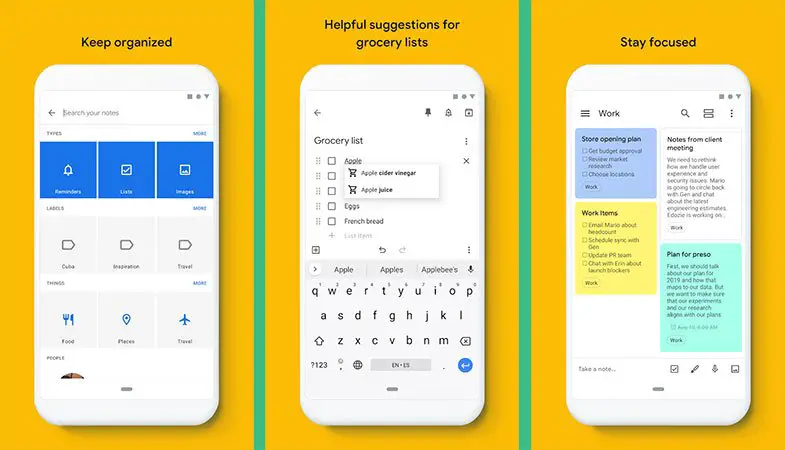
Google Keep is a convenient productivity tool that keeps all the notes you need and sync across your devices. This is one of the most effective note-taking apps that lets you add notes, lists, and photos or record a voice memo that can be automatically transcribed. Conveniently capture your thoughts and get reminders so you don’t forget something, and you can share with family and friends and collaborate on your notes with them in real-time. It’s also excellent for organizing, with the ability to add color-coded labels to your notes, and it comes with a choice of Android widgets that gives you the ability to create notes quickly from the home screen.
ColorNote
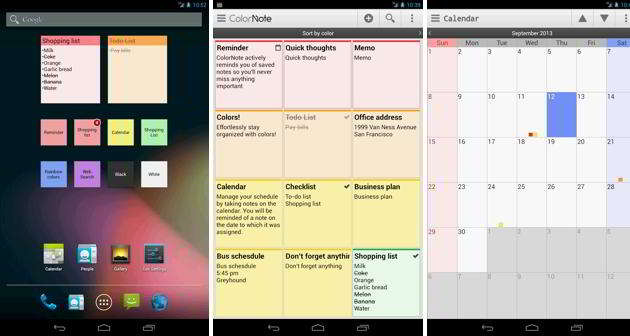
ColorNote Notepad Notes widget is another nifty note-taking plus display widget that allows you to put your most important notes on your home screen. The ability to put sticky notes on the home screen is a proven way to know the most important things on your hand. You can take different notes, memos, customize, set colors, add reminders, and do more stuff, even back up the notes to SD card or online.
IFTTT
If you are interested in task automation, then IFTTT is a must-have widget. Although it’s a simple button widget, it’s one of the most powerful android widgets that activates a command when pressed. For example, you can control various equipment types, such as lights, cameras, etc., tied to a home automation system. It might take some time to learn and set up various automation tasks, but the possibility is practically unlimited.
Google at a glance
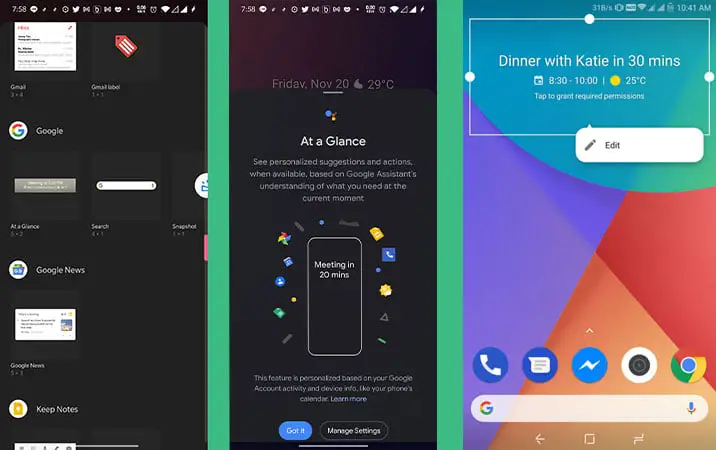
Surprisingly, many users are unaware of Google at a glance, which is part of the default Google app on every android smartphone. Think of it as an extended version of the google search widget with plenty more to offer. The full-width widget updates throughout the day show a summary of your agenda for the day and important information like traffic or your next appointment. You also get updates on news, sports, movies, and events. It also acts as a nice date and weather widget if there isn’t much to display.
SoundHound
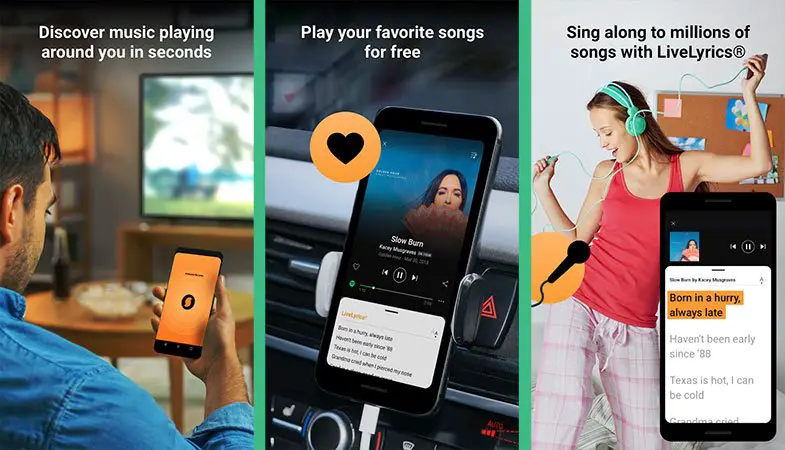
Think of a music identification app similar to Shazam, and you’ll get the idea behind SoundHound. We all know what it’s like to hear a song on the radio or while we’re out and about and are desperate to know what it’s called or who is singing it. SoundHound can listen to the music for you and tell you exactly what it is and provide you with real-time song lyrics. When you need to be quick and haven’t time for the full app to load, the SoundHound widget on the lock screen means it’s much faster to start identifying the songs. Further features include voice activation for identification and playback controls, curated playlists, full music videos, favorite songs, and much more.
TickTick
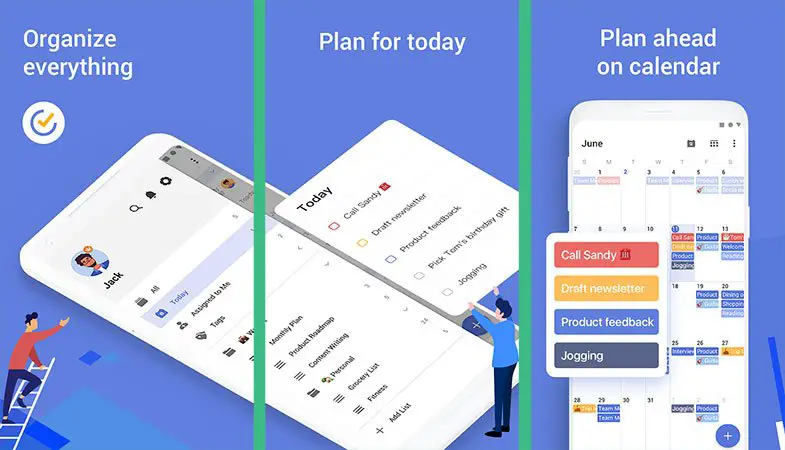
TickTick is the best to-do widget for android that comes with nine widgets. it is an excellent task management app to improve your productivity level. The widgets include a multi-page to-do list, agenda view, checklist, and more. Users can even add a Pomodoro timer widget which usually breaks down a task into different parts and give a specific timeframe to do it.
Musicolet
Musicolet is the best music widget for android, bringing an excellent music player with functional music controls from your home screen. Along with the basic music controls, the widget also has some unique features. Not only is it a fantastic music player, with unusual features like earphone controls, see song queues, album art, and browsing playlist.
Investing

Investing is the best android stocks widget for business people. Investing.com is a popular Stock Exchange app, and its widget is a good way to view updated stock prices at a glance. The screen resizable to full screen and lets you search stocks on over 70 global exchanges and track as many as you like.
Volume Control
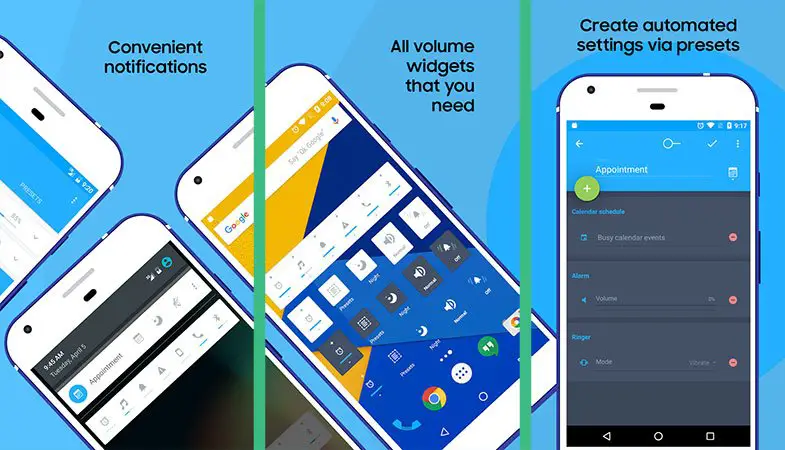
Volume Control is a quick control widget that places shortcuts on your home screen to adjust volume levels for different apps and situations. It has a handful of widgets that control volumes for calls, notifications, music, alarms, and more. You can also create and add different sound profiles for different times and scenarios, such as inserting a headphone will automatically switch to a predefined audio profile.
Gauge Battery Widget
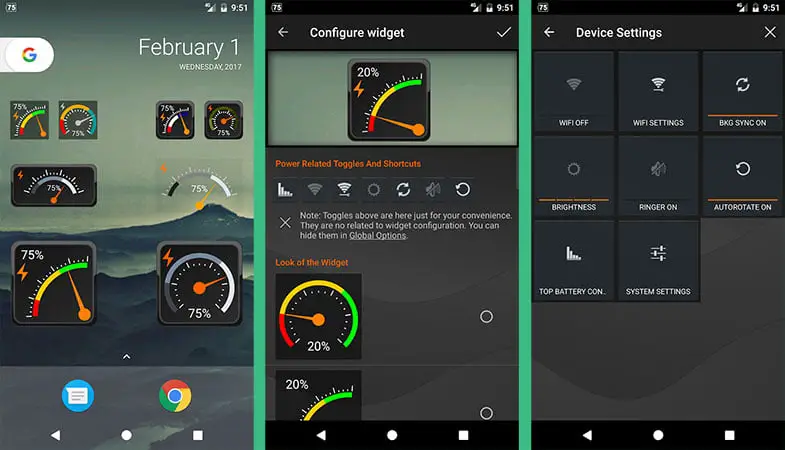
Gauge is a cool battery widget for android that shows how much longer your battery will last as if it’s a gas tank. It’s a pretty awesome looking widget with different styles and sizes to choose from. It also shows other useful battery information, including temperature and charging speed.
Tiny Flashlight + LED
Do you hate searching for your smartphone’s flashlight app? If so, use the Tiny Flashlight as it is one of the best flashlight widgets. You can even place the flashlight widget on your device’s lock screen, allowing you to use your smartphone’s flashlight within a second.
Groupon
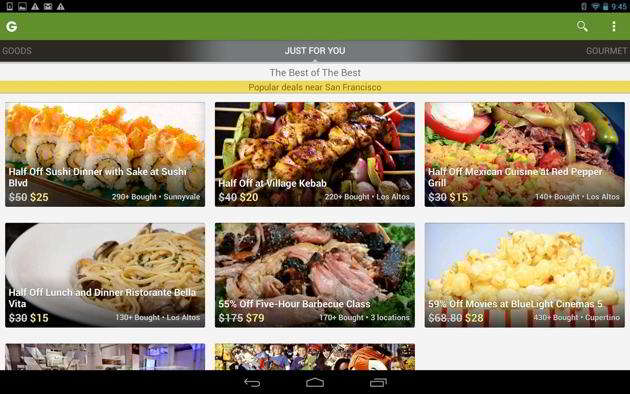
Groupon is a popular shopping app for shop deals, discounts & coupons. If you are always on the hunt for great deals, check deals near your area using the Groupon widget for android. Giving you the ability to buy/redeem deals, track purchased vouchers, and so much more, this widget allows you to get the best deals in an instant.
Beautiful Widgets Free
When Beautiful Widget was a huge hit, even though the most popular widget for android hasn’t got new updates in years, it still has tons to offer. You will get a choice of customizable widgets and themes to make the home screen of your Android smartphone or tablet look just as you wish, including clocks with time, date, and alarm functions, over 2,500 themes, and weather information for the city of your choice.
Whether you’re keen to organize yourself, want to know whether to leave your home with a rain mac or a pair of sandals, or need reminders about your calendar events, there’s a widget to suit you among this choice. If you don’t already use widgets, these might persuade you to start, or if you already use various widgets, why not extend your choice. In the comments box, let us know whether you particularly enjoy using any of these best widgets for Android tablets and phones that will help you make the best use of your home screen.