Download, Save for Offline Listening and Enjoy Your Favorite Tunes Without an Internet Connection

Finding the perfect way to enjoy music on the go without draining your data or dealing with spotty connections can be challenging. That’s where offline music apps come to the rescue – allowing you to take your favorite tunes anywhere, regardless of your internet situation.
Unlike popular streaming services like Spotify and Apple Music that require paid subscriptions for offline listening, the apps I’ve selected offer free options to download and enjoy music without an internet connection. The selection criteria focused on user experience, feature sets, library size, and overall usability to bring you the best offline music solutions for your iPhone and iPad.



Audiomack: The Versatile Music Discovery Platform
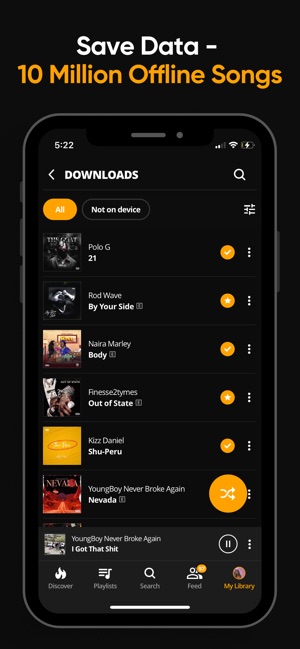
Audiomack stands out as my top recommendation, and it’s the app I’ve personally used the longest. This powerful platform offers an impressive music library spanning multiple genres, making it perfect for discovering both mainstream and underground artists. Navigation is straightforward with intuitive tabs for Feed, Playlists, Discover, and Search at the bottom of the screen. Finding music is a breeze – simply head to the Search tab, type in an artist name, and you’ll see verified accounts appear. From there, you can access albums and top tracks with ease.
Pros
- Huge music library
- Free downloads
- User-friendly interface
- Personalized recommendations
- Background playback
Cons
- Contains ads (removable with a subscription)
- Some content may be user-uploaded and of varying quality
Pricing
- Free with ads
- Audiomack+ is $6.99/month for an ad-free experience
The download process couldn’t be simpler. Just tap the three dots next to any track and select “Download.” Your offline music will appear in the Library tab, ready for playback without an internet connection. The app’s clean interface makes managing your offline collection intuitive, even for first-time users with clearly labeled tabs for “Feed,” “Playlists,” “Discover,” and “Search” located at the bottom of the screen.. What makes Audiomack truly special is its balance between mainstream offerings and independent music. Unlike some competitors, it allows unlimited repeats and skips without requiring a subscription. The app also boasts background playback, so you can listen to music while using other apps. I appreciate that Audiomack lets you adjust the audio with their “Audiomod” feature.
The app requests access to your media library, which is standard for music apps. Compatibility is excellent, as Audiomack is available on both iPhone and iPad, with full offline functionality once songs are downloaded. Compared to other apps, Audiomack stands out with its focus on emerging artists and mixtapes, offering a unique blend of content not readily available on mainstream platforms.


Trebel Music: Download Music for Free by Watching Ads
Trebel Music is another fantastic option for downloading music for free. Its main draw is its completely free service, supported by short ads that you watch in exchange for downloading songs. Creating a free account is necessary to start downloading songs. Trebel Music organizes its music by decades, genres, and even podcasts, making discovery easy. To download a song, simply search for the artist and track, then tap the “Download for Free” button. This triggers a short 15-second ad, a small price to pay for free music. The “My Library” section neatly stores all your downloaded tracks for offline listening.
Pros
- Completely free music downloads
- Large library of trending music
- Well-organized categories
- Uninterrupted listening (no audio ads during playback)
Cons
- Requires watching ads to download songs
Pricing
- Completely free (ad-supported)
The app needs access to your device’s storage to save downloaded songs, which is clearly explained during setup. Trebel is compatible with iPhones and iPads running iOS 14.0 or later, ensuring a broad range of users can enjoy its features. The Song ID feature, which identifies music playing around you with a single tap, adds extra value that many competing apps lack. For users willing to watch occasional ads in exchange for free offline music, Trebel Music provides an excellent solution.


My Mixtapez: Your Hub for Hip-Hop and Rap
My Mixtapez caters specifically to fans of rap and hip-hop. It’s a dedicated platform for mixtapes, albums, and singles from a wide range of artists in the genre. The app is designed with hip-hop enthusiasts in mind, featuring a sleek interface and easy navigation. The “Search” tab lets you quickly find artists and tracks. Downloading is simple: tap the three dots next to a track and select “Download to My Library.” Downloaded songs are then accessible in the “Favorite Tracks” section. Beyond music, My Mixtapez offers valuable extras like exclusive interviews, news, and behind-the-scenes content with prominent artists. The ability to create custom playlists or explore curated selections adds flexibility to your listening experience.
Pros
- Extensive collection of rap and hip-hop music
- Easy download process
- Curated playlists
- Original podcasts
- Offline listening
Cons
- Focused solely on rap and hip-hop
- May contain explicit content
- Ads in the free version
Pricing
- Free with ads
- Premium subscription available for ad-free experience, high-quality sound, and unlimited downloads
My Mixtapez will ask for permission to access your media library. It also uses location services to provide locally trending music. The app is compatible with both iPhones and iPads. While the free version includes video ads, a premium upgrade provides high-quality sound, unlimited downloads of full playlists, exclusive podcasts, and an ad-free experience. The app’s dedication to hip-hop culture extends beyond just music, making it a comprehensive platform for genre enthusiasts.


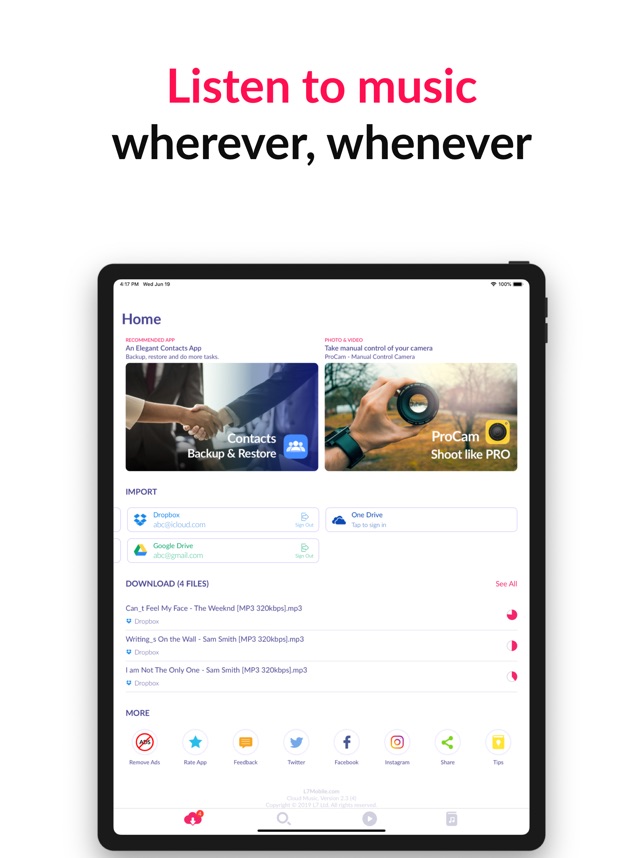
Cloud Music Offline Downloader: Versatile Music Organization
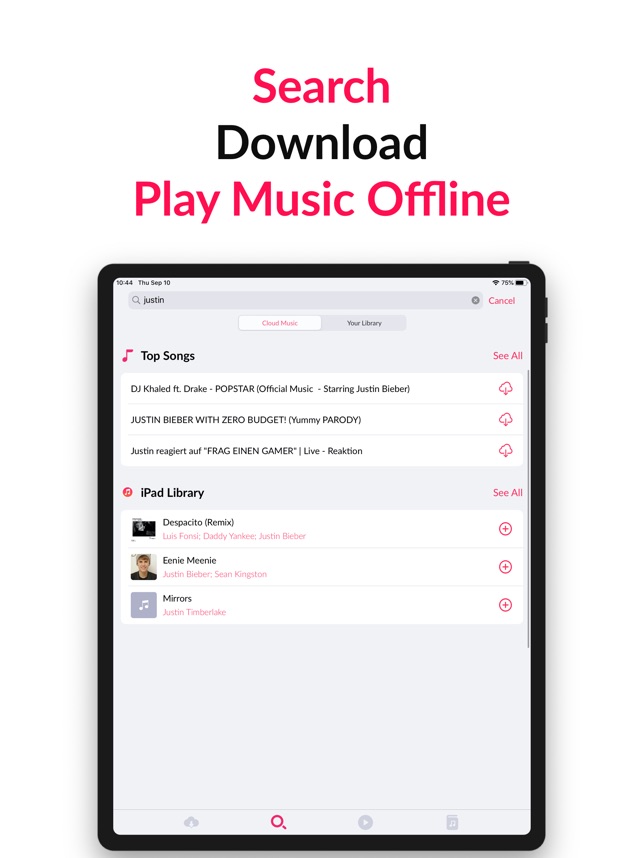
Cloud Music Offline Downloader’s strength lies in its versatility. It lets you import music from various sources like cloud services (Google Drive, Dropbox, OneDrive), Wi-Fi transfer, and even your iPhone/iPad library (including Apple Music). This makes it a central hub for all your music files. The interface is functional, but not the most visually stunning. The real power comes from its ability to pull music from different places. You can easily download songs for offline playback. It supports a wide range of formats (.flac, .mp3, .aiff, .m4a, .wav, .mp4 etc.), has a built-in equalizer, sleep timer, and supports background playback. It requests access to your media library and offers Apple CarPlay support.
Pros
- Versatile import options
- Wide format support
- Cloud integration
- Equalizer
- Offline playback
- CarPlay support
Cons
- Interface isn’t the most modern
- Relies on user-imported files
Pricing
- Free with in-app purchases for additional features
The app’s standout feature is its compatibility with numerous input methods. Whether you prefer transferring music via AirDrop, importing from your iPhone/iPad library, using Wi-Fi transfer from your computer, or accessing files from various cloud services, Cloud Music Offline Downloader handles it all with ease. The Wi-Fi transfer functionality is particularly impressive – allowing you to import music directly through your computer’s web browser without cables or additional software. The “Open in / Copy to” feature makes it simple to bring in music from other apps, adding another layer of convenience.
The built-in music player is feature-rich, including an equalizer for sound customization, a sleep timer for bedtime listening, and full background playback with lock screen, control center, and headphone controls. The playback options include repeat (for both individual songs and playlists) and shuffle modes, meeting the needs of different listening styles.


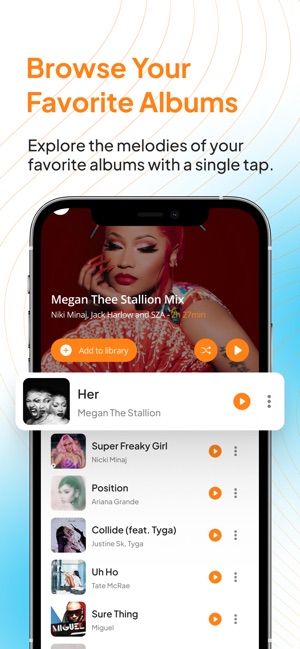
Tubidy: A Premium Music Experience for Audiophiles
Tubidy positions itself as a premium music application designed for discerning listeners who want extensive control over their music experience. The app focuses on delivering a comprehensive music collection alongside powerful organization and playback features. What immediately stands out about Tubidy is its emphasis on library curation. The app makes it remarkably easy to organize your music collection by marking favorites and tracking recently played tracks. This attention to detail helps maintain perfect control over your growing music library.
Pros
- Wide Music Selection
- Library Curation
- Lightning-Fast Music Search
- Lockscreen Music Mastery
- Comprehensive In-App Music Player
Cons
- Ad-heavy in the free version
- Some users have reported inconsistent streaming quality
- Requires a subscription for an ad-free atmosphere
Pricing
- Free
- Monthly subscription: $1.99 USD per month
- Lifetime subscription: $12.99 USD one time
The search functionality is lightning-fast, eliminating endless scrolling as you quickly locate preferred songs, albums, or artists. This efficiency extends to the lock screen controls, allowing you to manage playback even when your device is locked. Tubidy differentiates itself by incorporating video content alongside music. The inclusion of a lockscreen music mastery makes it even easier to control the sound of your mobile experience.


Offline Music Player: Simplicity Meets Functionality
Offline Music Player delivers exactly what its name promises – a straightforward, no-frills application focused on playing your music offline without unnecessary complications. This app excels in providing essential features without overwhelming users with excessive options.
Pros
- Simple to use
- Supports most formats
- Beautiful design
- Allows background music playback
Cons
- Lacks advanced features like cloud integration or music discovery
Pricing
- Free
Despite its simplicity, Offline Music Player doesn’t skimp on essential features. The playlist management system allows you to organize your music collection effectively, grouping favorite tracks for convenient access. The beautiful, intuitive design ensures that navigating your library remains straightforward regardless of its size. The Offline Music Player is a simple design built to allow you to play your offline music anywhere, with no limits.


Offline: Music Player & Browser: Two-in-One Solution
Offline: Music Player & Browser stands out by combining robust file management with music and video playback capabilities. This dual functionality makes it a versatile choice for users who want to manage various file types alongside their media consumption. The file import system is particularly comprehensive, supporting virtually any file type from Photos, Files, and Wi-Fi sources. This flexibility extends to the preview functionality, which handles not just audio and video files but also documents like PDFs and various image formats.
The playlist management system is intuitive yet powerful, allowing you to create and delete playlists while easily adding favorite music to your collections. The music player itself offers a clean interface with essential controls for an enjoyable listening experience without internet connectivity.
Pros
- File import
- Powerful file preview function
- Playlist management
- Music player
- Video player
Cons
- Has been known to have some bugs
Pricing
- Free
What truly distinguishes this app is its built-in video player, which allows you to watch videos even while browsing the web – a feature rarely found in competing apps. The ability to download images from any web page adds another layer of functionality that extends beyond basic music playback. While the app requires users to be 17+ due to unrestricted web access, this maturity rating comes with the benefit of greater flexibility and control over your media consumption. The combination of file management, media playback, and web browsing makes this app a comprehensive solution for users seeking multipurpose functionality in a single package.


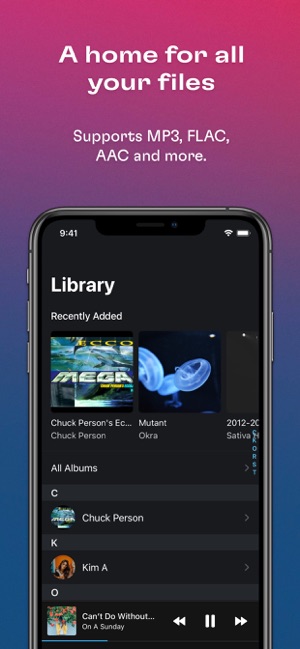
Doppler MP3 & FLAC Player: Elegant Design Meets Audiophile Quality
Doppler stands out in the crowded offline music player market with its beautifully designed interface that adapts to match your music. The app’s aesthetic appeal doesn’t come at the expense of functionality – instead, it enhances the user experience with thoughtful design choices throughout.
For audiophiles, Doppler’s support for high-quality file formats is a significant advantage. The app handles FLAC files alongside standard formats like MP3, WAV, AAC, and M4A, ensuring your music sounds exactly as intended without quality loss. The local storage approach means your entire library is always available offline, making Doppler perfect for flights, subway commutes, or any situation where internet connectivity is limited. The automatic import feature for new files ensures your library stays current without manual intervention.
Pros
- Great intuitive design
- Reliable offline and local playback
- Bluetooth and Airplay 2 support
Cons
- Does not feature cloud services
Pricing
- Free with In App Purchases available
Where Doppler truly shines is in its metadata management. The ability to edit song and album information directly on your device without needing a computer is a rare and valuable feature. The option to find and download missing artwork adds polish to your collection’s visual presentation.
Additional features like listening reports provide interesting insights into your music consumption habits, while Last.fm integration appeals to users who track their listening history. The Wi-Fi transfer functionality for importing music from your computer adds convenient flexibility to building your library.

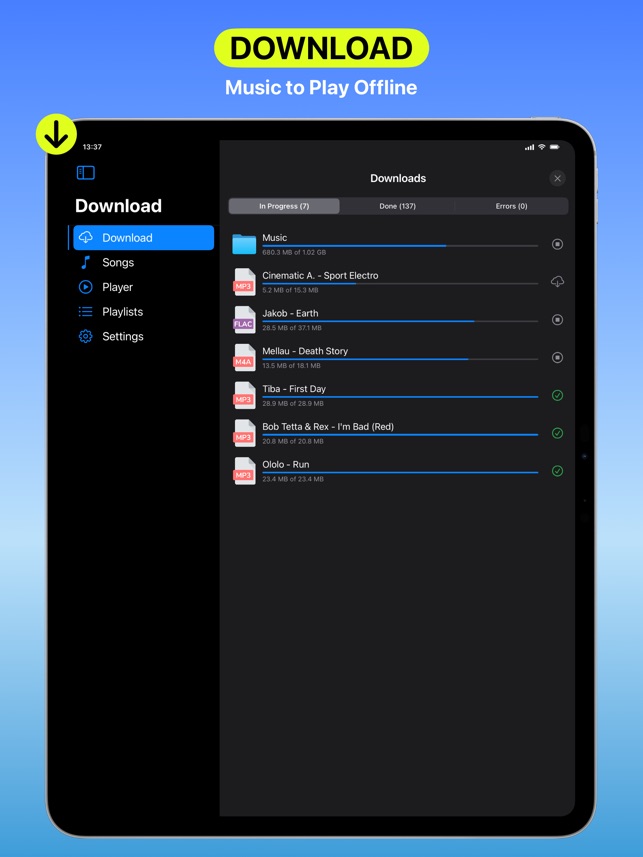
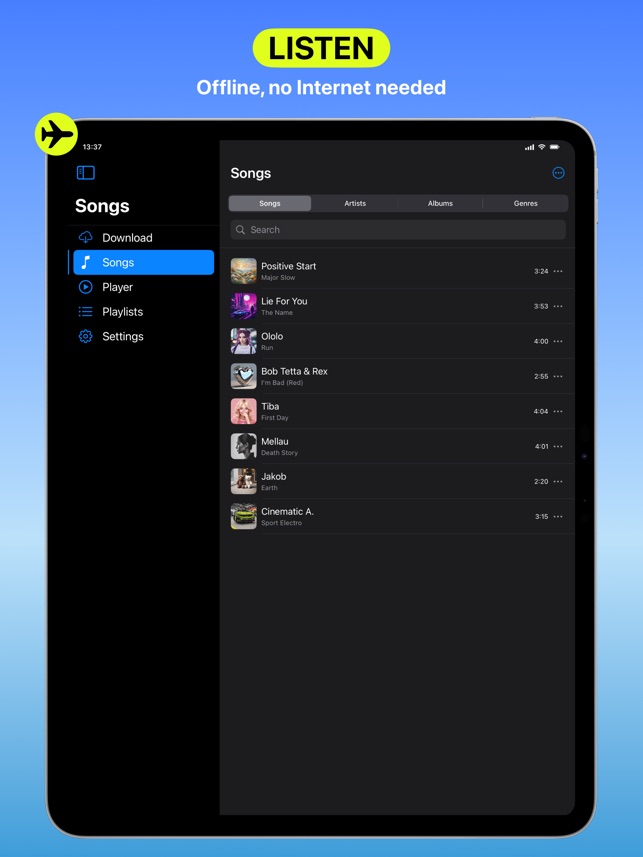

Anywhere Offline Music Player: Versatile Media Management
One of Anywhere’s key strengths is its flexible music import system. The app supports adding songs from Files, iCloud Drive, Apple Music, and various cloud services including Google Drive, Dropbox, OneDrive, pCloud, and Box. This comprehensive approach ensures you can consolidate music from multiple sources into a single, manageable library.
Beyond basic playback, Anywhere includes valuable extras like adjustable playback speed for podcasts or audiobooks, a sleep timer for bedtime listening, and bookmark functionality to track your position in longer content. The playlist management system is intuitive yet powerful, allowing you to organize your music according to your preferences.


Evermusic: Cloud Integration Champion
Evermusic takes a different approach to offline music playback by positioning itself as a bridge between cloud storage and local listening. This cloud-focused strategy makes it ideal for users with extensive digital music collections stored across multiple services. The app’s standout feature is its comprehensive cloud service integration. Evermusic supports an impressive array of platforms including almost all popular cloud storage apps. This extensive compatibility ensures your music remains accessible regardless of where it’s stored.
Beyond cloud services, Evermusic supports connecting to computers or NAS devices via SMB, WebDAV, or DLNA protocols. The advanced buffering technologies ensure smooth playback even with larger files or less stable connections. For local transfers, iTunes File Sharing and Wi-Fi file transfer provide convenient alternatives.
External streaming to Apple TV and Google Chromecast extends the listening experience beyond your device, while Apple CarPlay support provides an optimized interface for in-car use. The automatic synchronization between cloud and device ensures your library stays current with minimal intervention.
Choosing the right offline music app depends on your individual needs. If you’re looking for a diverse library and free downloads, Audiomack is a great starting point. If you’re okay with watching ads for free music, Trebel Music is worth a try. Hip-hop and rap enthusiasts should definitely check out My Mixtapez. Cloud Music Offline Downloader is excellent for managing existing files, while “Offline” offers file browsing in addition to music, and Doppler offers a replacement to Apple Music.
No matter which app you choose, you’ll be able to enjoy your favorite music anytime, anywhere, without an internet connection. What are your favorite offline music apps? Share your recommendations in the comments below!