Streamline Your Productivity with Android’s Top Task Management Solutions

Managing your daily responsibilities, long-term goals, and everything in between becomes effortless when you have the right digital assistant in your pocket. Whether you’re juggling work deadlines, household chores, fitness routines, or collaborative projects, the best to do list apps for Android transform chaos into clarity.
This comprehensive review examines ten outstanding task management applications, selected based on their user ratings, feature richness, cross-platform compatibility, privacy standards, and real-world usability. From minimalist checklist tools to comprehensive productivity ecosystems, these apps represent the cutting edge of personal organization technology for Android users.

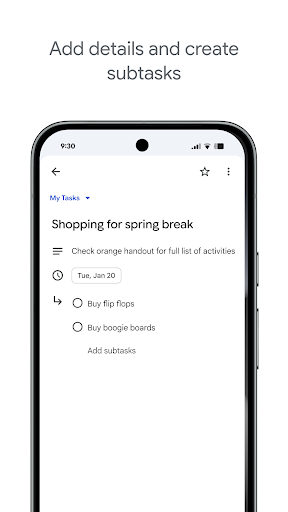

Google Tasks delivers seamless integration within the Google ecosystem, making it an ideal choice for users already invested in Gmail and Google Calendar. This straightforward task manager excels at capturing quick to-dos and organizing them across multiple lists synchronized across all your devices.
Pros
- Native Gmail integration creates tasks from emails instantly
- Clean, distraction-free interface perfect for quick captures
- Automatic synchronization across all Google platforms
- Subtask support for complex project management
Cons
- Limited advanced features compared to dedicated task managers
- No collaboration or list-sharing capabilities
- Minimal customization options for power users
The app’s drag-and-drop functionality allows intuitive task prioritization, while the star feature highlights your most critical items. Breaking down complex projects becomes manageable through subtask support, which helps you chunk larger goals into actionable steps. Date-based notifications ensure nothing slips through the cracks, and the ability to create tasks directly from Gmail emails, complete with links back to the original message streamlines workflow considerably.
The user experience remains refreshingly simple. Simply open the app, add a task, set a reminder, and you’re done. There’s no learning curve, no overwhelming feature bloat. For Android users deeply embedded in Google Workspace, particularly those who process numerous emails daily, Tasks provides frictionless task capture. However, teams seeking collaboration features or individuals wanting advanced project management capabilities should consider more robust alternatives. Google Tasks works best for solo users who value simplicity and ecosystem integration over feature richness.
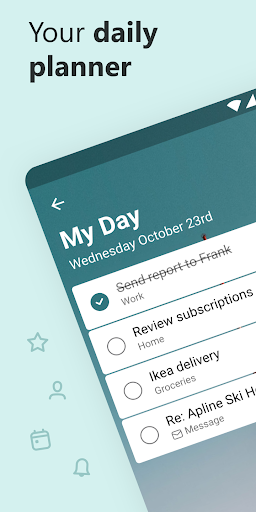
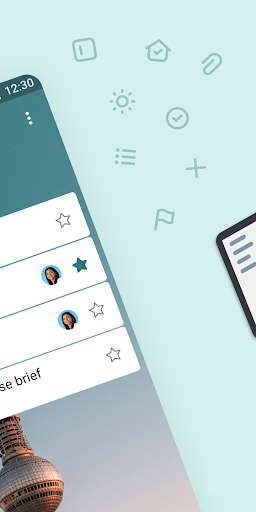
Microsoft To Do positions itself as a comprehensive life organizer that balances powerful features with an approachable interface. The standout My Day feature provides an intelligent daily planning tool that suggests relevant tasks from your various lists, helping you focus on what matters most each morning.
Pros
- My Day feature intelligently surfaces relevant tasks daily
- Comprehensive Microsoft 365 integration including Outlook and Planner
- Colorful themes and customization options including dark mode
- Robust collaboration features with shared lists and task assignment
Cons
- Best experience requires Microsoft 365 subscription
- Can feel overwhelming for users seeking simplicity
- Some advanced features hidden behind multiple menus
The app’s integration with Microsoft 365 creates a unified productivity environment. Flagged Outlook emails automatically become tasks, Cortana voice commands add items hands-free, and Microsoft Planner assignments sync seamlessly. You can attach files up to 25 MB to any task, set one-time or recurring reminders, and organize tasks into manageable subtasks. The shared lists functionality enables family coordination, team collaboration, and project management.
The interface feels modern and customizable with emoji support, multiple theme options, and flexible viewing modes. Security-conscious users appreciate that tasks are hosted on Microsoft’s enterprise-grade infrastructure. Microsoft To Do works across web, iOS, Mac, Android, and Windows platforms with consistent synchronization. It’s ideal for professionals working within the Microsoft ecosystem, families coordinating household responsibilities, and teams managing projects. If you’re already using Outlook or Office 365, Microsoft To Do becomes an obvious choice that extends your existing workflow rather than disrupting it.

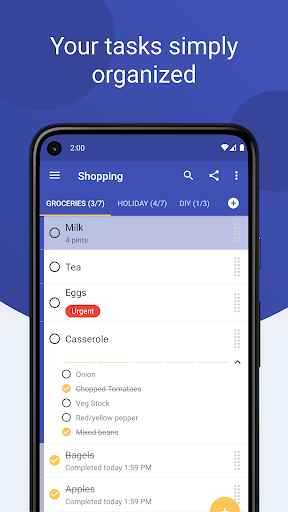
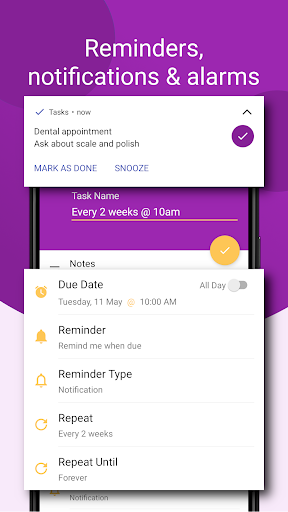
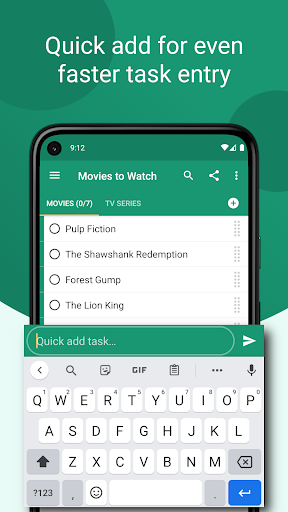
Tasks distinguishes itself through an unwavering commitment to privacy and simplicity. This ad-free, tracker-free application encrypts your data locally on your device, during transmission, and in the cloud (with Premium), ensuring your personal information never becomes a commodity.
Pros
- Industry-leading privacy with end-to-end encryption
- Completely ad-free experience respects user attention
- Multiple quick-entry methods including shortcuts and sharing
- Responsive developer actively improving features based on feedback
Cons
- Cloud sync and web access require Premium subscription
- Smaller user base means fewer third-party integrations
- Interface, while clean, lacks some polish of larger competitors
The app delivers essential task management features without unnecessary complexity. Create lists with color coding, organize items through intuitive drag-and-drop, and set smart reminders that notify you at precisely the right moment. The notification-based quick actions let you mark tasks complete or snooze reminders without opening the app. Advanced organizational tools include filtered lists, tags, and a calendar view for visualizing your schedule. Home screen widgets keep your most important tasks visible at a glance.
Tasks Premium unlocks web access for managing tasks from any device, cloud backup for peace of mind, cross-device synchronization, and secure list sharing for collaboration. The developer maintains active communication through support email and YouTube tutorials, ensuring users can maximize the app’s potential. Tasks appeals primarily to privacy-conscious individuals who refuse to compromise personal data for convenience, users frustrated by intrusive advertisements, and anyone seeking a straightforward task manager that respects both their time and digital rights. It’s proof that effective productivity tools don’t require surveillance capitalism.
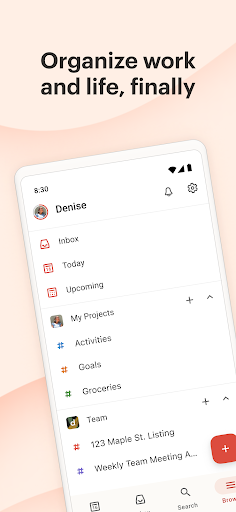
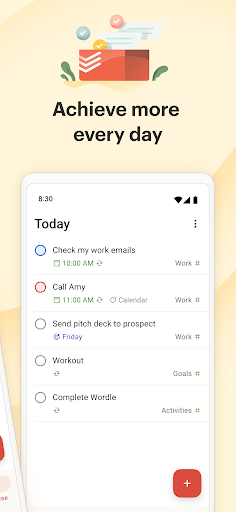
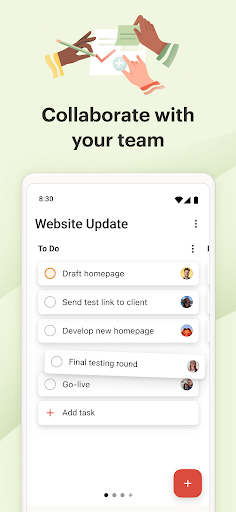
Todoist has earned the trust of over 47 million users by delivering a sophisticated yet intuitive task management experience. This mature platform combines powerful natural language processing with flexible visualization options, making it equally effective for personal habit tracking and professional project management.
Pros
- Powerful natural language processing for effortless task entry
- Multiple view modes (list, board, calendar) suit different working styles
- Extensive integrations connect your entire digital ecosystem
- Personalized productivity insights track progress toward goals
Cons
- Most powerful features require Pro subscription
- Can be overwhelming for users wanting simple checklists
- Location-based reminders only available with upgrade
The app’s language recognition understands phrases like “Plan next week’s work every Friday afternoon” or “Do homework every Wednesday at 6pm,” automatically setting recurring dates and times. Projects can be viewed as traditional lists, Kanban-style boards, or integrated calendar displays, giving you flexibility in how you visualize work. Integration with 100+ services including Outlook, Gmail, Slack, and voice assistants creates a centralized command center for all your commitments. Collaboration features support teams of any size with task assignment, file attachments, and comment threads.
Android-specific features include home screen widgets, Quick Add tiles, Wear OS support with day progress complications, and comprehensive notification controls. Templates for everything from meeting agendas to packing lists accelerate common workflows. The free tier provides substantial functionality, though serious users will appreciate Pro features like labels, filters, reminders, and file uploads. Todoist serves individuals building better habits, teams coordinating complex projects, and anyone managing both personal and professional responsibilities in one unified system. Publications from The Verge to PC Mag consistently recognize it as a category leader for good reason.
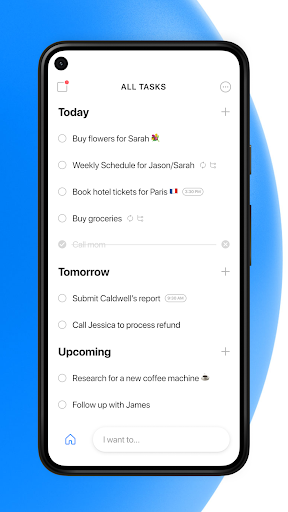
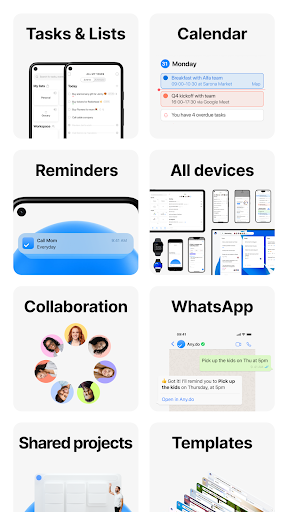
Any.do has earned recognition from The Wall Street Journal as the “#1 To do list app” and Google’s Editor’s Choice designation by successfully combining task management, calendar integration, and collaboration features into a cohesive experience. Over 40 million users rely on this platform to coordinate their personal and professional lives.
The built-in calendar provides multiple viewing options, including daily, 3-day, weekly, and agenda views with seamless integration of external calendars from Google, Facebook, Outlook, and others. Location-based reminders trigger tasks when you arrive at specific places, while WhatsApp integration enables task creation and reminders within your favorite messaging platform. Voice input accelerates task capture, and the daily planner with focus mode helps prioritize what matters most.
Pros
- Unified calendar and task management reduces app switching
- WhatsApp integration meets users where they already communicate
- Intuitive gestures like swipe-to-complete and shake-to-clear
- Strong collaboration features for families and teams
Cons
- Free tier somewhat limited compared to competitors
- Interface can feel cluttered with many features competing for attention
- Occasional sync delays reported by users
Shared lists transform Any.do into a family organizer or team coordination tool. Assign tasks to household members, collaborate on grocery lists in real-time, and communicate through built-in chat without leaving the app. Email forwarding to do@any.do converts messages into tasks instantly, while file attachments from Dropbox and Google Drive centralize project resources. Wear OS support extends functionality to your wrist. Any.do excels for families coordinating busy schedules, couples managing shared responsibilities, and small teams seeking lightweight project management. The app works particularly well as a grocery list and shopping organizer thanks to real-time collaboration. If you value calendar-task integration and social coordination over pure task management depth, Any.do delivers impressive versatility.
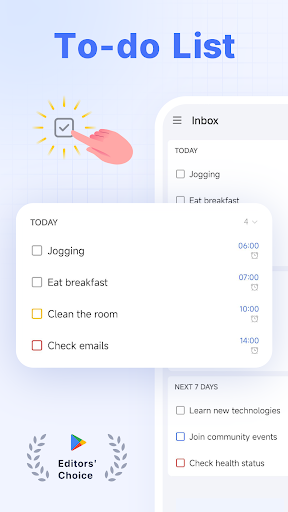
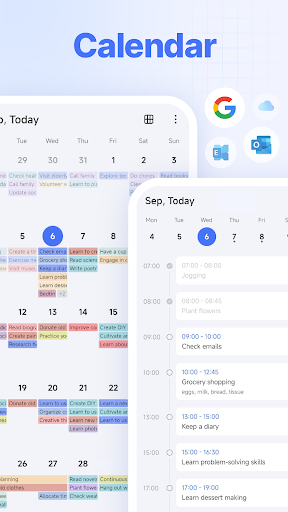
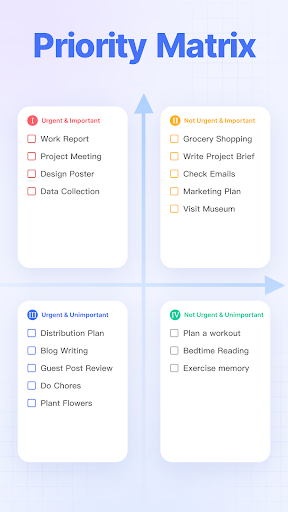
TickTick also earns consistent recognition from publications including The Verge, MakeUseOf, and Wirecutter for good reason. It packs professional-grade features into an interface that remains accessible to newcomers. MKBHD counts it among his favorite productivity tools, testament to its appeal across user sophistication levels.
Pros
- Built-in Pomodoro timer with focus tracking integrates time management
- Habit tracking system supports behavior change and routine building
- Clean calendar view with third-party integration (Google Calendar, Outlook)
- Extensive customization with themes and flexible recurring task patterns
Cons
- Premium required for multiple reminders per task
- Calendar grid view locked behind paywall
- Learning curve steeper than simpler alternatives
The integrated Pomodoro timer with white noise options helps maintain focus during work sessions while logging distractions that interrupt concentration. Habit tracking enables you to build routines around meditation, exercise, reading, or any behavior you’re trying to establish, with goal-setting features that measure progress scientifically. Smart date parsing interprets natural language inputs like “tomorrow at 3pm” or “every Monday,” automatically configuring due dates and alarms.
Home screen widgets provide quick task access, while voice input accelerates capture. The free tier supports up to 2 lists and 19 tasks per list, while Premium expands to 299 lists and 999 tasks each with up to 199 subtasks. Collaboration features accommodate teams up to 29 members (Premium). Cross-platform synchronization spans web, Android, Wear OS, iOS, Mac, and PC. TickTick particularly appeals to students managing academic schedules, professionals practicing time-blocking techniques, and anyone serious about habit formation. The combination of task management, time tracking, and behavioral psychology makes it more comprehensive than pure to-do list apps. Users willing to invest time mastering its features will find TickTick becomes an indispensable productivity partner.

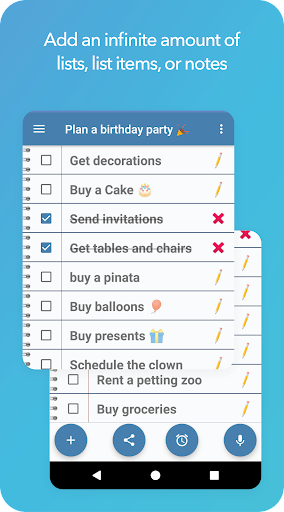
Make-A-List embraces simplicity as its core philosophy, delivering a straightforward list-making experience without overwhelming users with excessive features. This app excels at what it does: creating unlimited lists for groceries, to-dos, wishes, or any categorization you need.
Pros
- Unlimited lists, items, and notes with no artificial restrictions
- List Assistant feature intelligently suggests forgotten items
- Full offline functionality ensures access without internet
- Supports 33 languages for international users
Cons
- Widget functionality requires in-app purchase
- Basic interface lacks polish of premium competitors
- Limited project management or advanced task features
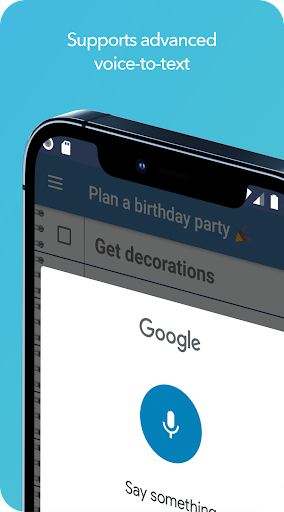
Voice-to-text support speeds up list creation, while the List Assistant suggests items you might have forgotten—particularly useful for grocery shopping when you’re trying to remember all your staples. Lists and notes can be shared with others, reminders ensure important items aren’t overlooked, and sorting options (alphabetical, by completion status, or manual drag-and-drop) keep everything organized your way. Emoji support adds personality and visual categorization to your lists.
The app works perfectly offline, ensuring your lists remain accessible regardless of connectivity. Printing functionality enables physical copies when needed, and adjustable font sizes accommodate different visual preferences. Make-A-List runs on tablets, phones, and Android-capable PCs with consistent experience across form factors. A one-time in-app purchase unlocks widget functionality for home screen access.
This app suits users who specifically need list-making capability without the complexity of full task management systems. Shoppers maintaining grocery lists, people organizing simple to-dos, and anyone who finds feature-rich apps overwhelming will appreciate Make-A-List’s focused approach. It proves that sometimes the best tool is the simplest one that accomplishes the job without distraction.

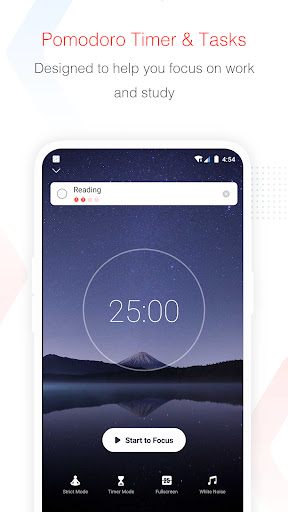

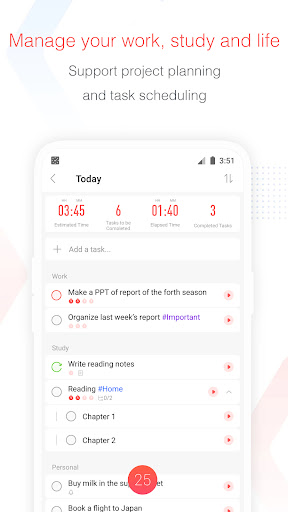
Focus To-Do uniquely merges the Pomodoro Technique with comprehensive task management, creating a science-based productivity system that addresses both what you need to accomplish and how to maintain focus while doing it. This combination proves particularly powerful for users struggling with concentration in our distraction-filled digital environment.
Pros
- Integrated Pomodoro timer combines time management with task completion
- App blocking prevents distractions during focus sessions
- Detailed statistics track time distribution across projects
- Wear OS support for convenient timer access from your wrist
Cons
- Pomodoro technique doesn’t suit all working styles
- Some users find gamification elements distracting rather than motivating
- Interface can feel busy with multiple competing features
The integrated Pomodoro timer keeps you focused during 25-minute work sessions followed by 5-minute breaks, with customizable durations to match your workflow. App whitelist functionality blocks distracting applications during focus periods, while various white noise options create an optimal auditory environment. The gamified Forest feature transforms focused work into plant growth, providing visual motivation and making productivity tangible.
Task management features include recurring tasks for habit building, subtasks for breaking down complex projects, priority coding, and estimated Pomodoro numbers for workload planning. Detailed reporting shows time distribution through Gantt charts, completion statistics, and trend analysis. Cross-platform synchronization spans iPhone, Mac, Android, Windows, iPad, and Apple Watch.
The app proudly reports that users have collectively focused for over 200 million hours using their system. Focus To-Do particularly benefits students managing study sessions, remote workers fighting home distractions, and anyone with ADHD or focus challenges. It’s also valuable for professionals tracking billable hours. The marriage of task management with scientifically-validated focus techniques creates a comprehensive productivity system rather than just another to-do list app.


NoteToDo takes a distinctive widget-first approach, functioning primarily as a home screen element rather than a traditional standalone application. This design philosophy prioritizes immediate access and visibility, keeping your notes and checklists constantly present without requiring app launches.
Pros
- Widget-first design provides instant access without opening apps
- Extremely lightweight with minimal resource consumption
- Simple, distraction-free interface perfect for quick notes
- Easy sharing to social networks and messaging apps
Cons
- Limited features compared to full-fledged task managers
- Widget-based approach may confuse users expecting traditional app
- No cloud sync or cross-device functionality
The lightweight widget delivers excellent performance without draining battery or consuming significant storage. You can quickly jot notes, create shopping checklists, organize items by topic, and set reminders, all from your home screen. Export functionality shares notes with third-party apps, while social network and messenger integration enables easy collaboration.
Setup requires adding the widget to your home screen rather than launching it like a typical app, a detail that confuses some first-time users. Once configured, however, the always-visible interface reduces friction between thought and capture. NoteToDo works best for users who maintain relatively simple, straightforward lists and prefer home screen accessibility over feature depth. It’s ideal for quick grocery lists, brief reminder notes, and simple daily to-dos.
If you find yourself constantly opening and closing task apps to check items, NoteToDo’s persistent visibility might improve your workflow. The app represents a minimalist philosophy: your tasks should be visible and accessible, not buried in an app drawer. For users valuing simplicity and immediate access over comprehensive features, this widget-centric approach offers a refreshing alternative to feature-bloated competitors.

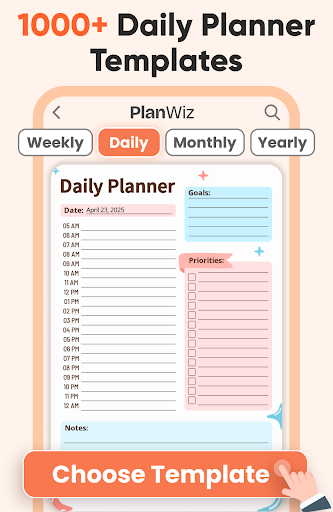


Daily Planner, Bullet Journal (by Planwiz) differentiates itself by offering extensive pre-designed templates that transform a task app into a comprehensive life management system. Rather than starting with blank lists, you select from specialized templates covering scheduling, journaling, planning, and tracking across numerous life domains.
Pros
- Extensive template library covers virtually every planning need
- Bullet journal approach combines creativity with organization
- Specialized templates for ADHD, students, and specific use cases
- Unified platform reduces need for multiple specialized apps
Cons
- Template-heavy approach may overwhelm users seeking simplicity
- Premium subscription required to access all templates
- Learning curve to effectively utilize specialized templates
The template library includes schedule planners, daily/weekly/monthly planners, agenda formats, ADHD-specific planners, routine trackers, work planners, meal planners, study planners, bullet journals, personal diaries, mood trackers, fitness planners, travel planners, finance planners, and project planners. This variety acknowledges that different life areas require different organizational approaches. The bullet journal templates particularly appeal to users who appreciate creative, customizable planning methods.
The mood tracker and affirmation journal features acknowledge mental health’s role in productivity, while the finance planner addresses the stress that often undermines effective task management. Cross-device synchronization keeps your various planners accessible from multiple devices. The free tier includes basic functionality with advertisements, while subscription removes ads and unlocks premium templates.
Daily Planner, Bullet Journal suits users who want comprehensive life management beyond simple task lists, bullet journal enthusiasts transitioning from paper to digital, and people managing complex, multi-faceted lives requiring different organizational systems for different domains. Students balancing academics, fitness, and social life find particular value in the specialized templates. If you’ve tried traditional task apps and found them too narrow in scope, this template-rich approach might finally provide the organizational breadth you’ve been seeking.
The best to do list apps for Android span a remarkable range of approaches, from Google Tasks’ minimalist integration to Daily Planner’s comprehensive template library. Google Tasks and Microsoft To Do excel for users embedded in their respective ecosystems, while privacy-focused Tasks and straightforward Make-A-List serve those prioritizing data security and simplicity. Todoist and TickTick offer sophisticated features for power users, Any.do balances calendar integration with collaboration, and Focus To-Do uniquely combines task management with scientifically-validated focus techniques. NoteToDo’s widget-first approach provides constant visibility, while Daily Planner transforms task management into holistic life planning.
Your ideal choice depends on your specific needs: ecosystem integration, collaboration requirements, privacy priorities, complexity preferences, and whether you need simple lists or comprehensive life management. Most importantly, the best to do list app is the one you’ll actually use consistently. I encourage you to try several options—most offer free tiers—to discover which interface and feature set resonates with your personal workflow.
Which to do list app has transformed your productivity? Are you a minimalist who thrives with simple checklists, or do you prefer comprehensive systems with Pomodoro timers and habit tracking? Share your favorite Android task management tools and productivity tips in the comments below. Your experience might help fellow readers discover their perfect organizational companion!