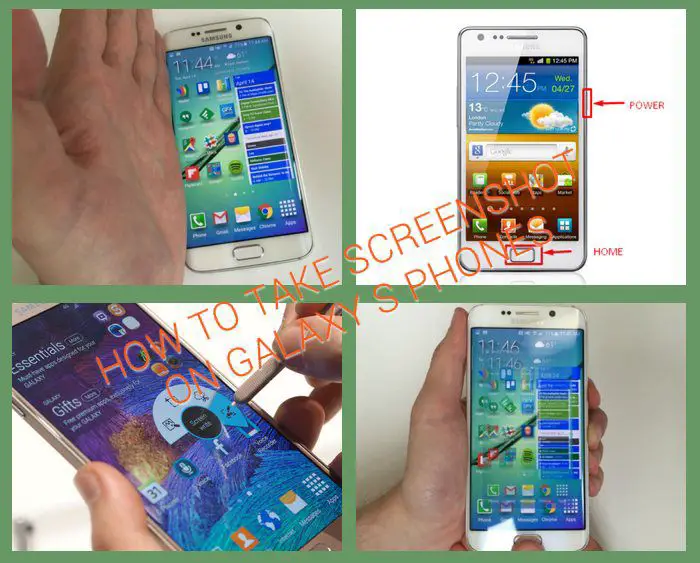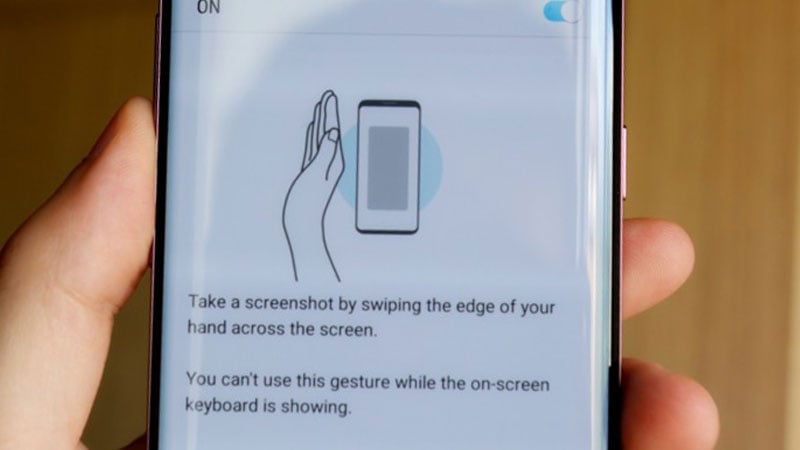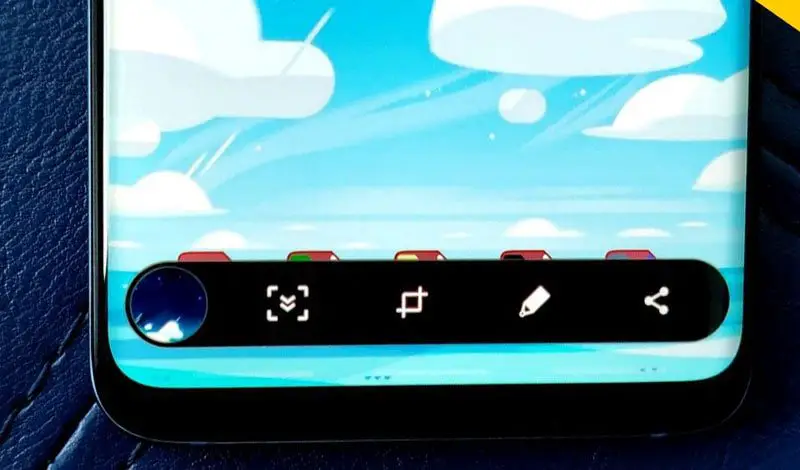
Take Screenshot with your Samsung Galaxy S is real easy right on your phone with just two tap. While i was playing with my Galaxy S, suddenly i heard a capture sound and got a notification “Screen captured. Save as image file”. Then i went in gallery and well there is a screenshot. After messing a few minute i figured out the trick which I’m gonna share with you now. The first thing you probably need to do is Update your Galaxy S to Android 2.2 Froyo as I’m running Froyo on my Galaxy S. See below the image proof. The trick is after break (probably will work on other Android Smartphone too running Froyo)
1. Be sure you are running Froyo on Galaxy S (not sure if it’s work on 2.1 somebody please try and let us know)
2. When you are in the specific screen which you desire to take Screenshot, Press the Back button in right bottom and hold it. While holding Back button now press Home button in the middle. You will hear a capture sound and in moment it will appear Screen captured. Save as image file
3. Go in the Gallery app there is a new folder called Screen Capture. Open it, you will see the captured image. Enjoy!


I am running 2.2 and followed the easy directions above but its definitely not working for me. So there must be some setting difference between us that is preventing me, but allowing you to do it. I really wish I knew what it was because I screwed up my phone and can’t root it anymore, and really missed the screen shot feature.
reboot your phone then on the homescreen try it. Hopefully it will work
I don’t have JPM like mydoom, I have JI6, maybe that’s why?
I rebooted and no luck still.
try holding the back button and hit the power button. try that a couple times. that is what works on my phone.
this worked for meee
Thanks! This worked!
Thanks Adam…perfect!
Nothings worked for me,
Im very confused,
Please please help me.
I have 2.2
Help?
Thanksss
you crazy genius!! holding the back + pressing power worked for me.
I sent a message, and attempted to back out. I did something too fast, without realizing, and it took a screenshot. I read everyone’s reviews, however, none of the combinations seem to work. I looked under settings like you suggested and i have 2.2. It is so incredibly frustrating because i know it is possible. I have a Samsung galaxy s with at&t. Please help??
same here!!
Doesn’t need reboot – the directions as per Samsung’s website is:
Press and hold the power button at the same time as the home button.
THANKS FOR THIS INFO! It worked on my galaxy y =)
Bout ready to throw phone at the wall. Why would the power button have so many other functions!?? when I hold the back button and press the power, the phone just goes to standby (black screen) or I get several options: power off, etc. Oh, turned phone off and back on too…any suggestions??????
owh yeha! thanks!!!!!
if you press any of the bottom buttons and the lock/power button the screen shuts off and then it lights back up
thnkz man! now i know how to take pic of the screen..i was searching tricks for an hour!
I’ve found it!! Hold the back button while pressing the power button. Works every time for me. HAVE FUN!
Finally!!!! i actually got it to work
thank you!
When I do that, it just does the screen lock. Is there a way to turn the screen lock off so I can do the screen capture? I did it accidentally yesterday and I wanna know how to do it again!
Heather:
I don’t know if you figured it out already. But what you have to do is HOLD the power button, don’t just press it. If you touch the back button, hold the power button and let go at the same time with both it will take the screen shot picture for you. I did it accidentally also and went crazy trying to figure it out! lol Good luck!
Violet:
When I’m holding the powerbutton, i get 4 options:
- one about the sound (on/off).
- one about the status of the data connection.
- one about offline mode (when you’re on a plane).
- and about turning my mobile off.
Can you please help me?
press and hold back button and then home button
ahhhh thank you!!!!!!!!!!!!!! that works! I also noticed that sometime when I go to hold the back button it actually goes back; if this happens just continue holding the back button while navigating on the screen until you get to what you want to screencapture. then whil still holding the back button press the power/lock button on the right side.
thanks again!
Thank you, thank you! I have been trying to find out how to do this for months. Now, I feel like crying since the method is so simple…hehe.
Thanks! Worked for me too!
Thanks!
This works for me too (Galaxy S/Verizon)
i have galaxy mini android version 2.1 and no froyo and it worked
I cant figure out how to make it work on mine. Please help!
Me either, I’ve tried so many times – it’s so annoying! It does it on it’s own when I don’t need it, but when I need it and try to do it it just keeps going back and them I have to reload the page again!
More advice, pls….
I am using a Samsung galaxy s version 2.1 and none of. The advice actually work!! Someone help please:(
mine worked by holding the home button (middle) then pressing button, galaxy mini on droid 2.3.4 (gingerbread)
you have to hold the back button…. while holding you press the lock button and that’s how you capture the screen
I want to take a shot of a second screen in an app. Holding the back button takes me ‘back’ before I can press the lock button. How do you snap the current screen in an app?
It doesn’t work either… It will just lock the phone. Please help. Is my version the old one that’s why I can’t take screenshots??
what is the back button?
Alejandra, get another phone, NOT android!
it works for me
im running on froyo 2.2
I have a Galaxy S phone and the suggestion in the article did not work on my phone. I had to hold down the back button and then hit the power button on the side of the phone. Worked like a charm!!
Try holding the back button and click on the middle one, the home screen button.
Click the lock button not the home button!!
I couldn’t get it to work either, but figured out a different way to do a screen capture. You can hold the back/return button and then press the power button. You should hear a capture sound.
it works perfectly for me….. i mean who knew it’s that easy….i didn’t had to do anything…..
mine works with holding the back arrow and pushing the power button. not as described above
Bro sometimes u gotta press the home button twice. Pressing it once dont work for me either
Does it work on at&t? I tried it on my at&t captivate and it didn’t work. The back button and screen lock just locked the screen
Press and hold the power button at the same time as the home button.
i have an at&t samsung galaxy s and it wont let me take the screen shot! i have read all through this page and it still dont let me! idk how to check and see if i have the 2.2 version.. can you please help?
settings- scroll down to about phone- firmware update
Apparently I can take a screen shot just trying to turn off the phone. What am I doing then?
Hold down bk button n press or either push the off button on the top right hand corner that worked for me
it is telling me that i have froyo but I dont know if i have 2.2 and its not working I am so confused
Hold the back key the curly arrow on my galaxy s and press the home key wen u release the back button it takes the shot…. running 2.3.3 gb
i have the same phone, and i know it works cause it has happened when i dont even try. But when i do what you are saying nothing happens on my phone… Please help!
Thanks
try holding the back button and then clicking the lock button. that is how mine did it.
Doesn’t work on Vibrant
I definately did it the other night on accident…and couldn’t figure out how to do it again. I tried your directions up top but still does not work. I was messing around and my phone started going really slow…i was trying to go to the home screen then a little box popped up and said Screen Capture Saved…
I know it does have something to do with the home button…but your way doesnt work for me.
it works on vibrant i have one and it worked great
doesnt work on mine one :/ i dunno why, but it doesnt.
What did you do to make it work? I have a Vibrant
I have a Samsung Vibrant SGH-T959 from T-Mobile, running Froyo 2.2 and neither way is working for me. If anyone figures this out, will you please let me know? Thanks.
Ditto for me – I did it by accident recently however, but all the suggestions above haven’t worked as I’ve tried to recreate this feature. Help!!
It doesn’t work on my vibrant! I need help!
It worked for me i have the vibrant from bell (canada model) if your in the states thats the only diffrence i can think of if you have 2.2?
it does work on vibrant
louis, I see that there are different models of the Vibrant. I have the SGH-T959 from T-Mobile and have upgraded the firmware to Froyo 2.2. None of the said steps have worked for me, but I do see that the ScreenCaptureService is running in Running Services. This is really frustrating.
No…it doesn’t. You need to provide more details before you make false statements. How about your model, your version, the carrier. We wouldn’t say it doesn’t work if it did.
It doesn’t work and you’re wrong.
True tht it doesnt work on Vibrant. I dont know what to do :~(
it does i have one i did it by mistake and now it wont let do it no more
Works fine with Froyo 2.2 (JPM) Thanks !
doesnt work on galaxy lite(2.1) I try other combination
I have a samsung galaxy and I dont know if my phone is
Android 2.2 I have reboot it. can some1 tell me how to check wich android system I got
go setting then scroll down and select about phone
so.. my galaxy WONT stop taking screenshots, everytime i text or go into an app. the back button goes away and i push home key and it takes a screenshot. its making me so mad. i dont know how to stop it.
PLEASE HELP!!
Mine did that too. i sent the phone back. it was driving me crazy. got it last night, its working alot faster, had new software installed. It has take 1 screen shot by itself (as you described) so far. Im waiting to see if it continues if so then it will be sent back again.
Try turning your phone off, then take out you memory card (if you have one). Charge it to 100% then turn your phone on.
If this does not work try updating or resetting your phone.
This happens if your screen is dirty with your had grease. All you have to do is clean it and it wont happen. If there a way to turn off screen shots it would fix half the problem
Yea same thimg happend me, randomly made a sreenshot, but thanks anyway,
Ok it says 2.1-update1 .what does it meen?
means you won’t be able to do so. you need android 2.2 version
How do you get it the 2.2 version?
if you have the vibrant you download kies mini for the 2.2 update Ihave tmobile vibrant 2.2
So i can’t do it? Mine also says version 2.1-update1. But how do I update? Mine is a samsung galaxy s.
WOW! Thanks! It worked for me. SGS I9000 + Froyo JPM!
Hi thanks a lot ! may i ask y please:
why i could´nt update my Galaxy s in Austria?
The update will be available in november
What is frojo?? Is it jailbrake, a app, something in the phone??
its a nickname for the system.
2.2 to 3.0 is known as froyo
to get 2.2 you need to update ur phone which depends on the provider itself.
1.5 to 2.1 is known as cupcake
2.1 update 1 means ur phone is running 2.1.1
if u cannot wait for 2.2 the only way is to root which i don’t really reconmand since it might turn ur phone to a pernement brick. i prefer waiting but i think there is a app for auto rooting but i can’t be sure if it works or not.
I have 2.2.1 froyo or something like that? Does that means its already 2.2 or is it still 2.1? And how can you take a screenshot with it?
mike froyo is a version of the operation system Android that have the number 2.2
like other versions of the system each version have a name:
android 1.5 is called cupcake
1.6 is donut
2.1 is eclair
android 2.2 is froyo
and the next version is gingerbread
It’s only limit to take pix on home screen.
There is no Jailbreak for Android, you can Root it to become superuser.
Latest Android Version is Froyo 2.2
I am using xxjpk and it works for the screen capture.
I just tried it on my Galaxy S with Froyo JP6 and it worked perfectly. I knew Samsung Wave had that feature but I had no idea it also existed on the Galaxy S. Thank you so much man
It doesn’t work on SGS, 2.1. Waiting for Froyo….
How do I update my phone any buttons?
Ooh thx guys I was like huh?? what is eclair and froyo
;P . So right know I have eclair thx.
Yo beside why doesnt it work to download with
Samsung galaxy S in market any guide for that
u mean update ur phone system to 2.2?
go to settings> about phone and click system updates.
u need internet connection to do that btw.
if u mean ur market cannot buy apps or does not show paid apps on it it means ur country is not choosen for paid apps.
There isn’t any “system updates” button on my phone…
Dear Admin any Idea how can my Galaxy S i9000 support Arabic language? thx
Yeh it works to buy , but the problem is that I cant download any apps it says download didnt work and it doesnt work to update my phone to 2.2
it just work so fine with Galaxy S Froyo (2.2) – JPJPA
Thanks a lot
Works for jp6 – been trying to figure this out for ages Thank s:)
Working on SGS GT I9000 JPM
Nice one, thanks for info……..
doesnt work on samsung galaxy captivate 2.1
Thanks Alot!
Working 100% on all screens in Galaxy S JPJPA FROYO 2.2
anyone know whene the update(2.2) will be available in Cyprus or where i can find this?
Hopefully next month. Or if you are advanced user then try this trick to update right now. Be careful and read everything before you proceed.
http://getandroidstuff.com/tutorial-force-kies-update-samsung-galaxy-regedit-guide/
If my phone doesn’t have an update how can I get it to screen capture? I have a galaxy s 2.1
Hey, don’t need to wait, i’m in australia, it’s not yet released and i have froyo, just check out:
http://forum.xda-developers.com/showthread.php?p=8811286#post8811286
I just flashed back to original firmware, then flashed to froyo, everything is working fine so far!
This camera thing works for FROYO.XWJP6
works fine in my SGS Froyo.
btw on SAMSUNG GALAXY TAB is back button and dann power button .
Thanx
Just realised it only captures screen at certain states. For example, you won’t be able to screen capture a conversation in whatsapp, as the moment you press back button, it exits.
It works on FROYO.JPJPG, thanks for the tips
Dang it, it WORKS!!! And not just on the home screen, but the browser screen as well. Thank you so very much! Samsung Galaxy S (i9000) user here
Works for me on Froyo 2.2
I9000T
In the first screenshot…is that a live beach wallpaper ???
If yes…then please tell me the name of that wallpaper OR give me the link of that
Here you go to Download Beach Live Wallpaper http://www.mediafire.com/?vguhsjq2hbr2u3y Let me know if it’s work. Thanks, Keep sharing the site with your friends!
Thanks brother for giving me the link of Live Beach Wallpaper, but sadly it didn’t work on my Xperia X10…Anyway Thanks again for giving me link
hi! thanks for the info… once I did that but by accident! and I’m trying so hard to figure out how to make it happen again LoL
I did it once on accident, thats how i figured out you can do it. But now I try to do it again and it won’t work
I do have Froyo 2.2 but I cant get it to work!
how do you update to froyo?!?!?! Its now janurary
You need to install samsungs tool for phone management – it’s called kies and you can find it through samsung.com … then you connect your phone to your pc with the usb cable..and it will tell you, that there’s an upgrade… and download and install it for you (remember to back up your phone, since it will most likely delete everything on the phone)
Thanx bro for this technical tip. Worked perfectly on my Froyo SGS. Pls give more tips on SGS with Froyo.
Haha, thanks, this was really messing with me, cause I had a screenshot on my phone….but I somehow took it, while I was drunk and didn’t know how.. Now I know – thanks
thanks..:)..it works.:)
Thanks! works in my galaxy S 2.2
I had made it accidently too but then I couldn’t find how to do again. Thank you bro!
the screen capture back button is too sensitive. Can you disable the feature or change the sensitivity?
YES! Thank you!
yahOOOOOO..
th q my boy
i has been trying to find out this trick which happend to me once,,
I am using the same background
Thanks for this awesome tip by the way!
i just accidentally screenshotted a conversation i was having through text and ive been trying to figure out how to do it all over again. I do have the froyo. ive tried the trick you’ve suggested but nothing lol i guess a few more tweeks! but thanks anyway!
I am also trying to figure out how to capture a text conversation. All the things suggested above do work to screen capture but when I click the back button before the screen capture works the page has already gone back to all of my text conversation and that’s what gets captured.
The same thing happened to me- I heard a snapshot and it saved a picture, but pressing the back and home buttons definitely didn’t work for me after several tries!
GT-19000
2.2
All good
Thanks
I also had the same thing happen. I have a random screenshot in my gallery and I have been unable to duplicate the process. This tip is not working for me either (SGS 2.2)
It works,
HOLD BACK BUTTON THEN PRESS POWER BUTTON…SAMSUNG FASCINATE RUNNING 2.2
Works perfect
Samsung Galaxy S Vibrant (2.2 JL2)
Held back button, pressed home and got long vibrate. Gallery got a new folder call ScreenCapture and picture was in there.
I have the Samsung Galaxy Vibrant too. Held the back button and then pressed the home button, but no vibration at all after I pressed the home button. I also have froyo. Any other suggestions?
Hey I’m running a Samsung Vibrant with the KA6 Froyo, now I know for a fact this works because I did it by accident once, but this tip won’t work
Does anyone know how to do it on KA6? I’ve googled and nothing. Please help if anyone knows, thanks.
wohoo.. thanks for the info bro.. I was wondering how to do it, because once I have done it by accident. now I know exactly know how to make it happen. many thanks.
Admin – I’m having the same problem as Jorge. I know Screen Capture is possible, because somehow I managed yesterday to take on, and the new “Screen Capture” folder showed up. I’m running Froyo 2.2 (KA6) and cannot duplicate the process with the back & home button’s tip listed here.
Please, Please, Please help I would LOVE to be able to use this function and I know it’s possible, cause I’ve done it, but how… ?
-Thanks,
Jason
Which Galaxy S r u using? hold the back button and try all other keys one by one. In captivate it does back button+power button
I tried almost every combination, I still can’t get it to work. I’m very confused because I KNOW there’s a way.
I’m having the same issue. Samsung galaxy s 4g 2.2
I’ve looked it up and tried every combination of touchkeys and power button that I can think of. I haven’t found anything that works for the sgs 4g and its driving me crazy
I’m sorry 2.2.1 to be specific
I got it to work yesterday again somehow. It has something to do with the soft keys but its not this combo.
hmmm im using a captivate 2.2 i have only done the screen capture by accident the back button+home or any other key doesnt work i have multiple pics in my screen shot folder.
I HAVE THE GALAXY S CAPTIVATE W/ATT RUNNING THE LATEST SOFTWARE, I HAVE TRIED ALL KEYS BUT GET NO VIBRATION, NO SCREENCAPTURE SCREEN NOTIFICATION AND THE APP COM.SEC.ANDROID.APP.SCREENCAPTURE 1.9 MB SHOWS TO BE RUNNING BUT I HAVE NOTHING IN MY GALLERY, SD CARD THERE IS NO SCREENSHOT….CAN YOU PLEASE ADVISE?
I have a Samsung captivate galaxy s running android 2.2 Frito and I can’t.get it to work. Holding the back button and power button locks the screen and the back button and home button doesn’t do anything. PLEASE HELP!!!
I have the Captivate but I have Gingerbread, is there a new way to do this because nothing at all works for me.
thanx!
works great on mine.2.2 froyo.rooted
Def doesn’t work. I just got my Samsung vibrant replaced by TMO and the new one came with 2.2. Not sure if I got lucky or what put the instructions don’t do jack shit.
WORKS LIKE A CHARM! THX HEAPS!
super.works fine on 2.2.1 JPU release
Samsung galaxy s, worked for me, thanks
Samsung Galaxy S Vibrant, tried all combinations but no luck. I have 2.2, any suggestions?
Me too: This combo doesn’t work on my Vibrant with 2.2 KA6, but I know screen shots can work, as I’ve done it twice before by accident. I’ve tried all the combos I can think off without luck. If anyone figures for vibrant froyo ka6, please let us know.
Okay, found one way on a Vibrant w/ KA6, but requires a bluetooth keyboard.
Pair and connect any bluetooth keyboard that has a Home key. I used a full sized dell, but the mini ones that require a Fn + X key to send Home should work fine. I think generic bluetooth support is a froyo feature. Then press and hold the back button on the phone (like above) and press the Home key on the keyboard. (The Home key by itself acts just like the Home button on the phone.)
I wonder if the KA6 build made it harder to do the same on the phone, due to the complaints of others with different builds it being too sensitive?
I have the same problem as others. It works some times, depending on what screen you’re on, but most of the time, as soon as I press the back button, the app exits! I wish they used a different combination of keys!!!
Vibrant 2.2 KA6
Can’t get it to work.
My buddy with the exact same phone and update did it by accident but he can’t do it again,
Does NOT work on Vibrant with KA6, at least with this key combination. I get long vibrate on back, but no amount of trying to combine that with the Home button works. Can someone please post something that works with KA6?
Works on galaxy 3 too, just got updated
will the same combination work for 2.3??
or is there any other combination??
Did it once by accident on my Vibrant (2.2 KA6) but can’t get it to work again. I’ve held the back button and pressed pretty much every other button. I don’t get it.
It works on 2.1 android thanx
how? please teach me
How do you reboot your phone or how do you download this.. i have a samsung galaxy s and i dont understand it??
how to reboot my android ? it doesn’t work on my phone, it said : unable to capture screen.pls try again
if you mean only reboot, just switch off the phone and turn on again
awesome tip. working for me.
Thanks
I am really stupid what is the right and back button?? I have 4 buttons sound up sound down lock screen and home screen wich one do I use?
its the touch button, the arrow button to the right of the home button which is the middle down the bottom.
so, press and hold the back button, then tap the home button and it will make a camera noise
I’ve accidentally done this once or twice myself on my Samsung Galaxy S i9000 (Froyo). I tried your instructions above and they worked perfectly. I wanted to know how to do this rather than install an app that does it so thank you so much for your instructions!
Very useful tip. Works just as explained on my Samsung Galaxy SL GT-I9003 (Froyo).
Hello,
I am using samsung galaxy GT-S5570 in india, I want to install Adobe flash player in my phone, I have downloaded 10.1 and 10.2 both version(.apk file). When I try to install I got application not installed error. Please help me for this issue. I need to install adobe flash player anyhow in my phone.
Thanks….
Hello,
I am using samsung galaxy GT-S5570 in india, which have 2.2 froyo and build number is froyo.DDKA6.
I want to install Adobe flash player in my phone, I have downloaded 10.1 and 10.2 both version(.apk file). When I try to install I got application not installed error. Please help me for this issue. I need to install adobe flash player anyhow in my phone.
Thanks….
i got same problem but now solved .U have installed app. Now U have to launch Market on your handset and search for “Apps Installer” or “ File Manager.Once this is done, connect your phone to computer and mount SD Card.Copy earlier dowloaded APK file to SD card root.Now use Apps Installer or File Manager to install the APK file.Once the installation is complete, reboot your phone.Now launch your web browser and navigate to any flash website to see if it is working.Thanks
2.2.1 Darkys V9.3 Galaxy S works for me. Id done it by accident a few times and wondered how i did it haha.
Thanks for that mate.
Thank you very very very very very much!!
I also had experience of screenshotting my screen by accident but could not find out how. Thank you so much!!!!!!!!!!!!!!!!!
I have the froyo 2.2 on my Samsung Vibrant and have accidentally took a screenshot today but can’t get it to do it again no matter what combinations of buttons I’ve tried. Why?
Samsung Mesmerize: While holding the “back” button (until you feel a vibration) hit the power button. This works for me.
Plz any one let me know i have flash player 10.2 on my samsung vibrant but some videos can not be played and shown notice flash player 9.I have to install flash player 9 for these video or flash player 10 can be use for these as well.
i did it,thats really cool!
I also capture screen suddenly and dont know why,then check on this website,thank you vetu much!
It works on Galaxy 5 too. Took a screen shot with back and home buttons.
what app is that sticky note thing on your home screen?
color note, https://market.android.com/details?id=com.socialnmobile.dictapps.notepad.color.note&feature=search_result
Samsung Fascinate running 2.2 u need to hold back button. After it vibrates, press the power/lock button. Thanks ShawnS!
So i’ve tried to hold the back button then hitting the home button and its just not working. Saw that someone mentioned rebooting. How do you do that? Do you mean simply powering off and back on? Oh i’m using vibrant 4g if that helps.
I’m running the Samsung Captivate 2.2 and none of these combinations are working for me. I’m not sure if I’m crazy, or you people are. And please don’t tell me to “reboot” my phone, you sound like Comcast when I call them and tell them my internet isn’t working.
ive got the same problem i did it once idk how and these combos wont work now
i have a samsung galaxy s fascinate running froyo 2.2 and i seen a photo album labled screen capture in my gallery with a screen shot in it and i dont know how to do it nothing on here works any ideas ?
For a fascinate running Froyo 2.2 I was able to take a screenshot by holding down the “back” button and pressing the “power” button. It saved to the gallery in an album titled screen shots. Hope that helps!
LoL same thing happened to me. I was playing and heatd capture sound…. Thanx alot dude for sharing…
@distin i have galaxy s too with 2.2 froyo… It works perfect for me..
I have a Samsung Captivate i897 and took a screen shot on accident, but I can’t get it to do it again. I have tried pushing the back button w/the home screen button (power button, volume button etc) running the froyo 2.2. Help
Does this work on the samsung galaxy 4g for tmobile? I tryed all ways and wont work. Does any1 know how or if it even does?
Galaxy S Epic user. The scren capture works easily and everytime for me only if I use the slide out key pad to press the Back & Home It takes the shot in horizontal display perfectly. Prob is the methods above do not work with the soft keys. Holding the soft Back button doesn’t prompt a vibration. I’ve tried mutiple combinations to no avail.
The only problem i’m having is when I hit the back button, it goes back a page then takes the screenshot….so i’m not getting the actual screen i want to shoot….what am i doing wrong?
Some apps are protected (for example facebook pictures). The way around I posted today on youtube. Enjoy!
Reporting back, this time with Vibrant and the semi new official Samsung KB5 build now:
Same soft keys not working issue as before, but
A bluetooth keyboard works fine (still).
This time I also tested the motorola atrix/xoom keyboard (in PC mode though) as well as the old dell, and holding soft back key and pressing the keyboard’s home button works.
@mominacan: Are you holding down the back button until the phone vibrates before pressing the home button? The reason I can’t do the screen shot with the BT keyboard alone is the keyboards I’ve tested send repeat presses of the back button.
Have Verizon Samsung Fascinate (Verizon’s version of Galaxy S). Just upgraded to Froyo 2.2 and by accident was activating that screen capture feature as well. Figured out its holding the back button while hitting the power button. Works every time like a charm.
I also have the Samsung Captivate 2.2 and no combos are working. Yet I took a screenshot on accident a few days ago! Haven’t been able to do it since
Had to press ‘Back’ and ‘Home’ keys rather quickly to be able to do that Screen Capture.
Still, thanks a lot!
Samsung Galaxy S
Firmware: 2.2
Build No. FROYO.DXJPE
Yea i’m gathering from all the multipule sites i’ve been too that we can do it on the CAPTIVATE froyo BUT NONE of those combos work! and I’m like a previous poster, dont tell me to reboot… i wont. but no combos of back+home/power button have worked for AT&T Captivate Froyo 2.2 for me except by accident :/ Anyone have any other suggestions for us users? I’ve checked and there are no current software updates for my phone… just fyi THANKS FOR EVERYONES HELP AND INTEREST!
http://www.youtube.com/watch?v=CoeQUr4zF6Y
The sollution for taking screenshots on Samsung Galaxy S. i9000
I have found a way around the backwards/home button.
A great alternative that takes a little effort.
You need 2 apps:
- Screencapture shortcut
- Smart Taskbar (sidebar)
Watch the video I made today:
http://www.youtube.com/watch?v=CoeQUr4zF6Y
This works!
Greetz
Guido
Works perfect
Samsung Galaxy S i9000
Version 2.2 foryo
Thanks a lot
I have a T-Mobile Samsung Vibrant with FROYO.UVKB5 installed from Samsung Kies mini USA. I can’t take screenshots on my own, but my phone does it randomly. I don’t want to download additional apps to get it to work as it proves to have functionality built in. Any ideas?
Samsung Vibrant Galaxy S: Froyo KB5
An Android App was built by “Tomorrowkey” named “Screen Shot Capture Free” and it’s made especially for the KB5 and it mimics the soft key; it was my favorite and captures images perfectly.
But updating to KA6: the same app isn’t compatable, ftw it sucks. If I could undo my Upgrade from KB5 -> KA6
Because everything else seems the same exact the screen shot capturing >:[
As far as I know (and I did look hard!) there is no other reliable option to take pictures in facebook, certain games, streetview etc.. I think Android is protected for taking pics inside some apps but this works
Installing apps is a great plus for smartphones so why not?
According to “privacy blocker app” they are “clean” (unlike many other apps).
Tried to get a decent reliable screenshot since I got my Galaxy S in may 2010… nothing worked.
This also might even work for other android devices and/or firmware.
p.s. I also put a picture video up to show some screenshots on youtube.
(Channel: ImproTherapy)
Worked prefect on my EUROPEAN galaxy s, running froyo 2.2: from the responses I’d reckon the method don’t shirk on other galaxy s variants…
I have Samsung Galaxy S (GT-I9000) which came with 2.2 Froyo, which i updated to official 2.3.3 gingerbread today morning. So I do not know how the key combination for the screen capture for 2.2. But the key combination that worked for me is this :-
1. First press the ‘Back’ key, when the key lights up press the ‘Home’ key once (Remember, You have to press the ‘Home’ Key only once).
2. Now while keep pressing the ‘Back’ key press the ‘Home’ key once more.
Sorry, there is a error in my post. You do not have to press the ‘Home’ key second time. Mine was a little slow in capturing the screen, which gave the impression that I have to press the ‘Home’ key twice.
Can someone please help me? I accidentally made a screen capture with my phone today, i didn’t know how i did it so i researched online and it lead me here… I tried the method on this site but it doesn’t work… I have froyo and i did it once by accident so i’m sure it can be done on my phone.
A co-worker snapped a screen shot on a Samsung Captivate running 2.1 update 1. We can not figure out how he did it. This phone is not rooted nor does it have any special apps. He is just left the iPhone for Android in the last couple weeks. This is now driving us both nuts.
Mine takes screenshots constantly, almost every time I try to lock the screen, it sucks. Is there any way to disable this “trick”? I’m not holding the back button, it must just think I am or there’s some other trick involved.
Omg thank you so much. I’ve been trying to figure this out for hours!! So glad I came across this post!! Btw holding back button and pressing pwr button worked for me.
Samsung galaxy s fasinate
i have the galaxy s 4g . . . it is not working for me…help pls?
Hmmm, I figured out what I wanted to figure out from looking at this XD, I kept taking screen shots and my phone refused to quit taking them and I couldn’t figure out how to get my back button to work as a back button again, thanks for the help albeit through means other htan what was expected
okay so I took a screenshot without knowing it, and I have the android captive galaxy s. I dont know how I took the screenshot, because I haven’t downloaded anything to take screenshots, so I’m confused.
thanks sooooo much!! this was the only feature my Galaxy didnt have that my iPhone did…and its been there all along!cheers!
Thanks, it worked on my Galaxy Ace
Doesn’t work on my captivate either. When I hold my back button, it just goes back. Nothing happens.
On the bottom of my phone the home and back button are right next to each other. I have tried it so many times. Maybe I’m missing something. Just got the 2.2 upgrade and its not working.
u don’t press home, u press the only real BUTTON on the phone, the one that turns the screen on and off. Press that button while holding the back touch-sensitive button.
Screen Capture Shortcut.
The Only App I have found that works!!!
HELP!!!!!!!!
I updated my captivate to the 2.2 and when I did, it messed my phone up!!
When I take pics, the aren’t any where to be found. I can’t send or receive pics either and it lags really bad. Any one else have this problem or know how to fix it? I think I may have to install drivers but I don’t know how to do that.
The back-home button combo is limited!
(try make picture of someones facebookpic or a picture in Google sky/streetview etc.
For everyone that wants to screenshot anything without rooting here is the link one more time:
http://www.youtube.com/watch?v=CoeQUr4zF6Y
Whenever I hit the back button on an app, it automatically takes me back before I am able to hit the Power button. How do I take a screen capture on that screen instead of being taken back to the previous page?
hey…thx man!!
I had the same situation as urs..but I’m unable to find out how to take screenshots…Thx again!!Samsung Galaxy 3
Thx….its realy work on my GALAXY FIT S5670….
realy thx…
I’m running android 2.1 eclair an it works perfectly. How wonderful this phone is.
How do you do it?im also running 2.1 eclair. But nothing works…please help.
hi thanks for your help…been trying to do that for ages!
xx
ADD ON FACEBOOK JUST SAY “from screen site
“
Debra,
Switch off your phone and remove the battery.
After 30 sec put the battery back and switch on, you should now see the pictures and your phone should be quicker too.
Btw Froyo 2.2 has lag problems, as soon as 2.3 is available upgrade and your phone will be so fast you won’t even recognise it as your own phone.
Yh it does work on.the sgs 2.2.1 froyo
Hooowwww?!
Pleaseeee!!!!!! Help!!!! i have a Samsung Captivate and i accidently took a screenshot and i dont know how! and ive tried a lot of combinations like pressing back button the home button and nothing!!! please help!
thenks
I have a samsung captivate 2.2 froyo and nothing. I tried both ways and neither one worked for me.
Thanx bro it worked well for me
Thanks a lot, It works on my samsung galaxy gio
I have a Captivate and i can honestly say its a joke that it doesn’t have this feature. It is one of.the newer galaxy s phones and i have had nothing but problems with it. I will honestly never be buying a Samsung phone for the rest of my life. This phone is a nig piece of garbage
AWESOME !
I’m gonna share it ..
thanQ ! <3
Working on 2.1
Thank you
yeah. i did the same thing , i was just playing with my galaxy mini then suddenly i heard a capture sound.. I went to my gallery and seen that the screen was really captured. after that, i can’t figure out how to do it again.. haha. Well, thanks for the info..
I have andriod 2.2 and it doesnt work..I did it one time but i cant find out how to do it again. PLEASE HELP I have a samsung captivate
Doesnt work on galaxy s ive tried a hundred times everytime i press the back button while pressing lock key it just locks the screen
It works… Thanks:-)
i have a samsung captivate running on 2.2 . i tried the back button + home screen but it did nothing.
i also tried the back button & power button but all it does is turn my screen black (like im locking the screen)
what am i doing wrong?
I am having the same problem with my Captivate. It looks like you are using the same phone but it does not work with both suggestions. Sad.
Im TO!!! haveing the same problem!!!!!! I have the captivate…I did it by accident and i cant find out how to do it again..
if u can then post a youtube video. i have samsung vibrant with 2.2 froyo KB5 and it does NOT work for me.
Thank you to the genius that helped me learn how to do this!! I have no idea who said it firs or what just hold the back button and press the lock/power key and it will capture it! No need to download anything!!(:
Thank you so much(:
my son was playing with my sansung galaxy s..i was sure the phone was locked..suddenly i heared a camera clicking sound..i took back the mobile from him and cheched..it was still locked..i asked him..he was astonished..he swear he has done nothing..went to the gallery, i got a pic in screen shot folder..then u tried many keys to repeat the same..all were failed..now i got the idea from here..thanx guys..its working perfectly all the time for me..!!
I got it to work with HOLDING THE BACK BUTTON DOWN & THEN PRESSING THE LOCK BUTTON ON THE SIDE OF THE PHONE. Awesome! Thank you
Thanks to the author who posted this thread.
Able to capture the screen. Thanks agian.
I have the T-Mobile Galaxy S 4G (Froyo 2.2.1)– it doesn’t have a physical “home” button, but four light-up touch buttons below the screen (menu, home, back, and search). I try holding the “back” button and pressing the lock/power button on the side, but that just locks the screen. Suggestions?
I have Tmobile, galaxy s vibrant running 2.2. i tried holding the back button and pressing home, does nothing. i tried holding the back button and pressing the lock/power key on the side and it just locks my screen. what am i doing wrong?!
I love you man!! I love you for this!
xD thnx!
Uhm I have tried holding back and jome. I get nothing. I have tried holding back and pressing lock, my phone just locks like normal. What do I do?
on galaxy s2 power+home work for me
this works for me on the S2… thanks!
Okay, so my phone DOES randomly take screenshots for me when i DONT want it to but when i DO want it too, it doesnt!! I have this image and its quite big on my phone, i am using my two fingers to shrink it and i want to take a screen shot, im wondering if that is possible. I have Samsung Galaxy S and its so confusing. I got it to work once but not ever again! PLEASE HELP!
Thnx! This advice worked well for me and my samsung galaxy mini, I have 2.2… =) Had done it by accident a couple of times, but now I know how 2 do it on purpose.
thanx thanx thanx !!!
i love you :p
Samsung Mini Kies only allows KA6 after the US release.
for KB5 use app ‘Screen Shot Capture Free’ built by ‘TomorrowKey’; it’s a soft key shortcut that allows you to capture through a notification button, it’s Perfect.
Unfortunately it doesn’t work for KA6. It displays on the Android Market as ‘Not Compatible’ and the 2 combinations above won’t work for KA6.
Also the Screen Capture’s have no limit, It captures everything from Youtube Videos, Google Maps, Street Views, Facebook, etc etc etc. I was never restricted to taken anything. It even takes pictures of your screen locked, off etc etc. KA6 SUCKS!
looked and could not find that app
Thanks!
It worked perfectly on my Samsung Galaxy S5570 Mini.
:p
Have a Captivate 2.2, FROYO.UCKB1 is what is listed in the About Phone section. Have tried EVERY combo of keys mentioned in previous posts and none of them work. Can only seem to get screen capture by accident. Since I don’t know what “rooted” is or how to do it, I think it’s safe to assume that my phone is not rooted. This is driving me NUTS! HELP!!
Oh yeah, I’m in Kentucky and there are no new updates available when I check.
hold the back button and then press the lock key on the side…that is how mine takes a screenshot.
Hi i have a galaxy 4g tmobile 2.2.1version and i want to know how to screenshot on my phone thankks
please help!!!! i want to screenshot whats app. but once i pressed the Back button, it really has gone Back before I press the Home one.
Whats app conversation i mean
how to take screen shots on galaxy 2
U need to pres the back .. and u need to hold the back key.while pressing the back key u need to press the middle key and menu key .. and vowlla it wil work..
I am having trouble getting this to work on my Samsung Vibrant SGH-T959. Android 2.2 Froyo is installed and I see the ScreenCaptureService running under Running Services, but nothing happens. I’ve tried holding the back button and pressing the home, menu, and power button, but none of those combinations are working! Someone please help me figure out why this wont work for me.
Samsung Gallaxy S
Works NP
back + home
It’s not working for my I tried everything and read every comment. Does it work if I have GO Launcher Ex?
Doesnt work on my galaxy. Has froyo 2.2.1… Leave the back button press, press on the lock/power button and it locks screen. In a web browser when i press the back button it takes me to history. This sucks :/
The way to take a screen shot is to hold the “back” and “power button”. Works great!!
This is making me mad i have 2.2 and some how my phone did a screen shot its in my gallary iv tried every thing above and its not working
For all the people that are having trouble taking screen shots on the Samsung Vibrant SGH-T959, look at this I posted: http://androidforums.com/vibrant-support-troubleshooting/398677-screen-capture-shortcut-free-people-who-cant-see-market.html
Hope this helps.
It works on my Samsung Galaxy Mini.
Thank you
Hi,
I have a samsung galaxy with firmware 2.2.1 and the way to take a screen shot is to hold the “back” and “power button”. Works great!!!
For those people struggling with taking screen captures with your Samsung Vibrant, go to this URL below for a quick solution:
http://www.youtube.com/watch?v=jOgv2ent8zY
This is no bulls****. Do it and get results.
The youtube video has been removed
I need help! I have the Galaxy S Capitivate from AT&T. Model number: SGH-I897.
I’m not running Froyo. Is there a way to take screenshots WITHOUT Froyo? I try taking screenshots but it always locks me out when I press the power button.
Help!
I need help onn thaat too ! lol i know im late
screenshot also works on galaxy SL with froyo…thanks !
really an easy step
thanks .
i m just trying for this from last few dys hows it will be done…
bcz i hve seen few screen captures in gallary..
this is good apllication…
Pingback: Fer captures de pantalla amb un telèfon android « aseques i prou
On the Galaxy S 2 you need to hold the home button (one in the middle) and press the lock button (the one on the right hand side). You then here the capture and can see the image in the gallery (screen capture folder).
man you are the best…. i was looking gor something like that since i had my 3gs.. thanks.. 1000 times..
FINALLLY …. IF U R USING GALAXY S2 2.3.3
PRESS THE HOME AND POWER KEYS SIMULTANEOUSLY
thanks! on my galaxy i9003 It’s runing!
Thanks!
Your article was wrong..and this sux!!!
Any one know how to do it on Samsung Galaxy Europa?
is there a way to stop those screen captures from happening? I have a Samsung Galaxy S with the Android 2.3 system and it automatically takes screen shots when I didn’t want to. It is actually getting annoying
I have a samsung capitivate 2.2 and it doesnt work
It works perfectly fine on my SAMSUNG GALAXY S…great job buddy……
I’m trying to capture a specific screen but when holding the Back button if keeps going back to the previous screen before I can capture the screen I was wish to capture.
Any suggestions?
Push home button and then back button quickly..
If you push back button first, then you get snapshot of previous screen ..
Works with Darkys_v10.2 to
Samsung Mesmerize—
I hold the back button and then press the lock button and it works! Love this feature!
it is working on my samsung galaxy gio
thank you.
yeah i have the froyo 2.2 and i cant get it to work.. it just locks when i use the power button and if i use the home it doesnt do anything :/
by the way i have the captive galaxy s fom at&t..
thank you dude.. ur the best
thaks alot… worked on my galaxy s running froyo..
Model SGH-T959V
Firmware 2.2.1
Kernel 2.6.32.9
Build number FROYO.VUVKD1
The only way I could get it to work was with the “Screen Capture” App form the market
Thanks!
Is that a picture of your wife in the pictures gallery you posted on the screenshot?
nice work on my 2.3.4 thank
what if you have the samsung captivate… 2.2 firmware version and its running on froyo.. this is what happen..so i was playin with my phone and heard a noise..it said “Screen captured. Save as image file”….so i decided to learn how but everytime i do the same it doesnt work :/ i have tried many times and still no luck
Its working Thanks allllllllllot………:)
thank you so much for this it helped me a lot now and here I been trying to find a really good app for screen captures on my Galaxy I love this phone even more. XOXOXO
how the heck do you run froyo?!?!?! please reply!!
on my samsung galaxy s mezmerise with us cellular on the phone its the back key and power button…..check it that way
I can’t get it to work. Holding the back button and home button doesn’t do anything And the back button Ans the power buttonlocks the screen. I did it one day on accident.like a month ago but idk how I did it. I’ve been trying it wont work. PLEASE PLEASE HELP ME PLEASE!!
BTW I am running 2.2 froyo on my Samsung Captivate galaxy S and it wont work. PLEASE PLEASE HELP ME PLEASE!!!
Whenever i try to capture the screen i hear the capture sound but then it comes up “unable to capture screen try again” i’ve tried 1 million times still no luck.. Help?
Im runnin 2.2 froyo on my galaxy s an it wont work for me any help is appreciated
I cannot take a screen shot, I have Sprint Galaxy S Epic Android, running Froyo…. The Back & Power button do not take screen shots. Is there something I am missing? PLEAZE HELP/ADVIZE! Thank you
Home button then the power button. After reading through all the comments here I said screw it and went over to the android community page and it was the first thing on there. Why would android make the BACK button the main button…that makes to sense. Its defiantly the HOME button (hold) then power button.
hold the back button then pres the menu button…. its really workes on 2.2.1 FROYO.JPK1
I have Samsung -SGH- I897 running in 2.2 &every time i try the back &power button combo &it just locks my phone. Can anyone tell me why its not working?
It doesnt work for the Galaxy S… I tried it..
thanks fr the information.actualy first time i used this.it realy works.i thought tht can be used in every time n every aplication we ar use to.but now i try it on whatsap.i doesnt work.i can press the back button longer.becose if i press it,screen that i wanted to capture just back to the previous screen.can u help me with that?i want to capture my mesage.thanks before admin
Thank you very much for your tip, I didnt knew there was an embeeded way to capture the screen. There is not much information on Google regarding to this but only to install 3er party aplications.
Thanks again!
i accidently did it once and now i cant do it again..ive tried holding the back button and pushing home screen but nothing happens and when i push the lock button it just locks my phone. is there another way…its so frustrating btw i have a samsung galaxy… any suggestions??
I figured it out! (Galaxy I897) is a piece of shit. Literally. Some of them will do it, some won’t. Just get a different phone!
Pingback: Anonymous
Hey it works great on ma samsung galaxy I9003…Thanks
I have a Samsung galaxy prevail from boost mobile, and its running android 2.2 froyo, but I can’t figure out how to do this. Please help
I have galaxy s with froyo .jpjpm and it works.
thax ..
I have galaxy s with froyo.jpjpm and it works.
thanx ..
Guys. For all those who it doesn’t work, try this. i have a galaxy ace, gingerbread
the back and home never worked on my phone. I read this article and kept trying new combos and i finally figured it out. Keep the home pressed and then immediately press the power key. Don’t keep a long interval or otherwise, it will take u to the task manager screen
Does anyone know how i can turn the lock screen off for when i press the power/lock button?? i saw something to where i could do that but i forgot where i saw it at.. please help??
Thank you!! It’s actually working on my Samsung Galaxy S from Japan..!! I’m running Gingerbread 2.3.3:)
okay i have a Galaxy s and its a android 2.2 version and i took a screen shot before but idk how i did it and i tryed to take one again how you said it its not working for me. plz help me
i just did it and it worked!
thanks!
Thanks for sharing this info. Acidently I too experienced it, while making a call phone took a scrren shot.
Touch and hold the back button, then press the home key. It works well on my Galaxy S. GT I9000. Version 2.2
On my new galaxy 2 its hold down the home button and press the power button(camera button)
Yes and im pretty sure that the way suggested works
however I have a concern that everytime i wanna do a screenshot of the convo between me any my friend on whatsapp, it does not work. as I pressed the back button it switches to the whatsapp contact list. is there anyway to slove this?
To take a screenshot
Hold Back touch key
Double press Home key
This feature is probably available on other Samsung Android devices, like Samsung Wildfire and Samsung Galaxy Tab.
Definitely working for mee!!
thank you!! =D
yap men its nice inform. for me thaks
works just as you said. thank you!
back buttion + home button, it works….but i realize there’s a flaw,
eg: if i were to take a screen shot of an app, say a WhatsApp or a LINE chat, if i press on the back button first, it’ll go back and out of the chat session before i could press the home button.
so, is there anyway to solve this kind of problem?
pls disregard my earlier comment, i’ve found the solution, thanks.
so how did you solve it? because when i press the back button it goes back ..
all y ou have to do is hold the home key and press the lock key
This is a perfect defect in mobile, as this is specially a command to open the task manager but sometime due to some error it is taking the screenshot.
I took a snapshot earlier while I was on my phone and haven’t been able to do it again! I’ve tried all the tips here and neither are working….I have the latest software for the samsung vibrant 2.2, please help!! Does it not work if battery is low or while charging device?
for a while the other day, i couldn’t get my screen to turn off. it just kept taking screenshot after screenshot and i wasn’t holding anything else down lol. it was totally accidental, then when i tried i couldn’t figure out how the hell i did it! thx! works now.
Helpp mee i have a samsung capitavte
galaxy ,Nnnd& idk how too take a screan shot i’ve DONE everythingg … .
HELP ASAP (:
i have sprint samsung galaxy s 2.3 gingerbread. i have tried over and over to do the screen shots like you guys have suggested and nothing has worked.. do i need to download something? is there a reason that my phone will not work but everyone else’s does? mine has never took a screen shot accidently or on its own either.
Thank you for the tip!
I always wondered about how I could do that again seeing that first time I did it by mistake.
WOW! Its really AWESOME!! Thanks
I’m running 2.2.1 on my Samsung Galaxy S from T-mobile and it’s not working! I’ve tried many of the suggestions above but nothing! Please help!
I have android 2.1 and holding the back button and pressing the HOME key worked for me. I’m not sure if people are confused between the home and power button, and if they understand you have to still be pressing the back arrow when you hit the home button.
thnxxxxxxxx mate it works on ma galaxy s
nd firmware version iz 2.3.3
thnx alot !!!
I had been wondering long as to how sometimes my Galaxy Ace clicks a screenshot and what’s the best way of doing it. Now i know how. Thanks for sharing this simple How To piece.
Thanks clever dude..it really works!~^^
gr8 wrk….it wrkd wid my galaxy ace…thnxx bro
)
you can have screen shots to all android samsung mobile by simply
hold menu button and hit the lock/power button..
do this in quick moves
sorry for bad english
thanks for this, I did it on accident once and havent been able to figure out how since. :L
none of these works for my galaxy s!!!!!!!!! this is frustrating me!!!!!!!!! im running2.2.1 froyo
This works on my Samsung Galaxy Mini. Android version 2.3.4.
Hold the Home button and press power button!
Enjoy!
when i do this the recent pops up
very fusterating!! i have 2.2! but it wont work
i have a samsung captivate. 2.2
both “back/home” and “back/lock” combinatons dont wrk,
wth am i doing wrong, its getting fustrating -_-
help’):
I have froyo 2.2 but whenever I press the power button the Phone Options screen just pops up. Can someone help?
Press the home then the power button and i promises you this will work…
galaxy note on gingerbread: home button and power button.
I’m using SGH-T959 Vibrant from T-Mobile.
All of the combination haven’t worked for me.
I found an application that can take screen shots.
The name of the application is ‘screen capture shortcut’ and you can find it easily from the internet.
So I am wanting to take a screen shot of my messages with someone, but every time i hit the back & power button it backs up to my threads before it takes the picture. What am i doing wrong?
im still stuck on the Frayo part. haha where do you get that/
I have a Samsung Galaxy S, Android 2.2 Froyo but it doesn’t work on mine. I tried everything you guys posted here.
It worked Perfectly
Thanks
Hold back button + menu (center) = Screen Captured!
I have a Galaxy S 4G Gingerbread 2.3.3….how do I make this work on my phone?
I have a Galaxy S 4G Gingerbread Firmware 2.3.5
….how do I make this work on my phone? Sorry about my first post.
como se desactiva la captura de pantalla en el Samsung Galaxy S
I’ve learn a few just right stuff here. Definitely worth bookmarking for revisiting. I surprise how much effort you set to make this sort of excellent informative site.
it works. thank you
Still not working for me. I have the Samsung epic 4g… tried all options more then once and still won’t work… ugh
Pingback: Fer captures de pantalla amb un telèfon android « aseques i prou
I am wanting to take a screen shot of a paused video. It will take the screen shot but then when I go to the screen shot folder it has the shot but the screen is black instead of having the picture. But the video functions (pause, back, etc) are all in the photo. Is it not possible to do this or does the basic screen shot not work for this? will I need an app?
There is much talk about screen capture and the Samsung S Vibrant has a built in function. There are two buttons that are used for screen capture. They are the home and back buttons. You must press them in a specific sequence and duration. It’s almost a quick tap-tap. Do not hold one key or the other. Tap the home key then very quickly tap the back key. Do not press them at the same time or hold them down. This takes practice. It will work in reverse by pressing the back key then the home key but your capture is then the previous screen.
Remember a quick tap-tap, home-back. No other keys seem to work for this.
To locate the stored images look in your folders for screen capture files.
it doesn’t work for my phone.
I have Samsung Galaxy S and I tried it. It WORKS
so… what I did was I hit the back button and hold it and then I pressed the home button. It is kinda sloppy at first. The first 5 times I could only printscreen my wallpaper
but after some practice I figured it out. so…
1. Press the Back Button and hold
2. Immediately after that press the Home Button
3. Wait for a couple of seconds and it should work.
To take screenshots om my Galaxy S i just press Back button (Bowed arrow) and hold it down, then i press the middle button! Works great!!! I have Froyo 2,2!
Samsung galaxy S running android 2.3.6 a screenshot can be taken by pressing the home button down then the power button. Fyi.
hey how do i get froyo 2.2
I don’t even know what that is.
I have a Samsung Galaxy S
i tried holding the home button, task manager came up then while still holding home button pressed back button then the on/off button and it worked – crazy!
I didn’t read through all the post but my Galaxy S takes a random screen shot and I don’t want it too. HOW DO I TURN THIS ANNOYING FEATURE OFF? Please help before I throw my phone through the wall.
ok. i have read through every single messege and i have tried literally everything that has been suggested i have at&t i have version 2.2 and i have froyo i have been trying to figure this out since january of 2011 and i cant get it for the love of god someone f**kin help me PLEASE!!! power button thing doesnt work and i cant press my home key and my back button at the same time. i know i can do it but i have no idea how HELP PLEASE!!!!!
I try everything but nothing worked for me so I just downloaded an application which was free called Screenshot and it now works for me
Thanks, it worked !
did not have to look for it long either found this info first !
The back button and power button seem to be working for me. Only one problem, when I hit the back button to capture the picture, it ‘goes back’ to the previous page and takes a picture of that instead of what I wanted a picture of!!!
I have Galaxy S 4g…I already tried almost all the tricks that I found here.. The back button + home button doesn’t work… Back + home button twice also doesn’t work… Back + power button also doesn’t work…can you please help me? Please? Pretty please?
Pingback: Comment on How to take Screenshot with Samsung Galaxy S without Rooting, no PC by daniel : Arab Androidian
I have Samsung Galaxy Model Number I897. I have tried the home key and arrow key and get nothing can someone please help me.
I have the Samsung GT i5500 (Galaxy Europa). I don’t know how the screenshot works. I’ve tried those above, nothing seems to work for me. HELP!
Haha!!! No need ro download Froyo though, it works perfectly fine to me. My mobile is Samsung Galaxy S GT-I9000….thanks for hsaring this!!
Thank you very much. It worked for Samsung Galaxy POP CDMA with andriod 2.2.
galaxy s1 no upgrade pressing holding back button then the middle home button to take shot x
thanks for this tip, thought u could only screenshot on android 4 phones. this makes my job alot easier