Top iOS Apps That Bring Professional Vector Design to iPhone/iPad Devices
Whether you’re a professional designer seeking desktop-class tools on the go or an entrepreneur needing quick brand assets, choosing the right vector design app for iOS can transform your creative workflow. Vector graphics offer infinite scalability without quality loss, making them essential for logos, icons, illustrations, and brand materials. This review examines ten powerful vector design apps for iOS based on their feature sets, user interface intuitiveness, export capabilities, and real-world performance for designers and business owners alike.
Selection criteria prioritized apps with robust vector editing tools, Apple Pencil optimization, professional export formats (especially SVG and PDF), cloud sync capabilities, and proven user satisfaction through App Store ratings and user base size. Each app was evaluated for its unique strengths, from AI-powered design automation to precision Bézier path editing.

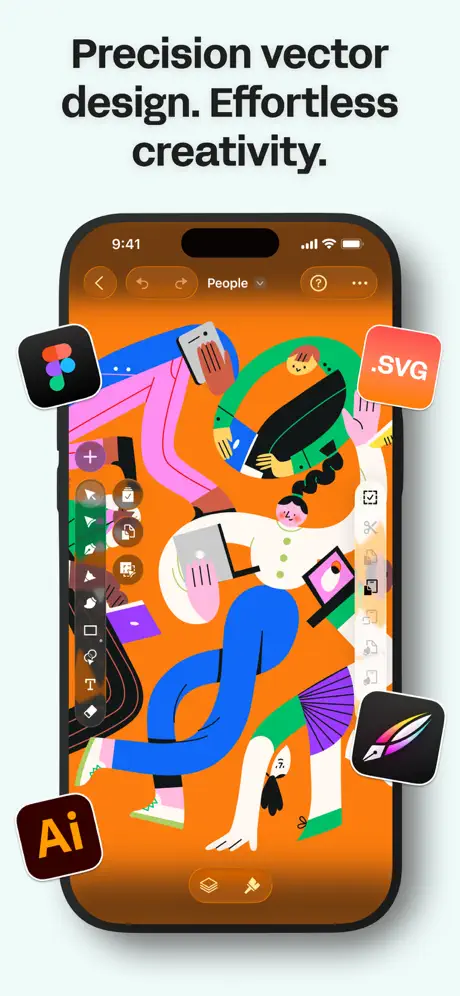
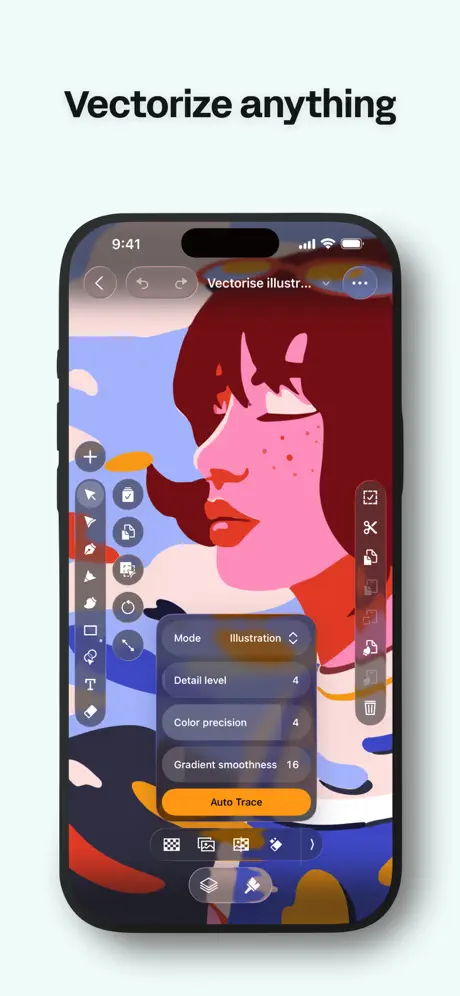
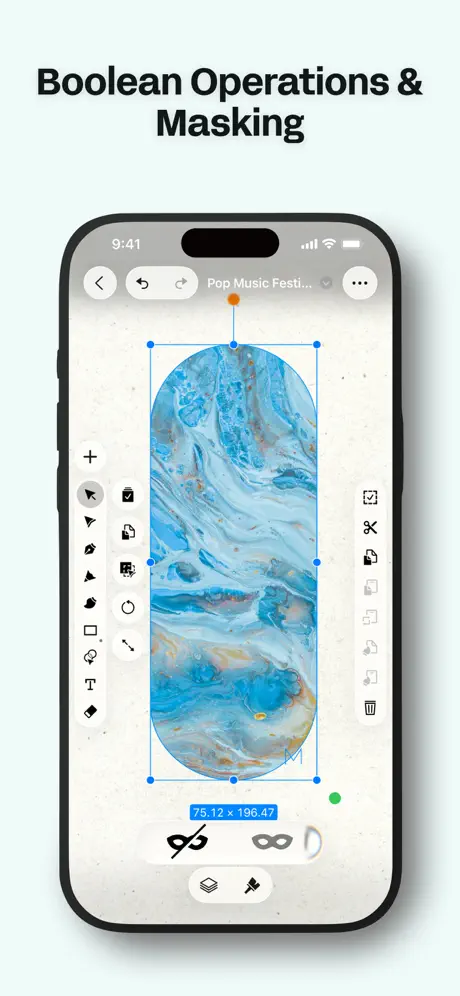
Linearity Curve stands out as a true professional-grade vector design program built specifically for iOS workflows. This app delivers desktop-class Bézier tools, node editing, and shape operations that rival traditional software like Illustrator. The built-in Auto Trace feature instantly converts sketches or photos into editable vector paths, functioning as an effective SVG converter for designers who need clean, production-ready files quickly.
Pros
- Professional Bézier pen tools with precision node editing
- Built-in Auto Trace vectorizer converts images to clean SVG paths
- Seamless cross-device sync with version history
- Native Mac performance with Silicon optimization
- Supports both RGB and CMYK for print-ready exports
Cons
- Steeper learning curve for beginners unfamiliar with vector workflows
- Premium features require subscription
The interface optimizes for Apple Pencil with pressure, tilt, and gesture support that makes vector drawing feel natural and responsive. Multiple artboard support enables complete campaign development within a single document, while seamless sync across iPhone, iPad, and Mac ensures your work travels with you. Real-time collaboration features with comments and version history make team projects manageable.
Linearity Curve imports industry-standard formats including AI, SVG, and PDF, making it compatible with existing design workflows. Export presets optimize files for web, apps, social media, and print production. The app includes thousands of templates for logos, posters, and UI assets, plus stock photos and illustrations to accelerate project starts.
Ideal for: Professional designers, UI/UX specialists, and branding professionals who need desktop-equivalent vector tools with iOS mobility. Download Linearity Curve if you’re serious about vector illustration and need precision path editing with Apple Pencil.


Amadine delivers comprehensive vector design capabilities wrapped in a clean, intuitive interface that balances power with approachability. This app excels at complex illustrations, logo design, UI mockups, and brandbook creation with over 30 specialized tools for selecting, drawing, editing, and typography. The Fusion tool offers a unique approach to combining multiple objects into single vector shapes through Boolean operations.
Pros
- Over 30 professional vector tools including unique Fusion capabilities
- Apple Pencil and Apple Pencil 2 support with pressure sensitivity
- Multiple strokes and fills with customizable stroke profiles
- Imports SVG, PDF, and AI files for cross-platform compatibility
- Supports both RGB and CMYK color modes for accurate reproduction
Cons
- Export feature requires in-app purchase or subscription
- Separate purchase needed for Mac version
The workspace supports native Apple gestures and canvas rotation for a seamless drawing experience, while the zipped document format (amdc) ensures safe storage in cloud services without data loss. Amadine’s Recolor panel simplifies large-scale color adjustments across entire artworks, and the Flowing Text feature creates linked text boxes where content flows naturally between containers.
The app includes powerful text editing with in-place formatting, alignment controls, and support for text on paths or within shapes. Built-in vector shape libraries provide ready-made objects, and you can create custom libraries for frequently used elements. Layer blending modes, clipping masks, and distinct effects like shadow, blur, and glow add finishing touches to designs.
Ideal for: Aspiring artists and professional designers who need comprehensive vector tools with natural drawing capabilities. Choose Amadine if you value a clean interface combined with professional-grade features for complex illustration work.


Adobe Fresco brings the power of Adobe’s creative ecosystem to iOS with a focus on drawing and painting that includes strong vector capabilities. The app offers thousands of pixel brushes, vector brushes, and exclusive Live Brushes that simulate real-world painting techniques. Import your favorite Photoshop brushes as ABR files to maintain consistency across your creative workflow.
Unlimited layers provide professional flexibility, while symmetry guides (reflective and rotational) accelerate the creation of complex symmetrical artwork. The Motion tools suite adds animation capabilities through frame-by-frame animation or motion paths, allowing you to export GIF or MP4 files directly from your vector artwork.
Pros
- Free to use with extensive brush library and Live Brushes
- Unlimited layers for complex compositions
- Seamless integration with Photoshop and Illustrator
- Motion tools for adding animation to artwork
- Apple Pencil Pro compatibility with pressure sensitivity
Cons
- More focused on painting than pure vector design
- Requires Adobe account for cloud sync features
Fresco’s Paint Inside mode constrains brush strokes to line art for faster coloring, while Snap to Shape automatically perfects circles, polygons, lines, and arcs. Photoshop-like adjustment layers enable non-destructive testing of brightness, hue, saturation, and color balance changes. The automatic color palette generation from imported artwork streamlines color selection.
Ideal for: Digital artists and illustrators who want vector capabilities combined with natural painting tools and Adobe ecosystem integration. Download Fresco if you need expressive drawing tools with the option to work in vectors when precision matters.

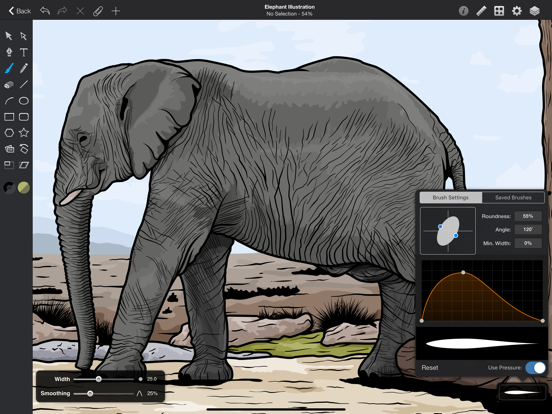
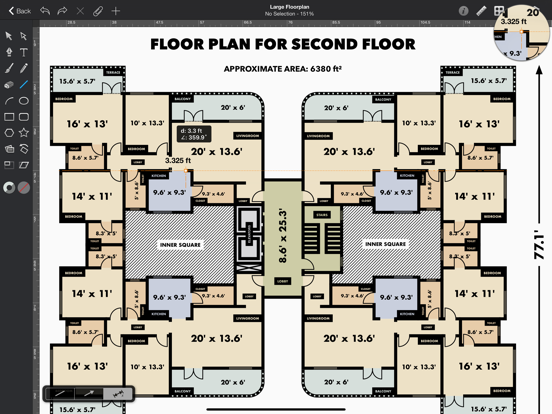
Graphic positions itself as a desktop-class vector editing and illustration application optimized specifically for iPad workflows. This mature app delivers true professional vector tools including a powerful Pen tool with multi-point selection and editing, Boolean path combinations for complex shapes, and comprehensive layer effects including shadows, glows, and multiple strokes and fills.
Pros
- True desktop-class vector editing tools
- PSD import/export for Photoshop compatibility
- Shape libraries for reusable design elements
- Smart alignment guides and point snapping for precision
- Dropbox integration and iCloud sync across devices
Cons
- Interface may feel dated compared to newer competitors
- Requires separate purchase for iPhone and Mac versions
The app supports Photoshop PSD import and export alongside PDF and SVG formats, ensuring compatibility with professional workflows. Multi-color linear, radial, and angle gradients provide sophisticated color control, while dimension labels with precision settings assist technical illustration work. Canvas scale, rulers, and multiple unit systems (mm, cm, inches) support accurate measurements.
Essential shape tools combine with Brush and Pencil tools for fluid drawing and sketching. The app supports multi-style text with TrueType font import, text gradients, text path clipping, and the ability to convert text to paths. Image fill masking and cropping provide control over embedded photos, while customizable Canvas Styles maintain consistency across projects.
Ideal for: Professional designers who need reliable vector tools with PSD compatibility and prefer a one-time purchase over subscription models. Choose Graphic if you value proven stability and comprehensive vector editing without ongoing costs.


GoDaddy Studio combines graphic design capabilities with business tools including domain registration and brand management in a single platform. While not a pure vector app, it delivers AI-powered instant video creation, background removal, and thousands of customizable templates for logos, social posts, and marketing materials. The Logo Maker feature lets you create logos from scratch or customize templates quickly.
Pros
- All-in-one platform combining design with domain and branding tools
- AI-powered video maker with smart text generation
- Thousands of templates for rapid content creation
- Background removal and photo editing in seconds
- Free Link in Bio site with custom URL
Cons
- Not a true vector design app for precision work
- Best suited for social media rather than print design
The app’s Layout Collections accelerate content creation across multiple social platforms, with automatic resizing for Facebook, Instagram, YouTube, and TikTok. Over 600 fonts, curved text options, and easy photo editing tools make it accessible for non-designers. The free Link in Bio site builder organizes your online presence from a single customizable URL.
Brand Kit functionality saves your logo, color palette, and fonts for consistent creation across all materials. The exclusive video library provides free footage, while licensed music tracks ensure your video content is ready for commercial use. AI-powered tools generate catchy copy to improve conversion rates on social media.
Ideal for: Entrepreneurs and small business owners who need fast brand creation and social media content without design expertise. Download GoDaddy Studio if you prioritize speed and business integration over advanced vector editing capabilities.

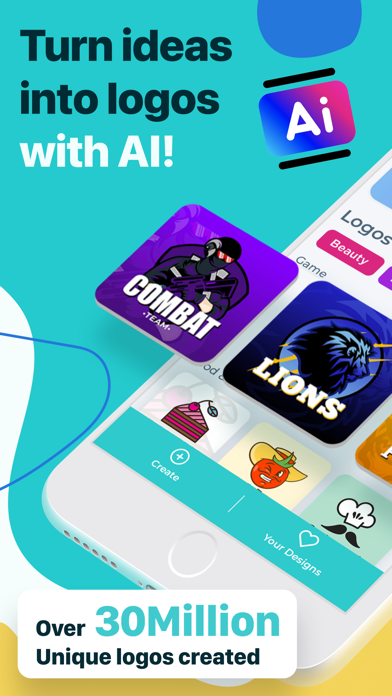
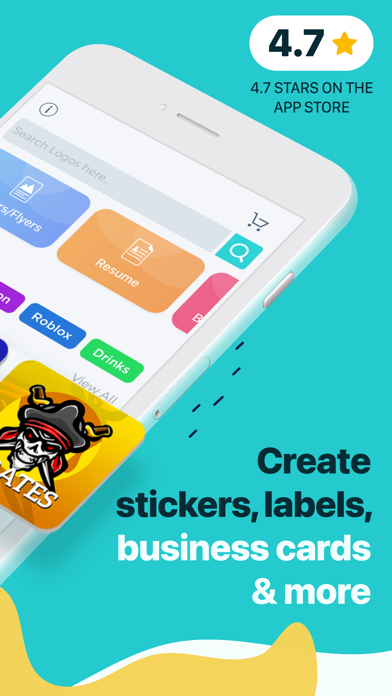

AI Logo Generator leverages artificial intelligence to produce professional logos in seconds, earning a 4.7 App Store rating from millions of users who have generated over 10 million logos. The app’s intelligent AI engine interprets your descriptions or provides inspiration, offering styles from minimalist and modern to vintage, playful, and geometric. The “More Like This” feature explores variations until you find the perfect design.
Pros
- AI-powered design engine generates logos in seconds
- 4.7 rating with over 10 million logos created
- Multiple design categories beyond just logos
- Instant HD export for immediate use
- No design skills required
Cons
- Limited manual vector editing controls
- Pro features require subscription for unlimited generations
Beyond logos, the app includes templates for flyers, posters, stickers, clothing, labels, and invitations. All templates are fully customizable with adjustable fonts, colors, icons, and layouts. The AI engine eliminates the need for design skills while delivering results that look professionally crafted.
The app serves startups, small businesses, influencers, freelancers, gamers, and event planners equally well. Upgrading to AI Logo Pro unlocks unlimited generations, premium fonts and icons, transparent background exports, and advanced editing tools. All created content is free to use for commercial and personal purposes, making it immediately applicable to business cards, stationery, web design, and merchandise.
Ideal for: Entrepreneurs, content creators, and anyone needing quick, professional logos without design experience or budget for a designer. Choose AI Logo Generator if speed and AI assistance matter more than manual vector path control.

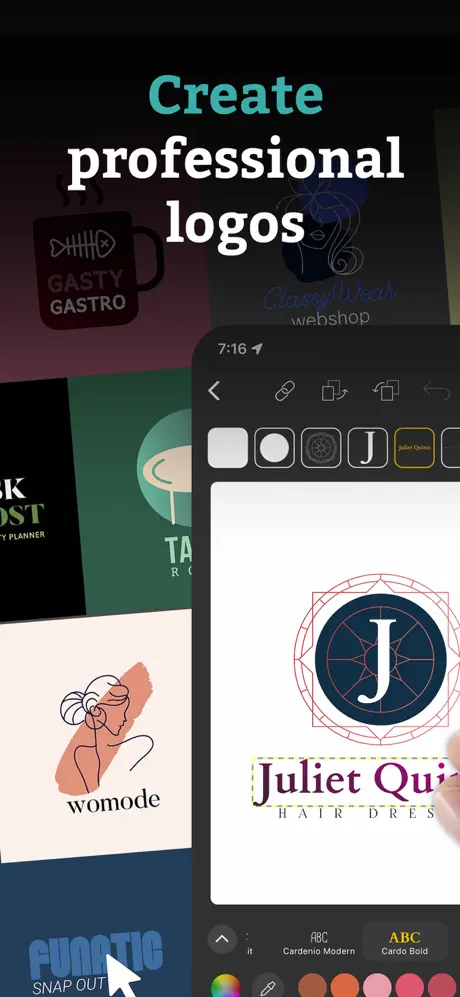
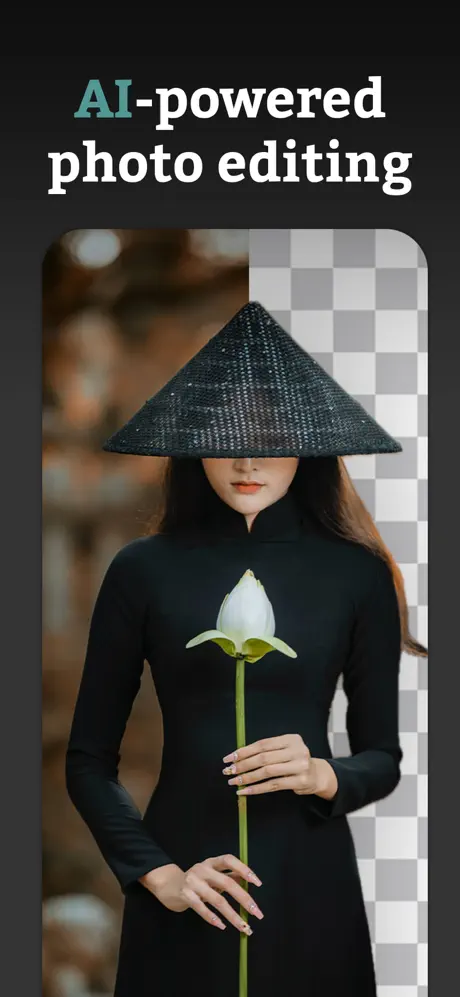
Logo Maker positions itself as a comprehensive design tool offering thousands of professional templates for logos, flyers, and social media graphics. The app includes over 10,000 ready-to-use templates handcrafted by professional designers, backed by more than 10 million royalty-free illustrations and photos. AI-powered photo and design editing tools simplify complex adjustments.
Pros
- 10,000+ professional templates across multiple categories
- 10+ million royalty-free illustrations and photos
- AI-powered editing for quick adjustments
- Cloud sync for cross-session access
- High-resolution and transparent export options
Cons
- Template-based rather than custom vector creation
- May produce similar designs to other users
Cloud sync and storage provide quick access to your work across sessions, while high-resolution and transparent export modes ensure quality output for both screen and print applications. The template library covers small business logos, flyers, posters, social media posts, stories, invitations, and personal projects.
The intuitive interface requires no design skills or technical knowledge, making professional-looking brand identities accessible to everyone. The extensive template library spans industries and styles, ensuring relevant starting points for most projects. Simple customization tools let you adjust colors, fonts, layouts, and graphics to match your vision.
Ideal for: Small business owners, social media managers, and personal users who need quick, professional designs from templates rather than building from scratch. Download this app if you value speed and variety over unique, hand-crafted vector work.


This Logo Maker variant focuses on accessibility and speed, offering more than 5,000 logo templates alongside 5,000+ icons across 30+ categories including Business, Fashion, and Watercolor. The app provides 100+ backgrounds, 100+ overlays, and 100 typography fonts to create unique artwork combinations. All templates are fully editable and neatly categorized by industry for quick discovery.
Pros
- 5,000+ templates and icons across 30+ categories
- Fully editable templates organized by industry
- Free commercial and personal use rights
- Quick brand identity creation in minutes
- No design skills required
Cons
- Subscription required for continued access
- Limited original vector creation tools
Professional editing features include flip, rotate, resize, and other standard transformations. The app emphasizes creating amazing business brand identities in seconds without requiring design expertise. Everything created is free to use for commercial and personal purposes, making designs immediately applicable to business cards, stationery, web design, t-shirts, and more.
The app includes customization options for company names and slogans with easy text addition. Save completed designs to your device gallery for immediate use across platforms. The straightforward interface prioritizes speed over complexity, making it particularly suitable for users who need results quickly without learning curve investments.
Ideal for: Entrepreneurs launching startups, event promoters, and anyone needing quick logo concepts with minimal time investment. Choose this app if you need industry-specific templates and value simplicity over advanced vector editing controls.


Playground represents a new generation of AI-powered design tools, positioning itself as the easiest way to design anything through artificial intelligence. With over 9 million users creating more than 1 billion images, the app provides hundreds of pre-designed templates across dozens of styles that allow infinite editing and variations until achieving the perfect result.
The unique approach lets users edit images by simply describing desired changes in natural language. Request “Make the cat into a dog” or “Add the text ‘Happy birthday, Henry!’ at the top” and Playground’s AI tools execute the changes instantly. This conversational interface makes unlimited revisions accessible without technical design knowledge.
Pros
- Natural language editing interface requires no design skills
- Unlimited revisions and variations through AI
- Over 9 million users with 1 billion images created
- Automatic background removal and upscaling
- Clean interface without ads or confusing settings
Cons
- Less precise control than traditional vector tools
- Results depend on AI interpretation of requests
Categories include custom logos, stickers, t-shirts, wall art, personalized memes, social media templates, posters, cards, and even phone wallpapers. New templates appear daily across 10+ categories, ensuring fresh inspiration. The app automatically resizes designs and adjusts compositions for different platforms, including smart text placement.
Ideal for: Social media content creators, print-on-demand entrepreneurs, marketers, and anyone who wants design results through conversation rather than manual editing. Download Playground if you prefer describing your vision to AI over learning traditional design tools.

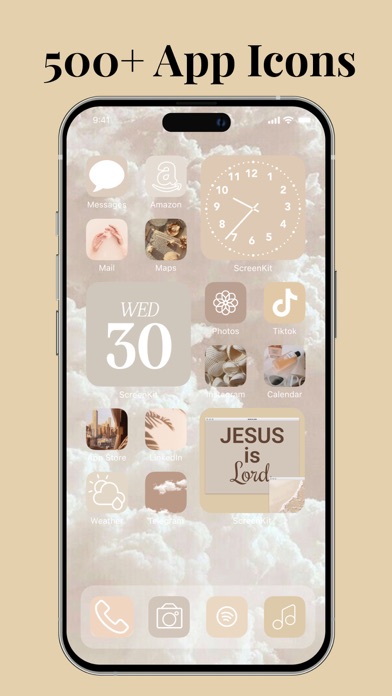
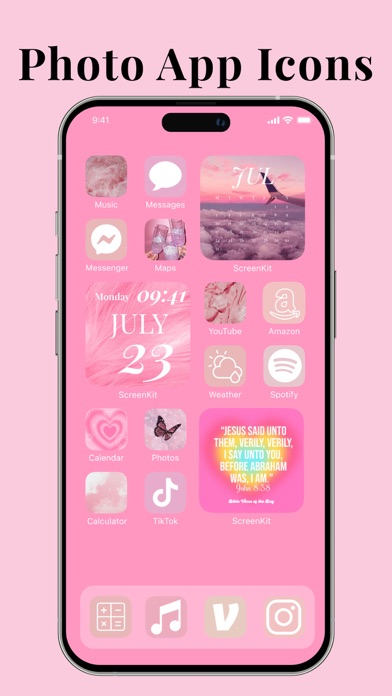
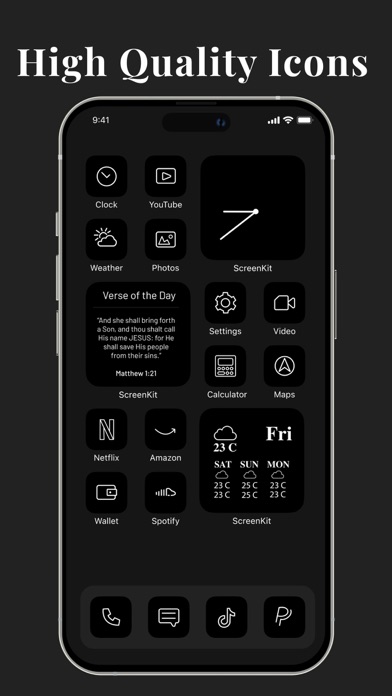
While primarily focused on iOS customization rather than traditional vector design, ScreenKit deserves mention for its unique approach to visual brand consistency across devices. Loved by 10 million users with over 40,000 five-star reviews, the app provides hundreds of app icon packs in styles from minimalist and classic to neon, abstract, pastel, glitter, sports, and nature themes.
Pros
- 10 million users with 40,000+ five-star reviews
- Hundreds of carefully crafted icon packs and themes
- Complete widget customization without coding
- One-time lifetime purchase option at $9.99
- No Shortcuts app needed for installation
Cons
- Not a traditional vector design tool
- Focused on device customization rather than general graphics
The Widget Maker enables custom widget creation from scratch using templates for weather, date, clock, calendar, battery, countdown, and photos. Full customization mode adjusts text style, background, appearance, colors, and decorations. Themes come with matching wallpapers for complete aesthetic cohesion, and the app works without requiring Apple Shortcuts integration.
Installation of complete themes takes only 2-3 minutes, with high-quality graphics throughout. The Theme Maker allows building custom themes from scratch with full editability. The one-time lifetime upgrade fee of $9.99 provides exceptional value compared to subscription models, unlocking exclusive icons and themes permanently.
Ideal for: iPhone and iPad users who want cohesive visual branding across their device interface and apps. Choose ScreenKit if your design needs focus on device aesthetics and personal brand consistency rather than creating graphics for external use.
The iOS ecosystem now offers powerful vector design capabilities that range from professional desktop-class tools to AI-powered creative assistants. For serious vector work with precision path editing and professional export formats, Linearity Curve and Amadine deliver comprehensive toolsets optimized for Apple Pencil workflows. Adobe Fresco brings the power of the Adobe ecosystem to artists who blend vector precision with expressive painting techniques, while Graphic provides proven stability for designers who prefer one-time purchases.
Entrepreneurs and small business owners benefit from AI-powered options like Playground, AI Logo Generator, and GoDaddy Studio, which prioritize speed and accessibility over manual vector control. These tools eliminate the learning curve while producing professional results suitable for branding, social media, and marketing materials. For device customization and visual brand consistency across iOS interfaces, ScreenKit offers unique value.
Which powerful vector design app for iOS matches your creative workflow? Whether you need Bézier precision, AI assistance, or template variety, share your top picks and experiences in the comments below. Your recommendations help fellow designers and creators find the perfect tools for their projects.