Stay Ahead of Rain & Storms with Top-Rated Weather Apps for iOS Devices
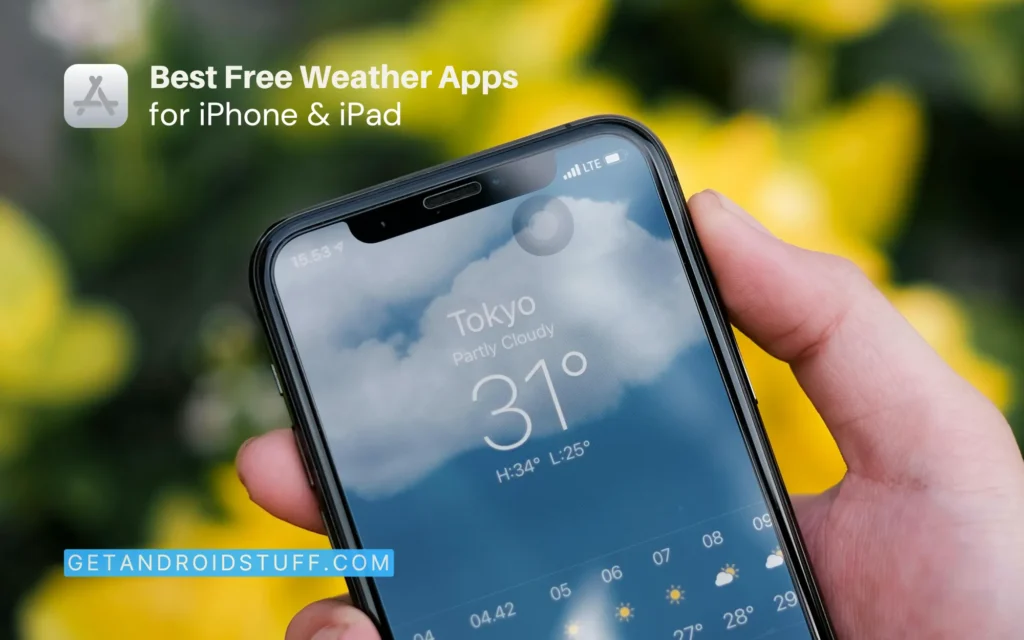
Weather apps have become essential tools for me on both mmy iPhone and iPad. They provide important information that helps me plan my daily activities and outdoor adventures, while also keeping me prepared for any changes in the weather. With so many options out there, I found it challenging to choose the right app. In this post, I’ll share my favourite free weather apps, focusing on their user interface, data accuracy, and update frequency to help me find the perfect app for staying informed about the weather.
When selecting the best iOS weather apps, I prioritize accurate and detailed forecasts, user-friendly interface, comprehensive weather information and additional features such as radar, alerts, and widgets to enhance functionality.
Best free weather apps for iPhone & iPad


Pros
- Detailed wind and weather forecasts
- Real-time wind measurements from numerous stations
- Tide forecasts for coastal locations
Cons
- Advanced features require a subscription
- Limited offline functionality
I like Windfinder for detailed wind and weather forecasts, especially for wind-related activities. The app covers over 160,000 locations and provides real-time data from 21,000 weather stations. Its focus on wind, waves, and tides makes it ideal for surfers, sailors, and kitesurfers. The animated wind map offers a global overview, and tide forecasts are great for coastal activities. Windfinder even includes webcams for live weather views. The app is optimized for quick data transfer and readability on mobile devices.
To improve accuracy, it requests location permissions, and I find the “Plus” subscription option appealing for advanced features. Offline capabilities are limited to saved locations. Overall, Windfinder stands out among general weather apps by specializing in wind and wave information, making it a must-download for anyone whose activities depend on wind conditions.


Pros
- 15-day advance forecasts with superior accuracy
- Personalized weather tracking for UV index, pollen count, and humidity
- Comprehensive severe weather alerts and tracking
- Excellent widget with detailed at-a-glance information
Cons
- Some advanced features require premium subscription
- Occasionally shows ads in the free version
- Can be data-intensive with all features enabled
The Weather Channel app has been long Known as the “World’s Most Accurate Forecaster” for its detailed daily forecasts, hourly details, and 24-hour future radar. Users can personalize weather preferences, from skin health to air quality index forecasts, and track wildfires in their area. The app features live Doppler radar maps, storm watches, and a hurricane tracker to provide early warnings for severe weather events. The app also offers a smart widget for at-a-glance weather details and homescreen access to local radar and severe weather alerts. The app requests location permissions for accurate local forecasts and offers a premium subscription for ad-free access and advanced features.
The Weather Channel is famous for its accuracy and personalized features which is ideal for users who want a reliable and comprehensive weather app with detailed forecasts and severe weather alerts. If you need accurate, trustworthy weather information, The Weather Channel is a great choice.


Pros
- Largest network of professional weather stations
- Outstanding lightning detection and alerts
- 20+ specialized weather maps
- Excellent Apple Watch integration
Cons
- Interface can feel busy with so many features
- Free version includes advertisements
- Some international locations have limited data
WeatherBug has become my favorite for quick weather alerts and accurate forecasts from one of the largest weather networks globally. The app offers over 20 weather maps, including radar and severe storm risk visuals. Its Spark Lightning Alerts feature is crucial, giving me minute-by-minute lightning proximity alerts during thunderstorms. Interestingly, I can access more than 10,000 professional-grade weather stations and live weather cameras for hyperlocal insights.
WeatherBug also monitors air quality, tracks pollen counts for allergy sufferers, and provides real-time traffic conditions, helping me plan my day effectively. I appreciate that it supports Apple Watch, delivering important weather updates right on my wrist. For outdoor activities or close weather monitoring, WeatherBug is an essential tool, offering comprehensive data and reliable alerts.


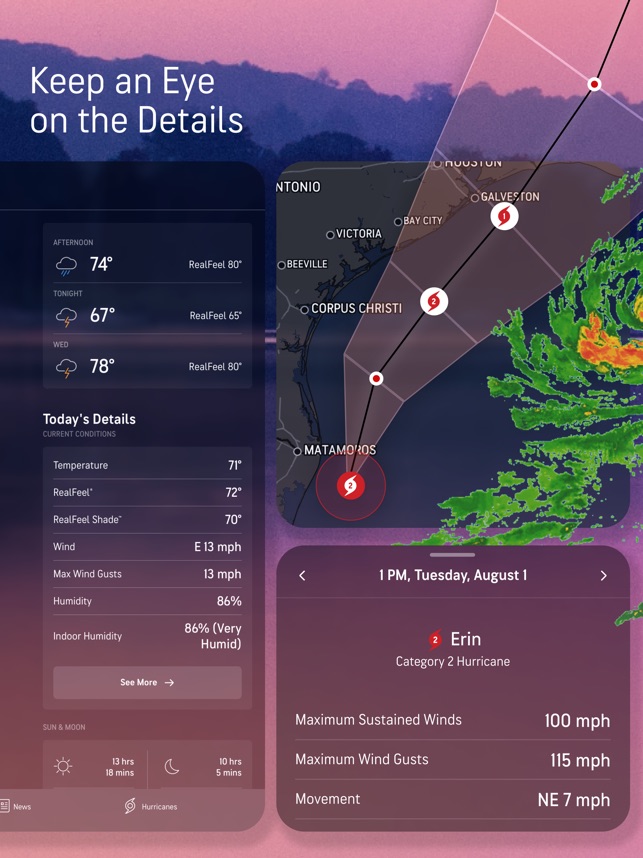

AccuWeather is another accurate weather forecasts app. Its MinuteCast gives real-time precipitation updates, which is perfect for planning my outdoor activities. I appreciate the RealFeel technology, which helps me understand how the temperature will likely be outside throughout the day, guiding my clothing choices. The advanced weather radar keeps me informed about storm tracking and temperature changes, while the WinterCast™ alerts to snowfall probabilities and accumulation during winter months. Overall, AccuWeather is my go-to app for precise weather planning, especially useful for urban commuting when I need to know exactly when it will rain.
Pros
- MinuteCast® offers precise precipitation timing
- Award-winning user interface and warnings system
- RealFeel® technology provides contextual temperature data
- 45-day advance forecast capability
Cons
- Free version contains ads
- Some users report occasional notification delays
- Detailed radar features require subscription


Pros
- Specialized in severe weather tracking
- Comprehensive NOAA warnings and alerts
- HD quality maps with detailed information
- Supports unlimited saved locations
Cons
- Hurricane tracker requires premium access
- Future precipitation forecasts are premium features
- Less detailed for non-extreme weather conditions
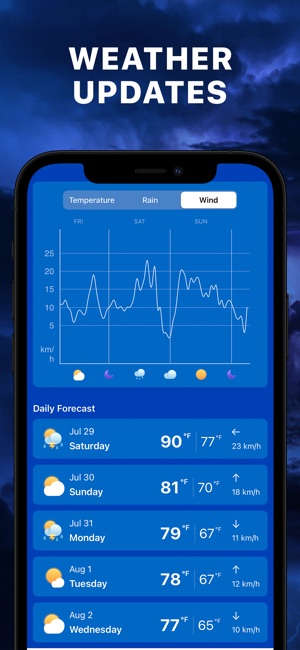
I sometimes relied on Storm Tracker to monitor extreme weather events in high-risk areas. The app offers 24/7 real-time tracking of severe weather, including storms, tornadoes, hurricanes, and cyclones. It provides detailed Doppler radar information for rain and snow and includes NOAA Weather Warnings & Alerts for floods and storms across the US. The app is easy to use and features comprehensive weather charts for temperature, precipitation, wind speed, and pressure. It covers North America, Europe, and parts of Asia and Australia, focusing on regions like Florida, Texas, and Alabama, which are frequently affected by extreme weather. Storm Tracker should be your go-to app for storm tracking, especially during hurricane season or in tornado-prone areas. While it has solid everyday weather features, it excels in extreme conditions.


Pros
- Award-winning beautiful visual design
- Location-specific background photos
- Animated weather modules
- Simple, intuitive interface
Cons
- Sometimes sacrifices depth of data for aesthetics
- Limited customization options
- Fewer advanced features than some competitors
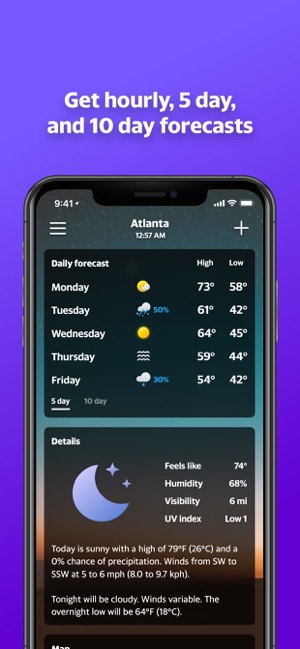
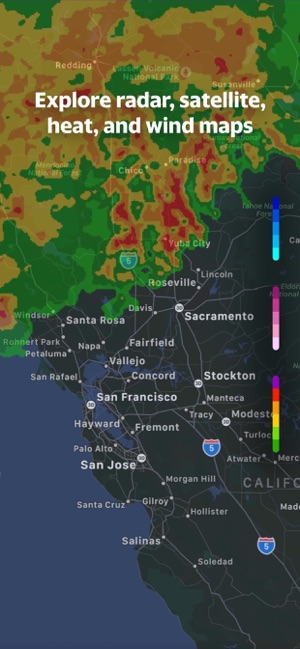
Yahoo Weather’s stunning design, which won an Apple Design Award, is what I appreciate. The app pairs beautiful photos with my location, time of day, and current conditions, creating an immersive weather experience. Beyond its aesthetics, Yahoo Weather delivers essential details like wind, pressure, and precipitation chances. The animated modules for sunrise, sunset, and weather conditions provide both visual appeal and important information. The interactive maps feature radar, satellite, heat, and wind visualizations, enabling me to track weather patterns accurately. With twice-daily notifications, I stay prepared for changing weather throughout the day. Yahoo Weather combines visual appeal with essential functionality, making it perfect for those who value good design and reliable weather information.


Pros
- Professional-grade storm tracking technology
- Live NOAA weather service alerts
- Precise lightning strike notifications
- Detailed customizable map layers
Cons
- Many advanced features require premium subscription
- Free version has limited radar capabilities
- Less focus on standard daily forecasts
Storm Radar was developed by the team behind The Weather Channel, known for precise severe weather tracking. The app delivers live NOAA alerts, such as winter storm and tornado warnings, directly to my device. With 6.5 hours of global future radar, I can see when and where storms will strike. Real-time precipitation and lightning alerts help me stay informed, especially during outdoor activities. The customizable map layers allow me to visualize extreme weather conditions like cyclones and hurricanes. The Storm Tracks feature shows a storm’s path with motion vectors and advanced weather data. Storm Radar is essential for anyone serious about weather tracking, especially during hurricane season or in tornado-prone areas.


Pros
- Focused, detailed precipitation radar
- Intuitive map interaction
- Supports worldwide locations
- Comprehensive “feels like” temperature data
Cons
- Less comprehensive than all-in-one weather apps
- Limited customization options
- Basic widget functionality
Live Rain Map from Doppler Radar gives precise precipitation information via an interactive radar map that displays rain, snow, and hail. Its user-friendly design makes complex weather data easy to interpret. I can access current conditions and forecasts, including 24-hour and 14-day predictions. Warnings and alerts are shown directly on the map, so I can quickly visualize affected areas.
A standout feature allows me to long-tap the map for weather details at specific locations, perfect for checking conditions while traveling. The app supports both imperial and metric units and lets me effortlessly switch between multiple saved locations. Doppler Radar – Live Rain Map is my go-to choice for tracking precipitation, making it ideal for commuters, outdoor workers, and anyone needing timely weather updates.


Pros
- Unique personality-driven approach to weather
- Multiple data sources available
- Strong privacy focus
- Award-winning design and functionality
Cons
- Most premium features require subscription
- Humor may not appeal to everyone
- Can be overwhelming for those wanting simple forecasts
I occasionally use CARROT Weather for my daily forecasts because it makes checking the weather enjoyable. With five distinct AI personalities, including professional and humorous options, it keeps things fresh and entertaining. The app offers fast access to current, hourly, and daily forecasts while maintaining accuracy. I appreciate its commitment to privacy, as it doesn’t sell my personal information.
CARROT Weather also includes gamification features, allowing me to complete activities, unlock achievements, and even create TV-style weather report videos. For anyone who finds typical weather apps dull, CARROT Weather provides an engaging, personality-driven experience without compromising functionality. Its unique approach has earned multiple awards, making it a standout choice for weather updates.


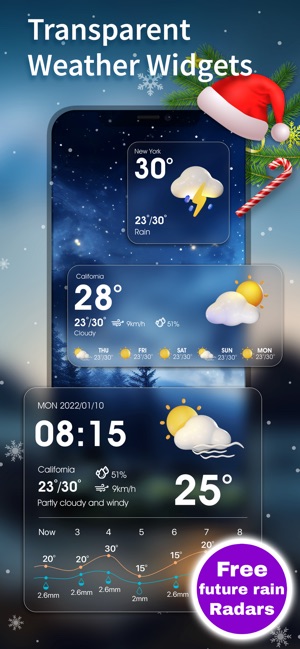
Pros
- Extensive widget customization options
- Multiple trusted weather data sources
- Support for StandBy mode and Lock screen on iPad
- Weather radar with 24-hour future and past tracking
Cons
- Many widget styles require premium version
- App prioritizes widgets over in-app experience
- Weather alerts limited to US, Canada, and EU countries
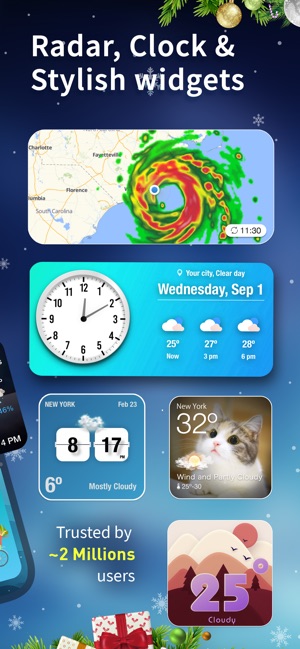
I love using Weather Widget for its beautiful, customizable widgets for my home and lock screen. The app features thousands of unique styles, including options for live weather, hourly forecasts, clocks, radar, storm tracking, air quality, UV index, and moon phases.
Powered by top providers like Apple and NOAA, Weather Widget ensures I get accurate data shile choosing from over 100 stylish designs, ranging from minimal to cute animal themes. The interactive widgets let me tap for more information, and I can personalize everything with my own pictures, fonts, colors, and locations.
With 14-day forecasts for over 200,000 cities and detailed predictions for 300 hours, Weather Widget perfectly combines aesthetic appeal with reliable weather information, making it a must-have for iOS users like me who value customization.
Forecast Apps FAQ
The Weather Channel app consistently ranks as one of the most accurate weather forecasting apps available for iPhone and iPad. It calls itself “The World’s Most Accurate Forecaster” based on ForecastWatch studies covering 2017-2022. AccuWeather also performs extremely well in accuracy tests, particularly with its MinuteCast feature for precipitation timing.
No, the free versions of the apps listed above provide excellent weather forecasting capabilities. Premium subscriptions typically add features like ad removal, extended forecast periods, specialized alerts, and enhanced radar views. For most users, the free versions offer more than enough functionality for daily weather planning.
Weather Widget offers the most extensive customization options specifically designed for iOS widgets, with over 100 styles to choose from. CARROT Weather and The Weather Channel also provide excellent widget functionality with various sizes and information displays available, though with less aesthetic customization.
When choosing a weather app, consider your priorities. For severe weather tracking, use Storm Tracker or Storm Radar. If you prefer a beautiful design, opt for Yahoo Weather. For comprehensive data, The Weather Channel provides the most complete information. For entertainment, try CARROT Weather. If you love customization, Weather Widget offers unmatched options.
Select an app that meets your needs to ensure you stay prepared for any weather situation, from unexpected downpours to severe storm warnings. Which weather app do you prefer for your iPhone or iPad? Let us know below!