Take Control of Your Music Collection with These Best Music Player Apps for iPhone & iPad.

In an age dominated by streaming music services, many of us still cherish our personal music libraries. Whether it’s meticulously curated FLAC files or well-loved MP3s ripped from CDs long ago, having control over your music collection offers a unique and deeply personal listening experience. This article dives into the best iOS music player apps designed specifically for managing and enjoying your offline music, offering features that go beyond basic playback.
We’ve focused on apps that prioritize local file management, customization, managing metadata, creating playlists, and exploring music libraries efficiently and high-fidelity audio, deliberately excluding streaming-centric platforms. These apps are ideal for individuals who want to organize, customize, and enjoy their music collections on the go.
Best Music Player Apps for iPhone & iPad
Why Focus on Offline Music Player Apps?
While streaming services offer vast libraries, they often lack the nuances of a carefully built personal collection. Offline music players provide:
- Ownership: You own the music, not just a license to listen.
- Control: Organize, tag, and customize your library exactly how you want.
- Privacy: No algorithms tracking your listening habits.
- Audio Quality: Enjoy uncompressed or lossless formats for the best possible fidelity.
- Offline Access: Listen anywhere, anytime, without worrying about data usage or internet connectivity.


Pros
- Extensive format support (FLAC, ALAC, MP3, etc.)
- Cloud service and NAS integration
- Professional-grade audio equalizer
- CarPlay, AirPlay, and Chromecast support
Cons
- The interface might feel overwhelming for novice users.
Flacbox is a powerhouse for audiophiles, supporting a vast array of lossless and lossy audio formats, including FLAC, AAC, and MP3. Its primary focus is delivering high-resolution audio playback with extensive customization options. A key USP is its seamless integration with cloud services and NAS storage, allowing users to stream or download their music for offline enjoyment.
The app boasts a clean, functional interface with a strong emphasis on audio quality. Its built-in file manager makes organizing your music library a breeze. The professional-grade audio equalizer, complete with presets and manual controls is a standout feature. Flacbox also supports Apple CarPlay, external streaming via AirPlay and Google Chromecast, and ID3 tag editing. Privacy considerations are addressed through a clear privacy policy.
Flacbox is an excellent choice for users with large, high-resolution music libraries stored across various locations. Its robust feature set and focus on audio quality make it a top contender in the offline music player category. The free version of the app allows you to have a limited number of playlists; however, you can watch a few ads to access the premium features for a certain period. If you are an audiophile this app is made for you.


Pros
- Supports all popular formats, including Hi-Res ones
- All-in-one Audio Player with all your favorite music sources
- Advanced Audio Features
Cons
- Premium subscription required for cloud storage and syncing
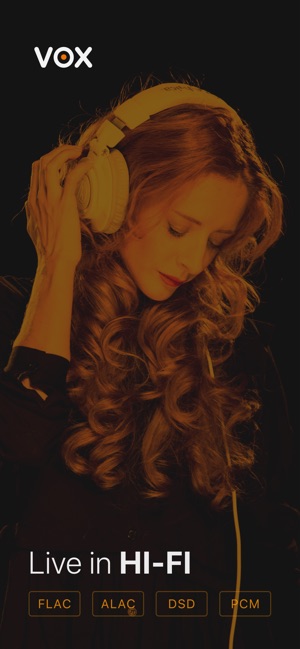
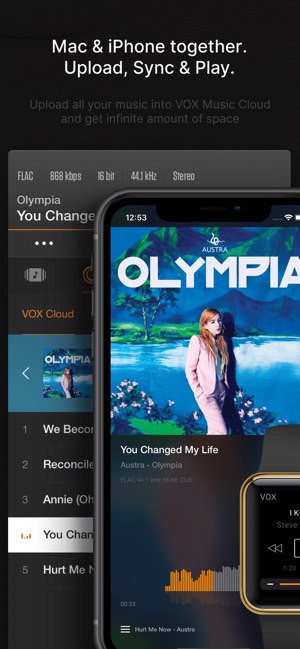
VOX stands is an excellent music player that supports many audio formats, including lossless formats like FLAC, APE, and WAV. It offers advanced audio settings and integrates multiple music sources, including iTunes, local files, Qobuz, SoundCloud, and online radio. VOX provides a streamlined user experience with a gesture-based interface and Force Touch support. Its advanced audio features include playback FX, a bass booster, gapless playback, and a parametric equalizer. It also supports AirPlay, CarPlay, and Sonos. VOX Premium offers unlimited cloud storage for your music collection with original quality playback and offline streaming.
VOX is perfect for users who want a comprehensive music player that combines local playback with cloud storage and streaming capabilities. Its advanced audio features and user-friendly interface make it a top choice for music enthusiasts.

Pros
- Ad-free experience
- Simple and efficient design
- Easy playlist management
Cons
- Fewer advanced features compared to other apps
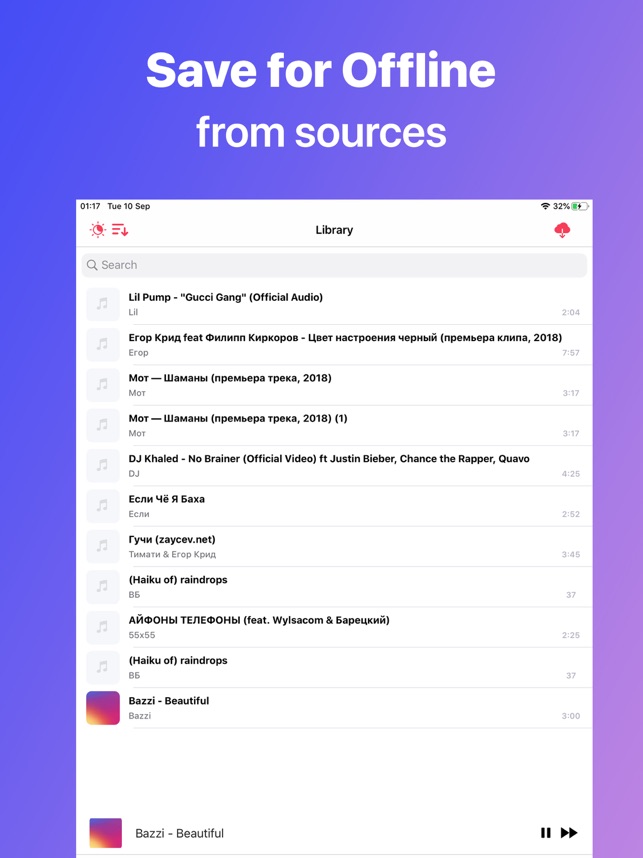
Melodista offers a straightforward and ad-free experience for music lovers. Optimized for iOS, it integrates seamlessly with the latest system technologies and focuses on simplicity and efficiency. Melodista allows users to create and organize folder playlists, import tracks from clouds and the Files app, and manage files easily. It supports many audio formats, allows editing of song pictures and names, and includes features like a sleep timer and dark mode. The player is updated bi-weekly with new features.
Melodista is ideal for users who prefer a clean, uncomplicated music player without ads. Its focus on simplicity and ease of use makes it a great choice for casual listeners.


Pros
- Supports most popular audio formats
- Seamless integration with various cloud services
- Advanced audio features like equalizer and crossfade playback
Cons
- Some advanced features may require a subscription
Evermusic is another better music player with advanced audio features and seamless cloud integration supporting enough audio formats and allowing you to create your own music streaming service by moving your music library to the cloud. Evermusic supports a wide range of cloud services, SMB, WebDAV, and DLNA protocols for easy access to your music. It offers offline music downloads, audiobook features, crossfade and gapless playback, external streaming, and Apple CarPlay support. The app also includes an audio equalizer, playlist manager, and ID3 tags editor. Evermusic is perfect for users who want to stream their music from the cloud while having advanced playback and customization features. Its extensive cloud support and user-friendly interface make it a versatile choice for music lovers.


Pros
- Direct playback from Google Drive
- Supports various audio formats
- Audio equalizer and sleep timer included
Cons
- Google Drive is its primary cloud source
GoPlayer makes it relatively simple to take care of your personal music library by uploading it to Google Drive and streaming music directly from the cloud Drive. The app comes with an audio equalizer, playlists, and offline downloads. Supporting multiple audio formats, GoPlayer includes Chromecast, AirPlay, Sonos, audio bookmarks, playback speed control, and a sleep timer. GoPlayer benefits users storing music on Google Drive, providing a streamlined, feature-rich playback.


Pros
- All-in-one video and audio player
- Built-in video to MP3 converter
- Combines online and default audios
Cons
- Contains ads, requires subscription for ad-free use
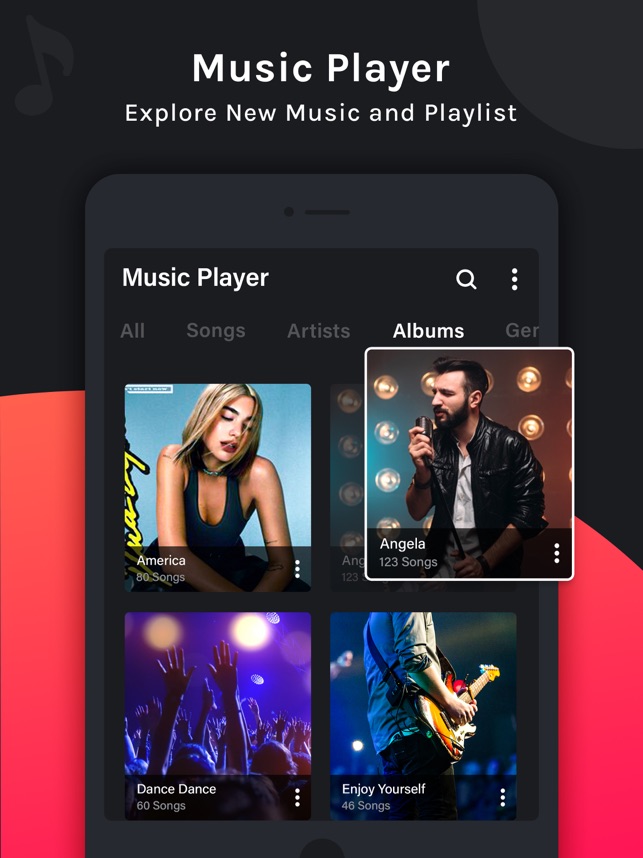
PLAYit aims to be an all-in-one media player. The highlighted feature is the built-in video-to-MP3 converter, alongside its ability to manage both video and audio files within a single interface. The app also focuses on enabling users to discover high-quality videos. PLAYit offers a straightforward user interface that allows users to import videos and audio, which are then combined into playlists. Additional features include playlist creation, online and local tracks that can be combined into one playlist, video playback with support for numerous formats (4K, 1080p, MKV, FLV, etc.), headset/Bluetooth support, playback speed control, and folder support.
The app also includes a floating video player for multitasking. It is ideal for users who need a single app to handle both video and audio playback, especially if they frequently convert video files to MP3. However, users seeking a purely offline music management experience may find its video focus and ad-supported model less appealing. If you are looking for a simple-to-use all-in-one platform with easy conversions, this is the best fit for you.


Pros
- Supports a wide range of audio formats
- Gapless playback
- Customizable appearance with skin files
Cons
- Basic customization
foobar2000 is well known among the audiophile community and also offers an advanced audio player app focused on high-fidelity playback and customization. Its main draw is its support for numerous audio formats and the ability to customize the appearance with skin files, including basic black and white themes for customization. foobar2000 supports a variety of audio formats, including MP3, FLAC, and WAV, with gapless playback and ReplayGain support for automatic volume adjustment. The app supports playback and downloading from UPnP media servers and is best suited for audiophiles who value high-quality playback and customization options.


Pros
- Direct Dropbox playback
- Supports many audio formats
- Includes audio equalizer and sleep timer
Cons
- Primarily for Dropbox users
Musicbox plays music directly from Dropbox, which you can separate from other cloud storage apps and dedicate for music storage. It offers an audio equalizer, bass booster, and offline playback capabilities supporting various audio formats, including MP3 and FLAC. Users can also benefit from Chromecast, AirPlay, and Sonos support, audio bookmarks, playback speed control, a sleep timer, and a file manager. The app also offers advanced search and background playback. It is ideal for users who primarily store their music on Dropbox and want a player with direct integration and key features convenient for a specific user base.


Pros
- Dedicated to lossless audio playback
- Supports FLAC, ALAC, and RAW codecs
- Includes a 10-band equalizer
Cons
- The user interface is dated.
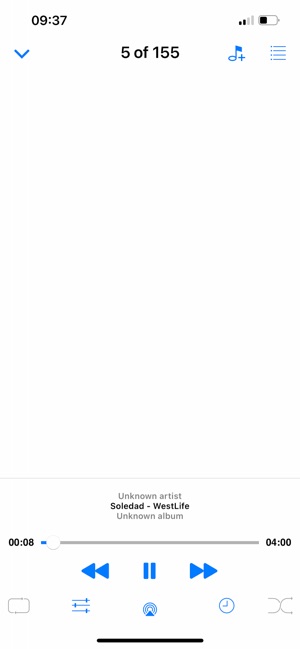
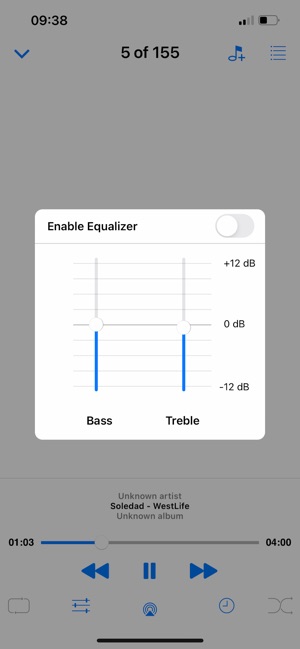
FLAC Player+ allows users to listen to lossless music files, specifically FLAC, on their iPhone and iPad. The app supports FLAC, ALAC, and RAW codecs, includes a 10-band equalizer, has five theme options, and supports 24-bit and 32-bit audio output. Users are able to manage their music by playlist, album, artist, composer, and genre with embedded cover art and lyrics support, plus background audio playback.
The music library and files can be transferred via iTunes File Sharing, Wi-Fi Transfer, and iCloud, with the option to import songs from Google Drive and download FLAC files from the internet. FLAC Player+ is ideal for audiophiles who prioritize lossless audio quality and want a dedicated app for playing.


Pros
- Patented 3D surround sound technology
- Customizable 16-band equalizer
- Headphone equalization for 5000+ models
Cons
- Requires subscription for full access
The last app in this list is Boom which is very useful for enhancing your listening experience on iOS devices. It redefines your music listening experience by enhancing audio output using its patented 3D surround sound technology, a customizable 16-band equalizer, and headphone equalization tailored for over 5000 models. It is more targeted at tuning the music listening experience.
The app’s key features include access to local music, Dropbox, and Google Drive, as well as the ability to stream music from different audio services with improved sound quality, 40K radio stations, and podcasts worldwide. Boom is a fantastic tool for audiophiles and casual listeners who want to enhance their music listening experience. It allows you to fine-tune your audio and get the most out of your headphones.
FAQ regarding Music Player Apps for iPhone & iPad
Yes, many of these apps support connecting to your computer via SMB, WebDAV, or DLNA protocols, allowing you to stream or download your music library.
Yes, both VOX and Evermusic support gapless playback, ensuring seamless transitions between tracks in albums.
While music streaming services offer convenience, these iOS apps provide a superior experience for managing and enjoying your personal music library. Whether you prioritize high-fidelity audio, extensive customization, or seamless cloud integration, there’s an app on this list to suit your needs. So, rediscover the joy of your carefully curated music collection and elevate your listening experience with these top offline music player apps.
Which offline music player app do you prefer? Let us know below!