Top keyboard alternative app for andorid to type better and accurate
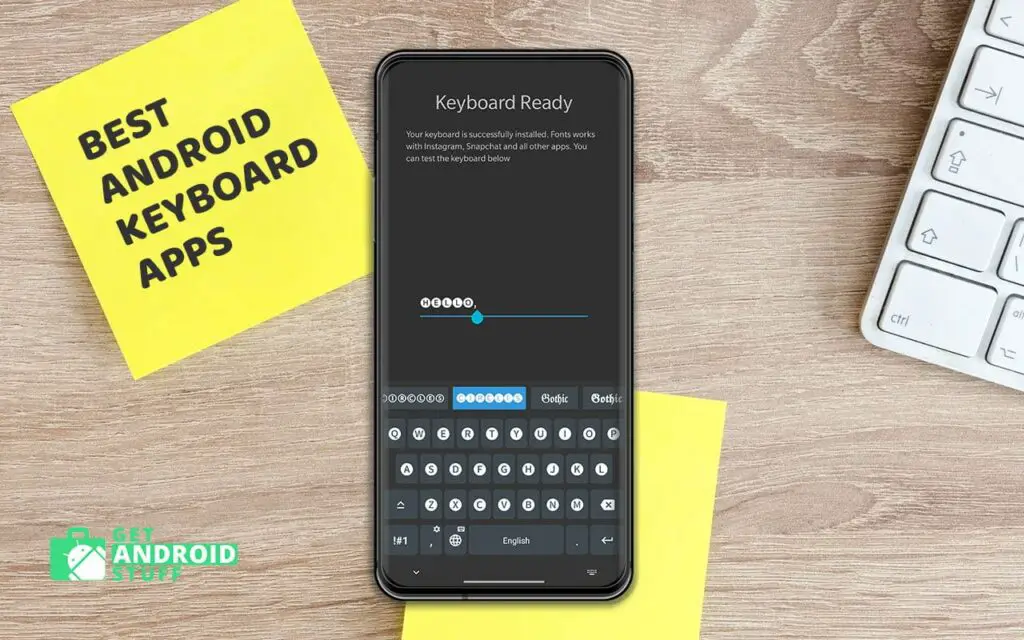
The keyboard is the most used feature on our Phone or Tablet. Whether sending out a quick SMS, E-mail or just browsing the internet, we have to type on many devices. Every manufacturer has developed its in-house Keyboard input solution and sometimes includes a third-party keyboard app such as Swype or SwiftKey.
The default Keyboard on every phone or tablet is almost perfect, but there are many other android Keyboard alternatives to improve your typing speed and accuracy. Some keyboard even adds AI-driven intelligent typing. These apps vastly improvised typing with its prediction technology and continuously learning method to suggest words, even a whole sentence to skip typing more. Others offer great theming options to match your interest in colors.
What are the free android keyboard apps?
For a whole new level of composing experience, we filtered out some excellent keyboards app. You can download these keyboard apps for free, but some have in-app purchases as well.
Gboard
The latest stock keyboard from the pixel phones is available on the play store that works great on other phones too! This is certainly the most beautiful and straight-forward input method. The Google keyboard app looks simple but focuses on the performance area to make one of the best typing methods with both speed and accuracy.
Some useful features such as Text Expander, Glide Typing (glide your fingers through the letters), and voice typing will save you time. While adding your words in the dictionary, you can add word shortcuts, which will later expand when you type. Such as typing “brb” can be turned into “be right back.” The recent updates also introduce a large number of new emojis, search, and share GIFs. The advanced voice recognition and translation are way top of the competition as users don’t need to switch between input languages anymore.
SwiftKey
Microsoft SwiftKey Keyboard for android can goes head to head with Gboard as it also has similar features. SwiftKey has been a very popular keyboard for years and is considered the best typing method for smartphones. But it seems Google is slightly ahead of the game now. Nevertheless, it offers excellent predictions, swipe typing, personal dictionary, and the auto-correction is still one of the best we’ve seen. Similar to Gboard, you can search and send gifs plus emojis.
Microsoft has made it available for free, which used to be a paid app for a few bucks. Also, Microsoft account holders can save their settings and preferences synced across other devices as a bonus.
Grammarly Keyboard
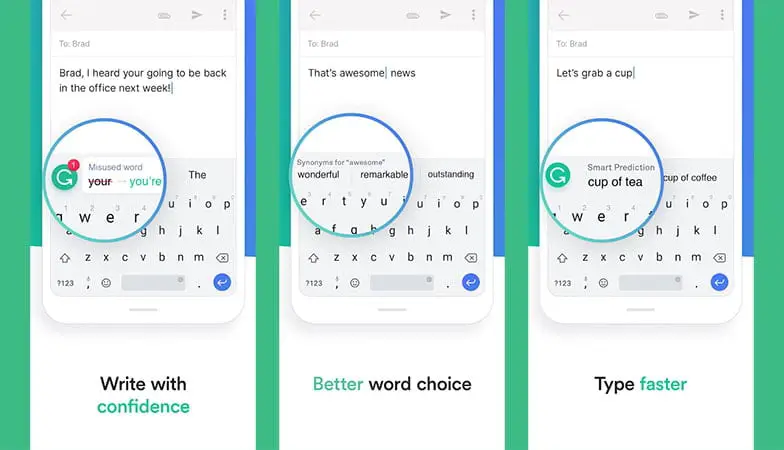
When it comes to fixing any grammar mistakes, whether you are writing a message or work email from your phone, there is no better alternative than the Grammarly keyboard app. It is an essential app for students to make some quick edits to your notes or papers in the class. The keyboard will definitely improve your grammar, and you’ll begin to write a lot better pretty much right after you start using this keyboard.
As you start typing, the app constantly looks for various errors, including spelling, grammar, and punctuation. It also offers synonyms for words, which is extremely helpful in making your text look professional. Additionally, the app supports swipe typing, a personal dictionary, and a dark theme. It’s a powerful free app, but you can further improve with advanced grammar checking buy opt-in for a subscription.
Typewise
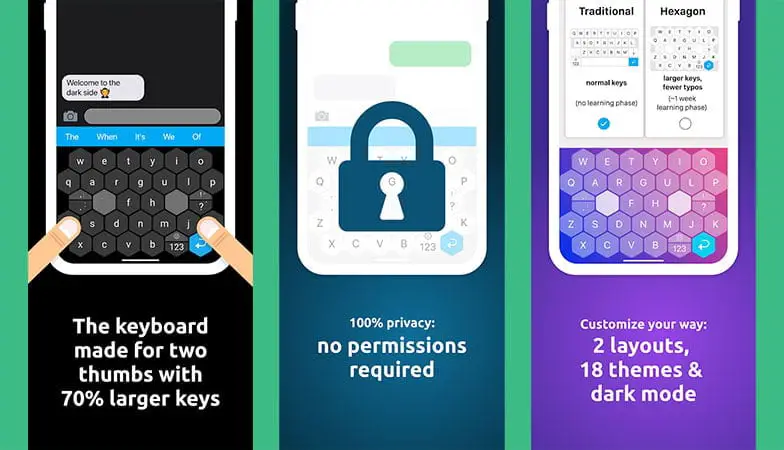
Type wise keyboard app is all about improving typing speed on mobile devices. It takes a lot of practice type super fast on Typical QWERTY keyboards based on an old mechanical typewriter layout, which is over a hundred years old. Typewise brings an innovative keyboard layout with big keys that is easier to hit. It helps to reduce typos, improve your speed and accuracy.
There is a tutorial for beginners to get the basics of the layout. Besides, it has different gestures for capitalizing a letter, delete or restoring, and supports more than 40 languages. The hexagon layout looks kind of cool as well, and you can further customize the layout by applying different layouts or themes. Also, it doesn’t require any privacy permission, which is always a good thing.
Chrooma Keyboard
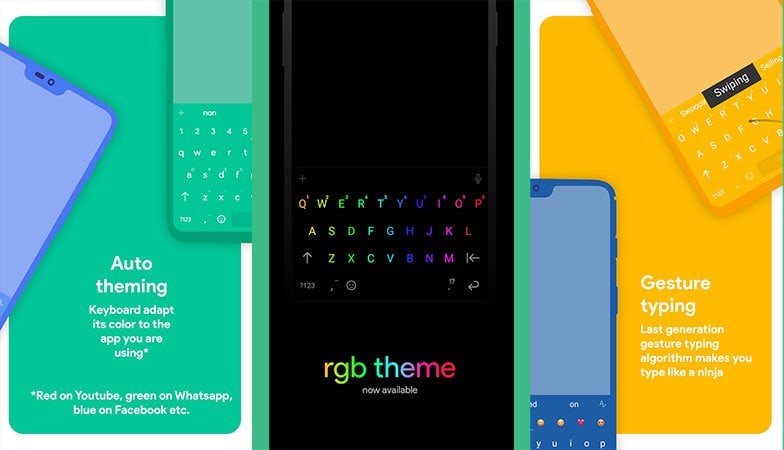
Chrooma Keyboard is the perfect example of how a small change can effectively impact the whole user experience. The app adapts itself to the app you are using to change the background color according to it. FOr example, it turns blue for Twitter, lighter green for play store, red for Gmail, etc. Not only does that look fabulous, but it brings great pleasure to the overall typing experience.
You can even turn on the night mode that will darken the keyboards and apply RGB lighting. You can’t complain of any functionality issues as the swiping and gestures works great too! The free option is decent if you have a single device. The paid version has more customizations and offers synchronization across multiple devices.
LED Lighting Keyboard
LED Lighting Keyboard is dedicated to the user who likes to take the android customization to the next level. It is a great choice for gamers who often use an RGB gaming keyboard to match up your setup. It’s a free keyboard app for android that gets all the basic functions right and adds the ability to install tons of color-changing themes.
There are 17 themes right now, each with their own unique color scheme and special effects. The keyboard app even has some mechanical keyboard sound effects, which is pretty cool stuff. It even lets you use a rounded or square icon that looks fantastic as well.
Fonts Keyboard
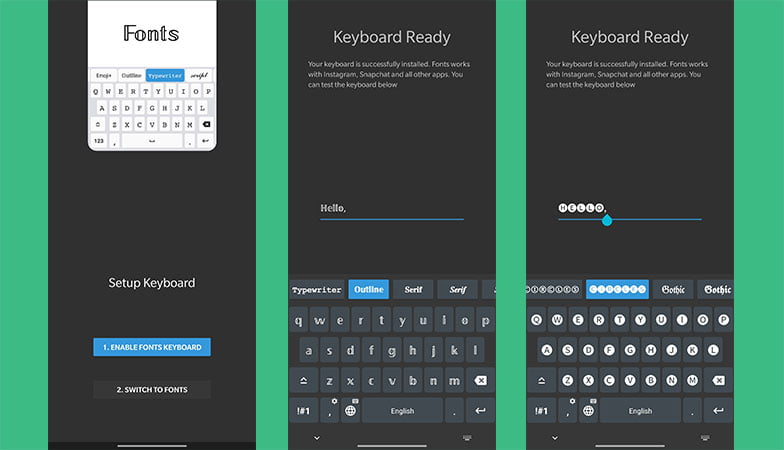
Discussing the customization options, you should also have a look at the Fonts Keyboard app. This free app allows you to type using different fonts. After the initial setup, you can start writing various stylish fonts in all other applications. Users can drag along the top row to find a font they like and quickly switch to that font by tapping on it, and the keyboard layout will change accordingly. It’s a superb way to send stylish messages to your friends on social networks as it supports almost any messaging app.
PlayKeyboard
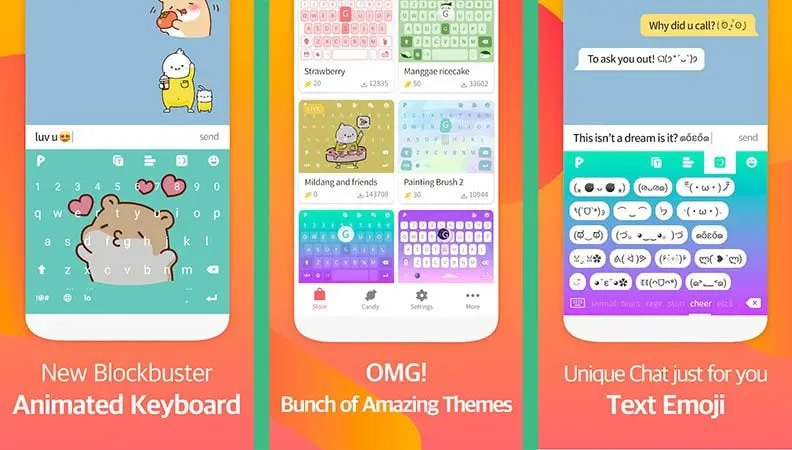
PlayKeyboard is another fantastic looking keyboard app that brings some neat animation right into your keyboard. It has a live theme feature that displays various animated characters as you type. You can also set different animation for different words that look kind of cool.
Furthermore, users can customize the look, feel with various layers, and adjust the keys’ size according to their needs. Add some emojis, images, or gifs inside the layout to create a unique look. But don’t think it’s just for the look; the keyboard works pretty well for other basic functions as well and offers Emojis and Shortcuts.
Typing Hero
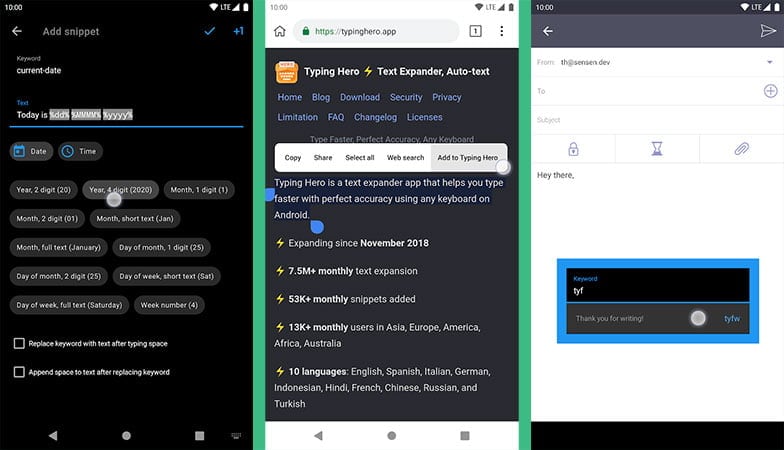
Typing hero is probably one of the best keyboard apps that allows you to input a keyboard shortcut and then the text that will appear when the shortcut is entered. It works as a text expander and auto-text input, which allows users to type faster. You can add unlimited shortcuts containing longer sentences, URLs, phone numbers, addresses, and even technical terms.
It significantly reduces the typing time, and the best part here is you don’t need to tap anything extra on your keyboard. For instance, as soon as you start entering characters, the full word appears and even adds a space afterward so you can carry on typing without needing to press the spacebar. Most of the essential features are free, but you can upgrade for more features like a dark theme Snippet Copier, Date & Time Transformer, Cursor Placement, etc.
GO Keyboard Lite
GO Keyboard comes from the same developer of the most popular Go Launcher App. If you are the type of person who wants to customize every android corner, then this is for you. Along with some great typing features, Go Keyboard got huge numbers of themes to choose from. There is a variety of keyboard layouts available to use, and each week more theme gets released. Switching between different keyboard layouts is very accessible by swiping left or right. The keyboard also can be hidden by just sliding it down.
Competing with other developers, GO Keyboard takes it one step further by providing an Emoji keyboard along with hundreds of beautiful fonts and custom keyboard Wallpaper.
TouchPal Keyboard
TouchPal Keyboard was initially targeted to save your time while typing but gradually includes many more features in every update. The app combines contextual prediction and sliding input perfectly, minimizing the need for swiping to enter a word. With multi-languages support, the keyboard also highly customizable with various skins.
The app also frequently updates with the new supply of words which make sure you get the most of suggestions and auto-completes. The latest version brings over 1000 cute emojis. There are some useful gestures like swiping from the backspace that will erase the last word, and swiping the space bar will open the emoji drawer. This award-winning keyboard is very fast and available at no cost which makes it more attractive.
These free keyboard apps will give you the best typing performance. Share your thoughts in the comment section and recommend your favorite keyboard app for other readers. Let us know which of the keyboard app you’d like most and use every day. Which one will you vote for as the Best keyboard App?



I lost my large keypad on my Android and now all I can find is Pay KeyPads